
Episode Pro 7.4.0
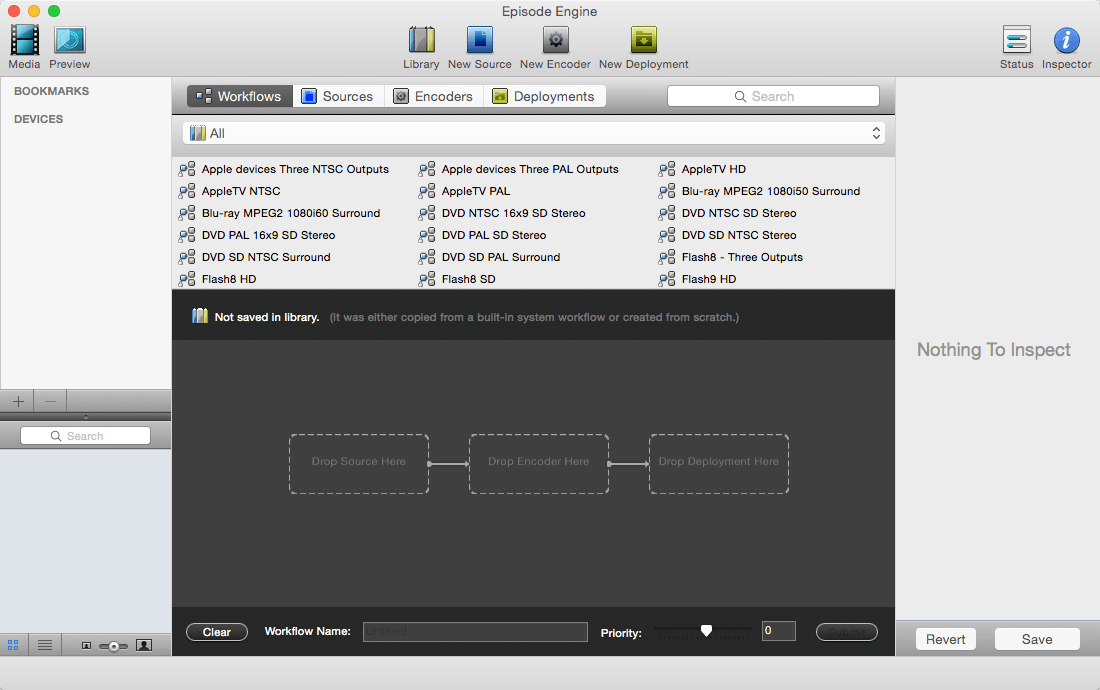
Encoding for Post Production and New Media workflows The highest quality video transcoding for the entire digital post-production workflow – from camera to delivery with remarkable speed, powerful controls and cross-platform scalability at an affordable price. Episode Pro Adds professional format support (MXF, GXF, MPEG-2/4 Transport Streams, Image sequences & multi-bitrate streaming formats).
Highest quality
Extensive codec and filter settings, with real-time preview, give you complete hands-on control so you can generate picture-perfect quality at any resolution.
Multiformat support
Episode supports the widest range of formats in its class including all the major input output formats for web, streaming, VOD, production, broadcast and more.
Flexible workflows
Filters, automation, easy clustering and more. Whether you want to set it and forget it, or fine tune each piece of content individually, Episode works the way you want to work.
Remarkable speed
Optimized codecs, cross-platform clustering, multi-thread processing, parallel and distributed encoding = ultra-fast encoding speeds.
Format conversion
Episode helps provide media in any format needed, whether for mobile phones, iDevices, web, or broadcast. Use a standard template if you are new to encoding, or tailor your settings specifically for your needs with Episode fine-tuning controls.
Standards conversion
Episode includes a world-class standards-conversion/up-conversion algorithm that provides quality comparable to expensive high-end hardware solutions. Simply use one of the settings templates included in Episode for your high-quality standard conversion needs, for a fraction of the cost of a hardware solution.
Bridge systems
Episode lets you transfer and manage media between all your different systems in your workflow. Take content from one edit system to another, transfer between various formats in your production environment, and create proxy copies for internal handling.
SCREENSHOTS
Frequently asked questions
How do I install the app?
Mount the image, drag the app into the "Applications" folder and launch it. If the system blocks the launch, allow it in "System Settings → Privacy & Security".
The app is damaged or won't launch
Reinstalling from a fresh image usually helps. Make sure your macOS version matches the one listed in the compatibility specs.
How do I update?
Download the new version from the site and install it over the current one — your settings will be preserved.
The download link doesn't work
Try a mirror or a download manager. For large files the browser often drops the connection.
How do I completely remove the app?
Use an uninstaller utility — it cleans up the service files that remain after moving the app to the trash.
VersionEpisode Pro 7.4.0
DeveloperTelestream, Inc
CompatibilityMac OS X 10.11 and later (includes macOS Sierra 10.12)
IncludesK




Information
Visitors in the group Guests cannot leave comments on this publication.
Choose a download source
Episode Pro 7.4.0 · 171.68 MB