
DiskKeeper 1.9.17
DiskKeeper - Free Disk Space, Uninstall Apps
DiskKeeper is a set of tools that will help you:
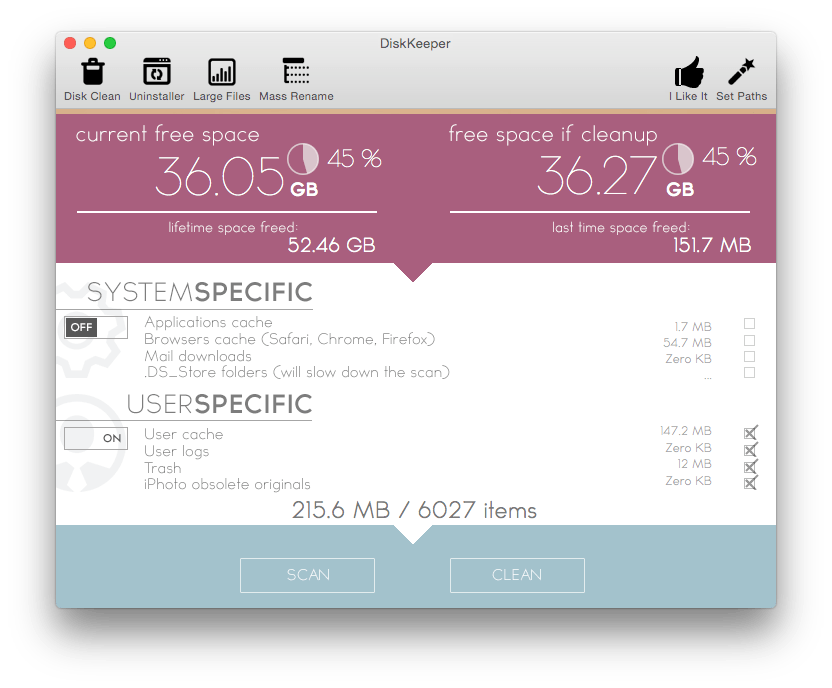
- Clean your junk, log, cache files with ease in order to boost your computer and free up disk space
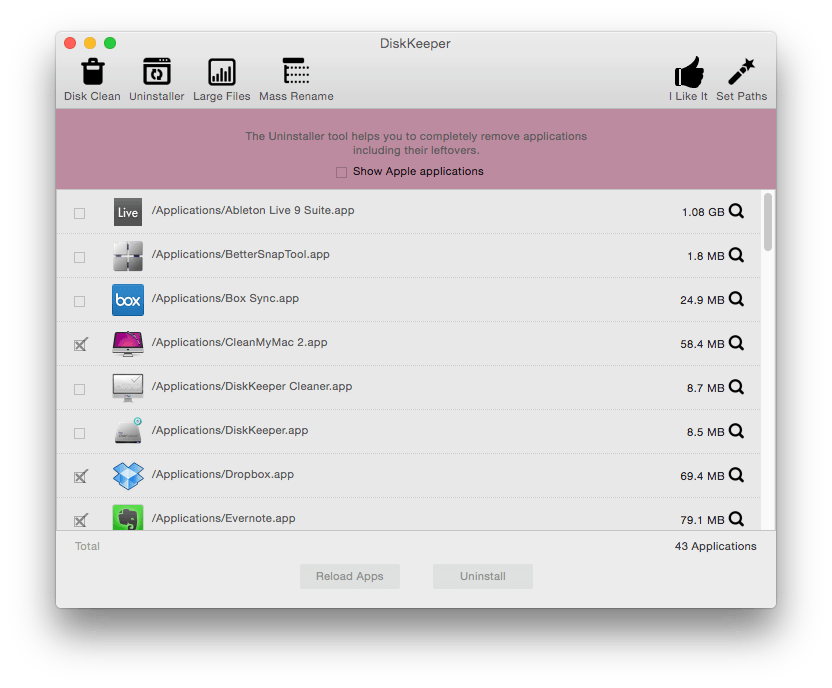
- Uninstall apps completely including their leftovers
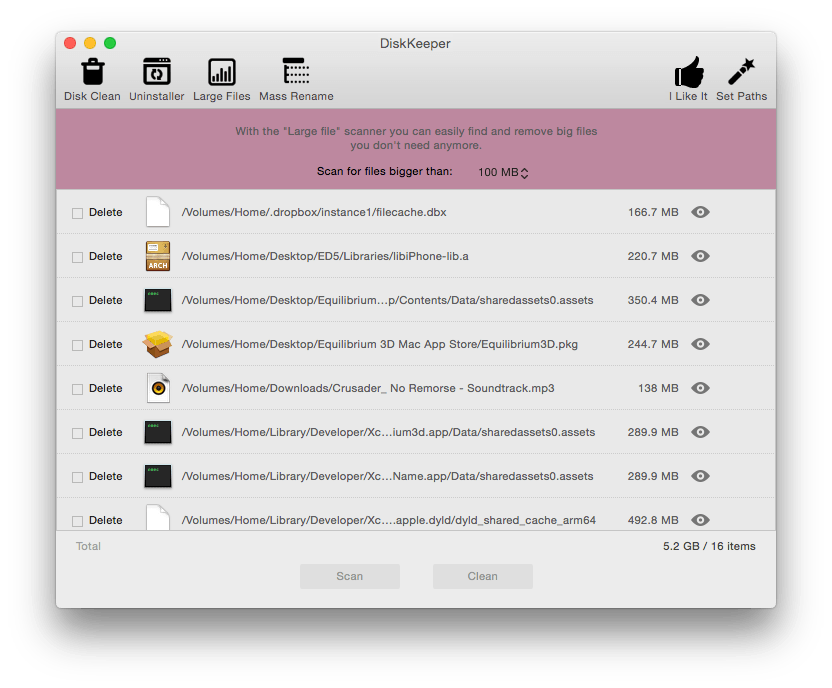
- Find and remove big files that you no longer need
- Rename file collections (add suffix, prefix, replace words, find by criteria)
Cleanup utility
- Advanced cleanup algorithm cleans gigabytes of junk with a click of a button.
- Graphical pie chart displays the state of your Computer as well as how much free space is going to be available if a cleanup is performed (called "free space after"). The information is also displayed in percentage and MB/GB units.
Uninstaller utility
- Every application creates and manages it's own files in order to work faster, smarter and keep it's settings saved.
- When an application is removed with Finder a lot of leftovers remain on the computer.
- DiskKeeper uninstalls the applications completely, including their leftovers.
Big-Files scanner
- It's hard to find all big files spread in different folders since they are organized by different criterias.
- With DiskKeeper you can find all big files in a second.
Mass-Rename utility
- Bulk rename your file collections in a second.
- With the mass rename utility you can rename files containing, starting or ending with specific word or character.
- You can add prefix, suffix or replace word or character in thousands of files with a single click.
- With DiskKeeper you can easily add prefix or suffix to your Summer picture collection.
Advanced multithreading technology
- DiskKeeper is completely multithreaded. For instance you can perform disk clean-up and scan for big files simultaneously, without having to wait the other task to complete.
SCREENSHOTS
Frequently asked questions
How do I install the app?
Mount the image, drag the app into the "Applications" folder and launch it. If the system blocks the launch, allow it in "System Settings → Privacy & Security".
The app is damaged or won't launch
Reinstalling from a fresh image usually helps. Make sure your macOS version matches the one listed in the compatibility specs.
How do I update?
Download the new version from the site and install it over the current one — your settings will be preserved.
The download link doesn't work
Try a mirror or a download manager. For large files the browser often drops the connection.
How do I completely remove the app?
Use an uninstaller utility — it cleans up the service files that remain after moving the app to the trash.
VersionDiskKeeper 1.9.17
DeveloperYuriy Georgiev
CompatibilityOS X 10.9 or later 64-bit
IncludesPre-K'ed





Information
Visitors in the group Guests cannot leave comments on this publication.
Choose a download source
DiskKeeper 1.9.17 · 2.99 MB