
Mail Stationery Expert - Templates for Mail 5.0
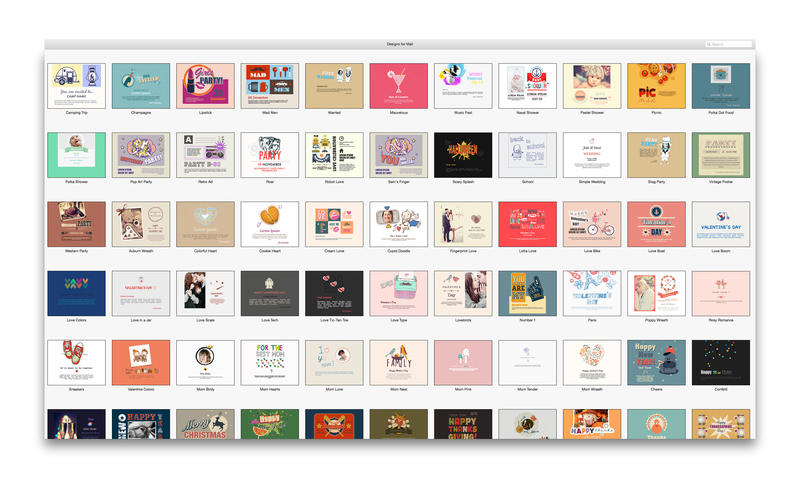
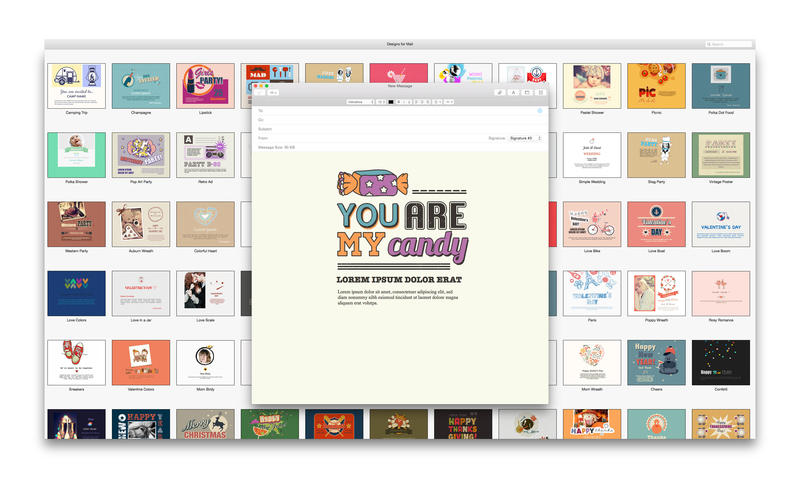
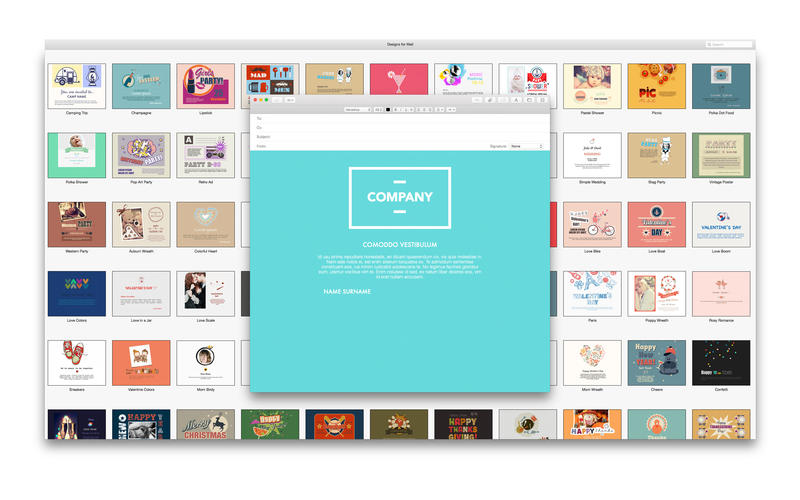
Designs for Mail is an excellent collection of 230 stationery templates for Apple’s Mail. Just choose a template, add your text and photos and send an exceptional email to your client, workmate or a friend.
The available designs range from the elegant Red Red Wine to the outright kooky Easter Chicken. You will definitely find a template that suits your style, and the selection will be regularly expanded with new stylish designs.
Using Designs for Mail is a cinch: Just download the application and open it to view the templates. Click on a specific design to open it in Apple’s Mail or select all designs and click Save Stationery to access them in Mail’s stationery chooser.
* Designs for Mail requires Mac OS X 10.7 Mail or later.
WHAT’S NEW
Version 5.0
- Bug Fixes.
SCREENSHOTS
Frequently asked questions
How do I install the app?
Mount the image, drag the app into the "Applications" folder and launch it. If the system blocks the launch, allow it in "System Settings → Privacy & Security".
The app is damaged or won't launch
Reinstalling from a fresh image usually helps. Make sure your macOS version matches the one listed in the compatibility specs.
How do I update?
Download the new version from the site and install it over the current one — your settings will be preserved.
The download link doesn't work
Try a mirror or a download manager. For large files the browser often drops the connection.
How do I completely remove the app?
Use an uninstaller utility — it cleans up the service files that remain after moving the app to the trash.
VersionMail Stationery Expert - Templates for Mail 5.0
DeveloperAlungu UAB
CompatibilityOS X 10.8 or later, 64-bit processor
LanguageEnglish
IncludesK'ed by TNT
Related posts
-
 Stationery Expert - Templates Bundle for Mail 4.1
Productivity47.17 MB
Stationery Expert - Templates Bundle for Mail 4.1
Productivity47.17 MB
-
 ADesigns - Stationery for Mail 4.0
Productivity47.82 MB
ADesigns - Stationery for Mail 4.0
Productivity47.82 MB
-
 Mail Stationery - Stationery for Mail 3.0
Graphic Design51.45 MB
Mail Stationery - Stationery for Mail 3.0
Graphic Design51.45 MB
-
 Mail Stationery 2.0
Mac Apps179.95 MB
Mail Stationery 2.0
Mac Apps179.95 MB
-
 Templates Expert - Templates for Pages, Keynote 6.0
Productivity1.43 GB
Templates Expert - Templates for Pages, Keynote 6.0
Productivity1.43 GB
Information
Visitors in the group Guests cannot leave comments on this publication.
Choose a download source
Mail Stationery Expert - Templates for Mail 5.0 · 86.39 MB