Living Earth - Weather & Clock 1.31
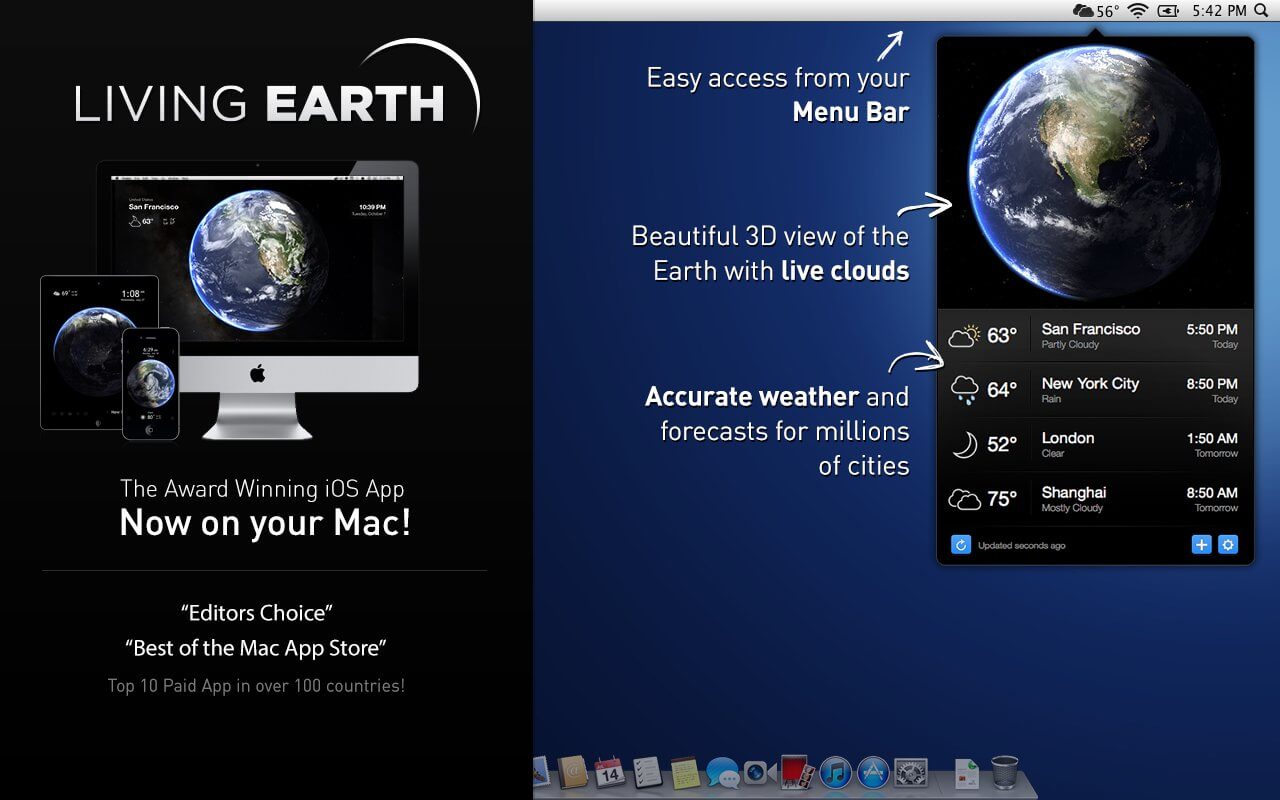
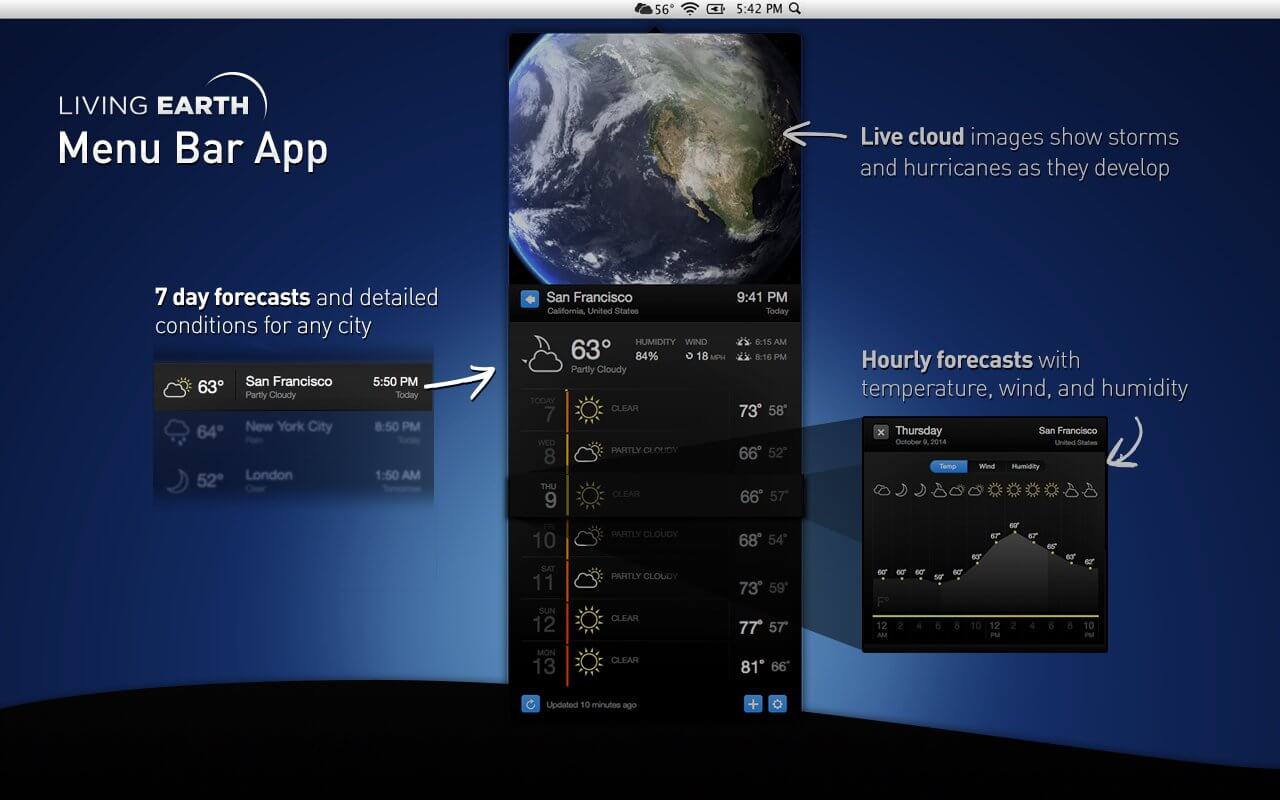
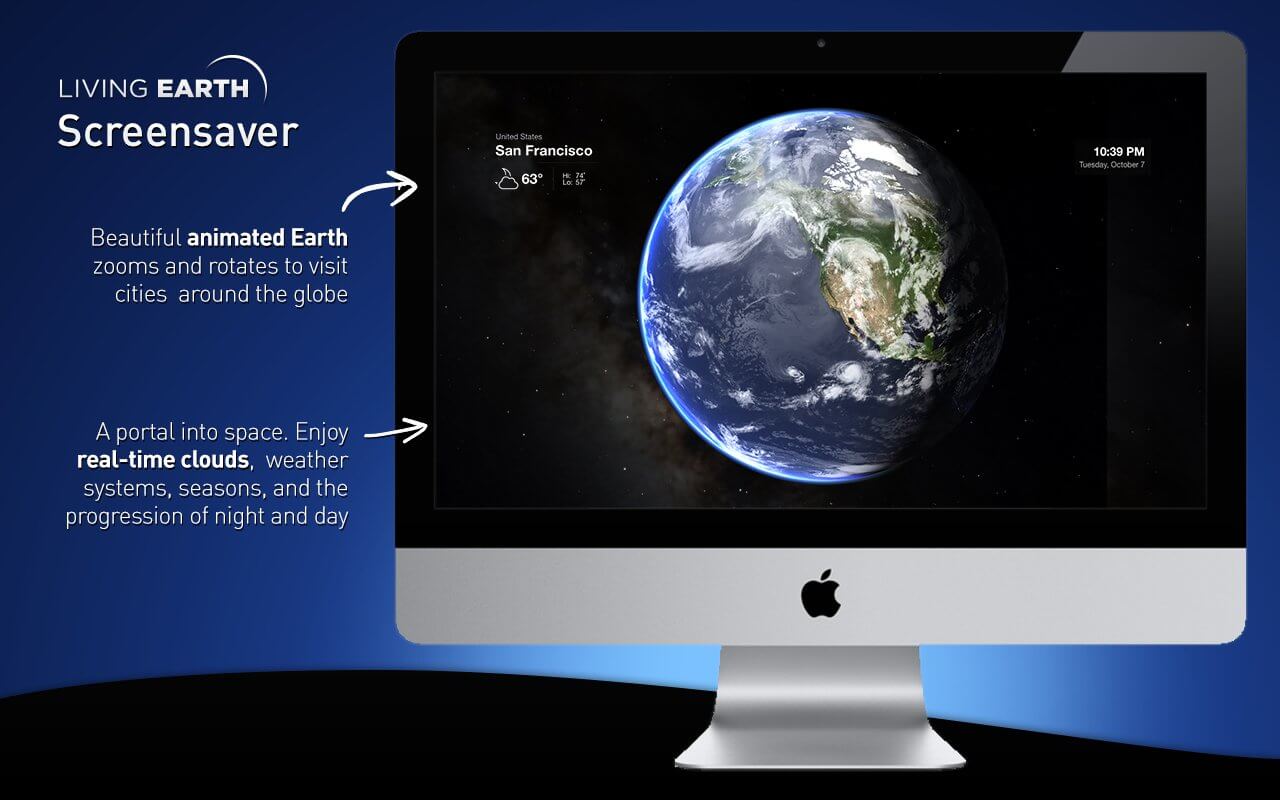
Living Earth is the best and most beautiful world clock and weather app for your Mac! The award winning app for iPhone and iPad is now available with a single click from your Mac menu bar offering easily accessible world times and weather for millions of cities around the world. Real-time global cloud cover, live wallpaper, and screensaver features turns your desktop into a window in space.
FEATURES
- World clock and weather with a single click on the menu bar or customizable shortcut from anywhere in your Mac.
- Live clouds from near real-time satellite cloud data - updated every 3 hours. View global cloud patterns, hurricanes and tropical storms around the world.
- World clock and weather for over 3 million cities. 10 day and 2-hour forecasts powered by Weather Underground.
- Live Desktop wallpaper and screensaver. Updates continuously while you work.
- Observe sunrise and sunset borders around the world live as they are happening. Watch the day and night shadow line progress across the globe through the day.
- Stars, constellations, and the Milky Way are displayed accurately in time and space.
- High resolution live 3D simulation. Enhanced for Retina display.
Version 1.30
- Fixed the Menu Window not appearing correctly in some circumstances
- Add or remove Living Earth Desktop appropriately from System Login Items
- Improved behavior for when Screensaver should start
- Fix display names in app preferences
- Fix city search result layout issues
- Many bug fixes and improvements, please email [email protected] for any issues.
Frequently asked questions
How do I install the app?
Mount the image, drag the app into the "Applications" folder and launch it. If the system blocks the launch, allow it in "System Settings → Privacy & Security".
The app is damaged or won't launch
Reinstalling from a fresh image usually helps. Make sure your macOS version matches the one listed in the compatibility specs.
How do I update?
Download the new version from the site and install it over the current one — your settings will be preserved.
The download link doesn't work
Try a mirror or a download manager. For large files the browser often drops the connection.
How do I completely remove the app?
Use an uninstaller utility — it cleans up the service files that remain after moving the app to the trash.

Choose a download source
Living Earth - Weather & Clock 1.31 · 94.19 MB