
ScriptFlow 1.4
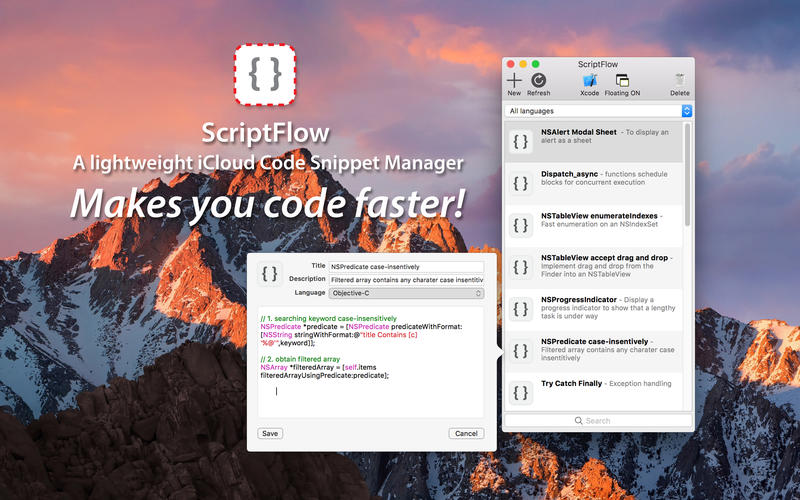
ScriptFlow for macOS is helper tools to keep your code snippets on iCloud , simple and lightweight code snippets manager made for developers with ease of use.
Securely stores your code snippets on iCloud, keeps them updated across all your devices. So you can access from all your devices anywhere.
It comes with:
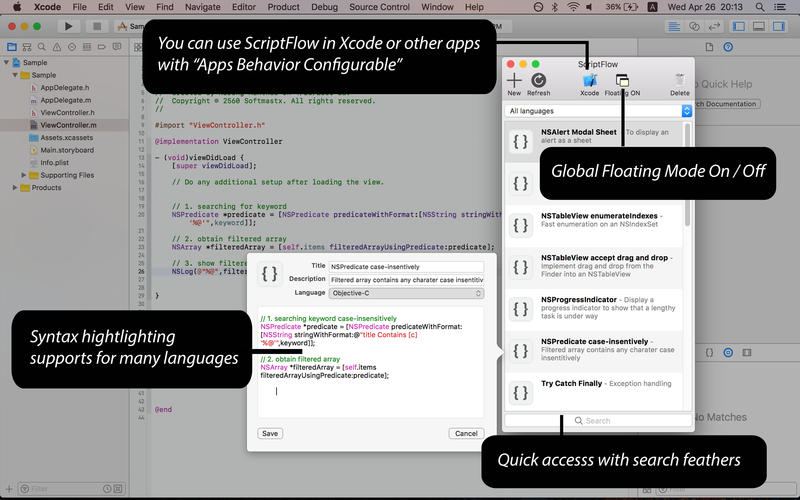
- Syntax highlighting available for many language such as Swift, Objective-C, C, C++, C#, ASP.Net, Java, jаvascript, PHP, ActionScript, HTML, CSS etc.
- Floating Mode, speed up your coding with hover window while opening other applications.
- Drag & Drop Supports - It's very easy to create new snippet by simply drag and drop your code into view.
- Service Supports - you can also create new snippet from other apps, add keyboard shortcut using services.
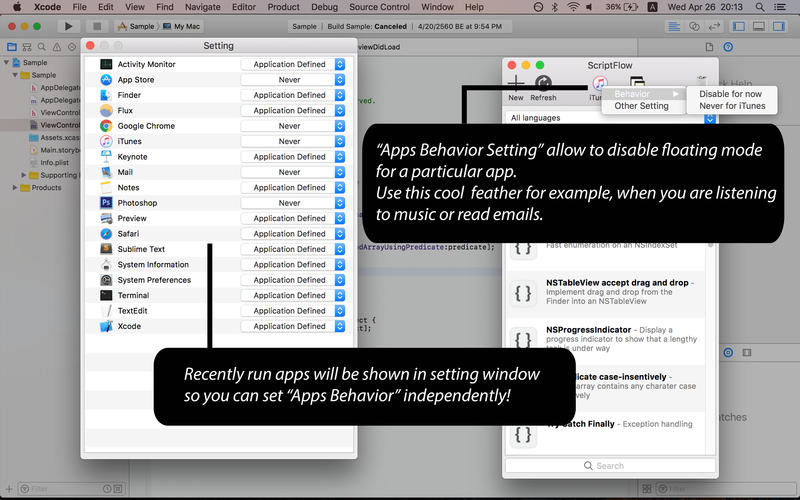
- Apps Behavior - configurable floating mode for a particular app.
WHAT’S NEW
Version 1.4:
- Add "Tagging" you can now easily tag any snippets.
- Group Search , use the "@" symbol for searching snippets by language OR just use the "#" symbol for tag's name.
- iOS compatibility and improvement now you can sync between iOS devices and macOS
SCREENSHOTS
Frequently asked questions
How do I install the app?
Mount the image, drag the app into the "Applications" folder and launch it. If the system blocks the launch, allow it in "System Settings → Privacy & Security".
The app is damaged or won't launch
Reinstalling from a fresh image usually helps. Make sure your macOS version matches the one listed in the compatibility specs.
How do I update?
Download the new version from the site and install it over the current one — your settings will be preserved.
The download link doesn't work
Try a mirror or a download manager. For large files the browser often drops the connection.
How do I completely remove the app?
Use an uninstaller utility — it cleans up the service files that remain after moving the app to the trash.
VersionScriptFlow 1.4
DeveloperNarong Aunthee
CompatibilityOS X 10.9 or later, 64-bit processor
LanguageEnglish
IncludesPre-K'ed





Information
Visitors in the group Guests cannot leave comments on this publication.
Choose a download source
ScriptFlow 1.4 · 876.39 KB