Any FLAC Converter 3.8.31
Any FLAC Converter is the best and easy-to-use FLAC audio Converter. It works as a special FLAC to MP3 Converting software to change FLAC file to MP3 for media or MP3 Players. It can convert any FLAC music to AAC/WAV/ALAC/OGG/WMA/AIFF, etc. for iOS devices like iPhone, iPad and iPod. It can also convert FLAC to iTunes for your free songs enjoyment. This powerful FLAC file Converter can extract and convert any Video/Audio documents to FLAC format, including convert MP3 to FLAC, WAV to FLAC, MP4 to FLAC, FLV to FLAC, Apple Lossless to FLAC and so on.
Key Features:
Convert any FLAC file to other audio/sound formats like MP3
As the professional FLAC (Free Lossless Audio Codec) conversion tool, it can convert any FLAC audio to MP3, WAV, Apple Lossless (ALAC), iTunes, AIFF, AC3, AU, M4A, MP3, OGG, RA, and WMA.
Extract and convert any Video/Music Files like MP4 to FLAC
Besides converting .flac to .mp3, .wav, .wma, .m4r, etc. directly, you can also convert any video file like MP4, AVI, MOV, FLV, MKV, WMV, etc. and audio like MP3, AAC, M4A, WAV, AIFF, WAV, ALAC, OGG, etc. including recorded movie and sounds to .flac contrarily.
Enjoy the converted FLAC files on iTunes, iPad, iPhone and other portable devices or media players
This FLAC Converter can easily translate FLAC files to iTunes supported audio formats easily. It can also convert FLAC to iPad Pro/Air/mini, iPhone 7/7 plus/SE/6s/6s plus/6/6 plus/5s/5, iPod touch/nano/shuffle, supported audio formats and also many other mp3 players for enjoyment.
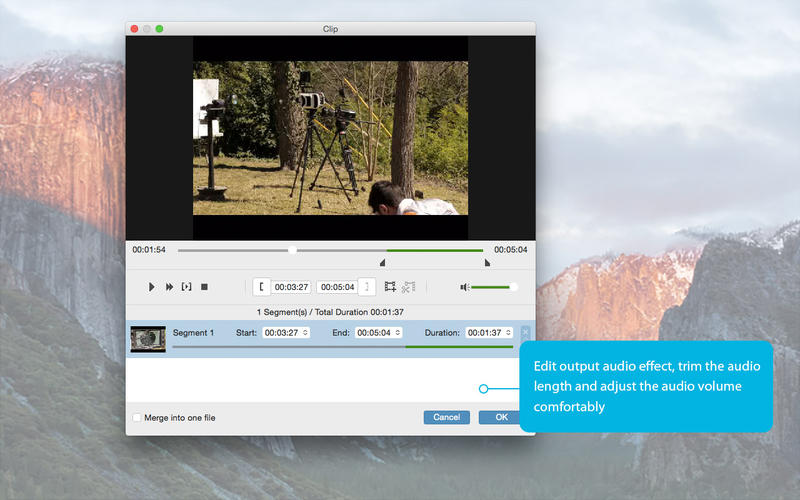
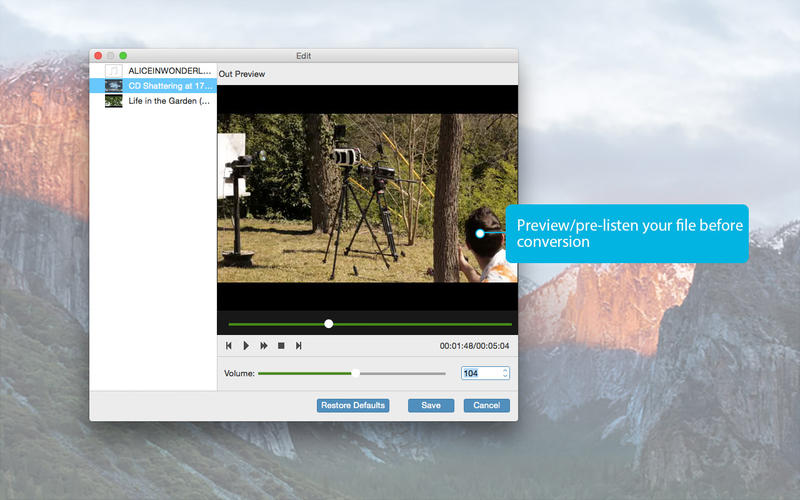
Free edit Output Audio Files
Free trim any length of the audio file to convert. Adjust audio bitrates, audio channels, sample rate, volume of the output audio files for better effects.
Lossless audio quality and super fast conversion speed
With this FLAC Converter, converting FLAC to MP3/WAV/ALAC and other audio formats will never be a problem for you. And you don’t need to worry about the converted audio quality and the lightning converting speed.
WHAT’S NEW
Version 3.8.31
- Interface brings you an excellent experience.
- Lightning converting speed
SCREENSHOTS

Frequently asked questions
How do I install the app?
Mount the image, drag the app into the "Applications" folder and launch it. If the system blocks the launch, allow it in "System Settings → Privacy & Security".
The app is damaged or won't launch
Reinstalling from a fresh image usually helps. Make sure your macOS version matches the one listed in the compatibility specs.
How do I update?
Download the new version from the site and install it over the current one — your settings will be preserved.
The download link doesn't work
Try a mirror or a download manager. For large files the browser often drops the connection.
How do I completely remove the app?
Use an uninstaller utility — it cleans up the service files that remain after moving the app to the trash.
VersionAny FLAC Converter 3.8.31
DeveloperLongEasy Co., Ltd
CompatibilityOS X 10.5 or later
LanguageEnglish
IncludesPre-K'ed

Information
Visitors in the group Guests cannot leave comments on this publication.
Choose a download source
Any FLAC Converter 3.8.31 · 16.96 MB