
TubeG Pro 5.2
Screenshots
Click to enlarge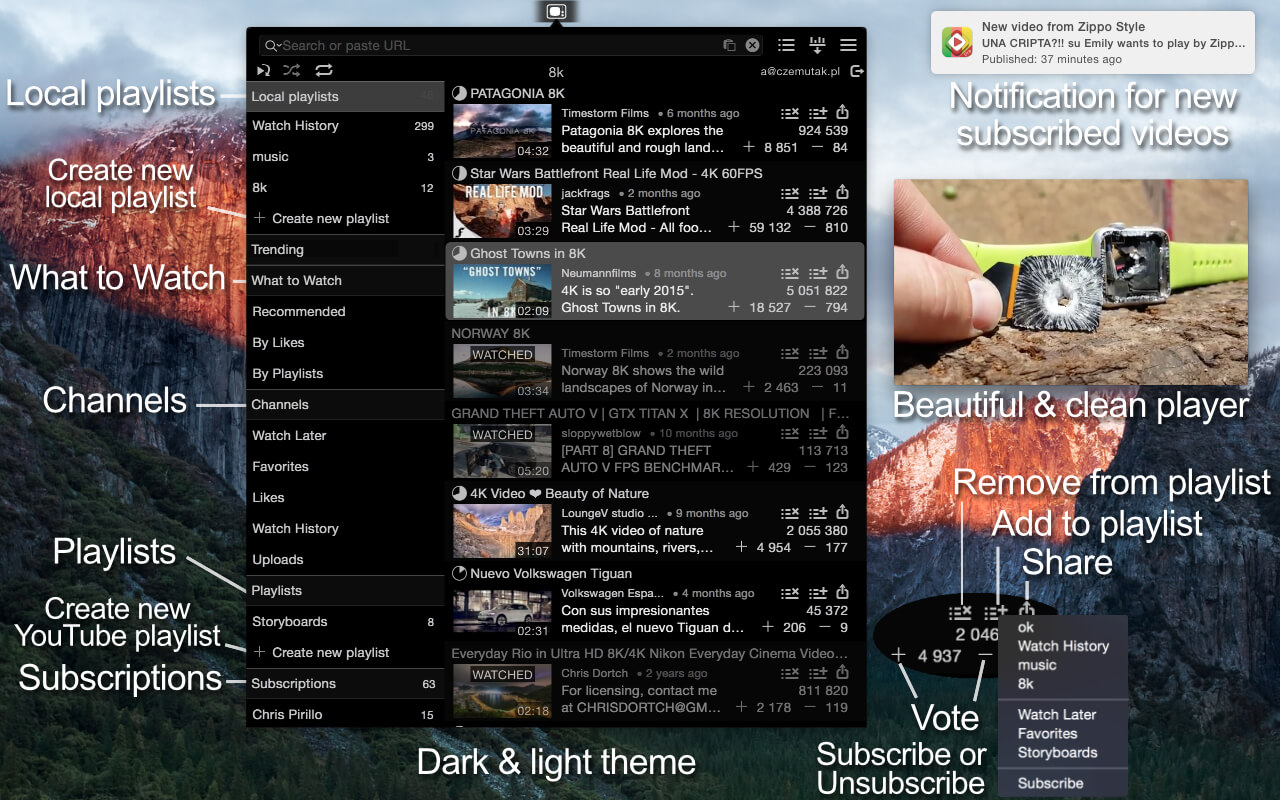
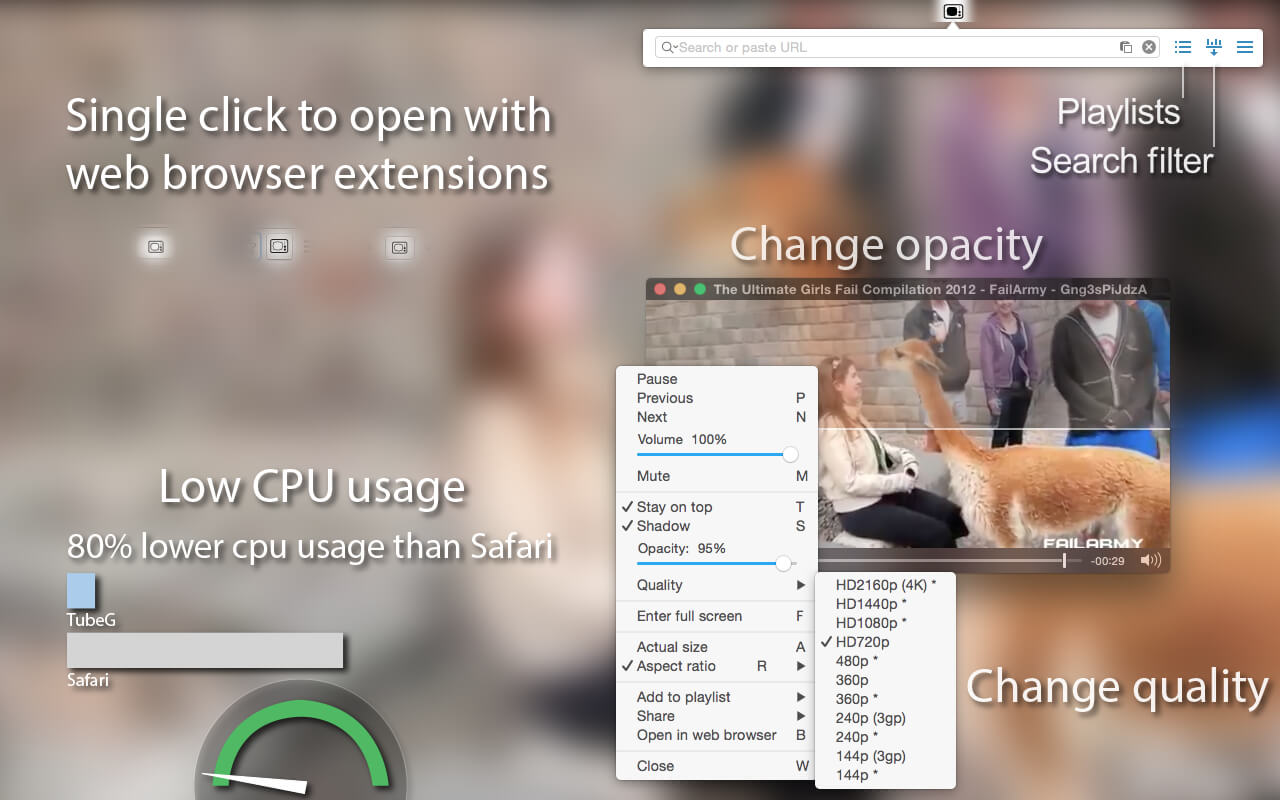
Beautiful & clean window. Do you want to watch your favorite videos from YouTube (Twitch, Break, Facebook, Dailymotion, CNN or others…) in a separate window and adjust its size? Yes, we want it too and now it's available. Browser window is too big, when you want to do something else you have to change size, hide toolbars etc. Now you can easily open new video link.
Fatures
- Quality: HD4320p (8K), HD2160p (4K), HD1440p, HD1080p, HD720p, Medium, Small and 60 FPS
- Parser with support more popular pages (Vimeo, Facebook, Dailymotion, CNN and more than 500 other...)
- Get YouTube video from every page
- Support vevo, live streaming, possibility to enter mp4 video url
- Launch on startup
- Keep player windows on top + only while playing
- Play video automatically
- Set your own dimensions
- Set default window position
- Change player controls style in preferences (3 options)
- Beautiful & clean title bar (auto show/hide)
- Global shortcut to open popover (window)
- Dark & Light Theme
- Set window shadow
- Custom seek time in preferences
- Original size in preferences & right click menu
- Aspect ratio when resize in preferences & right click menu + Default, 4:3, 14:9, 16:9, 21:9
- Change opacity
- Full screen mode
- Support web browsers extensions (addons) (just single click to open video)
- App Nap
- Shortcuts
- Notifications
- Show related at the end of movie
- Open in Full Screen mode after open window
- Support multiple windows (you can paste or drag&drop multiple links)
Pro Features
- Notifications for new subscribed videos
- Click on notification to open YouTube video
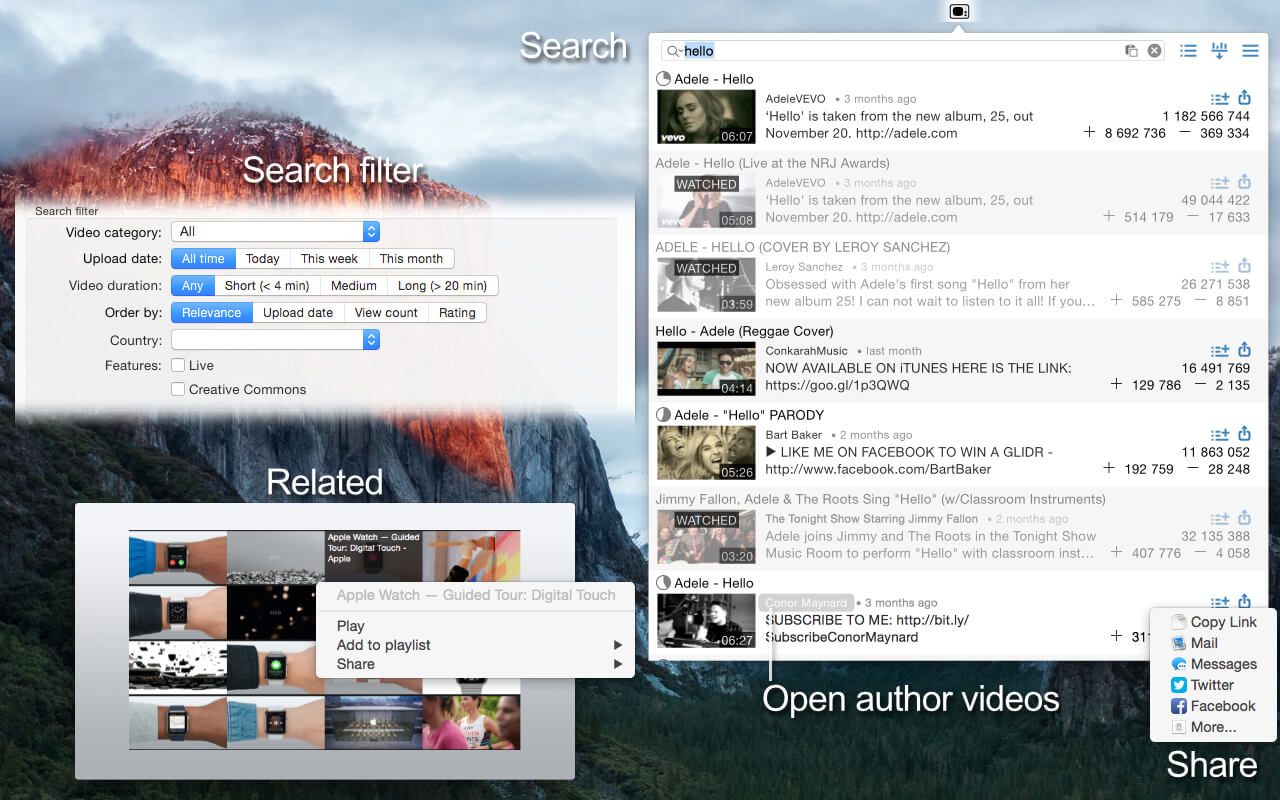
- Search with autocomplete
- Search randomly when the length equals 0
- Filter advanced options for search
- Little pull down to load more (pagination) or refresh playlists menu
- Local playlist (works without an account)
- Trending, What to watch
- Channels, playlists, subscriptions (sign in with Goggle+ account)
- Manage YouTube playlist & channel items (add, remove, vote)
- Subscribe and unsubscribe
- Remember, where the video was stopped & percentage watched the video
Version 5.2:
- Improved parser
- Fixed subscriptions
- Removed unsupported categories
Comments
No comments yet. Be the first.
Information
Visitors in the group Guests cannot leave comments on this publication.