
Marked 2.6.46
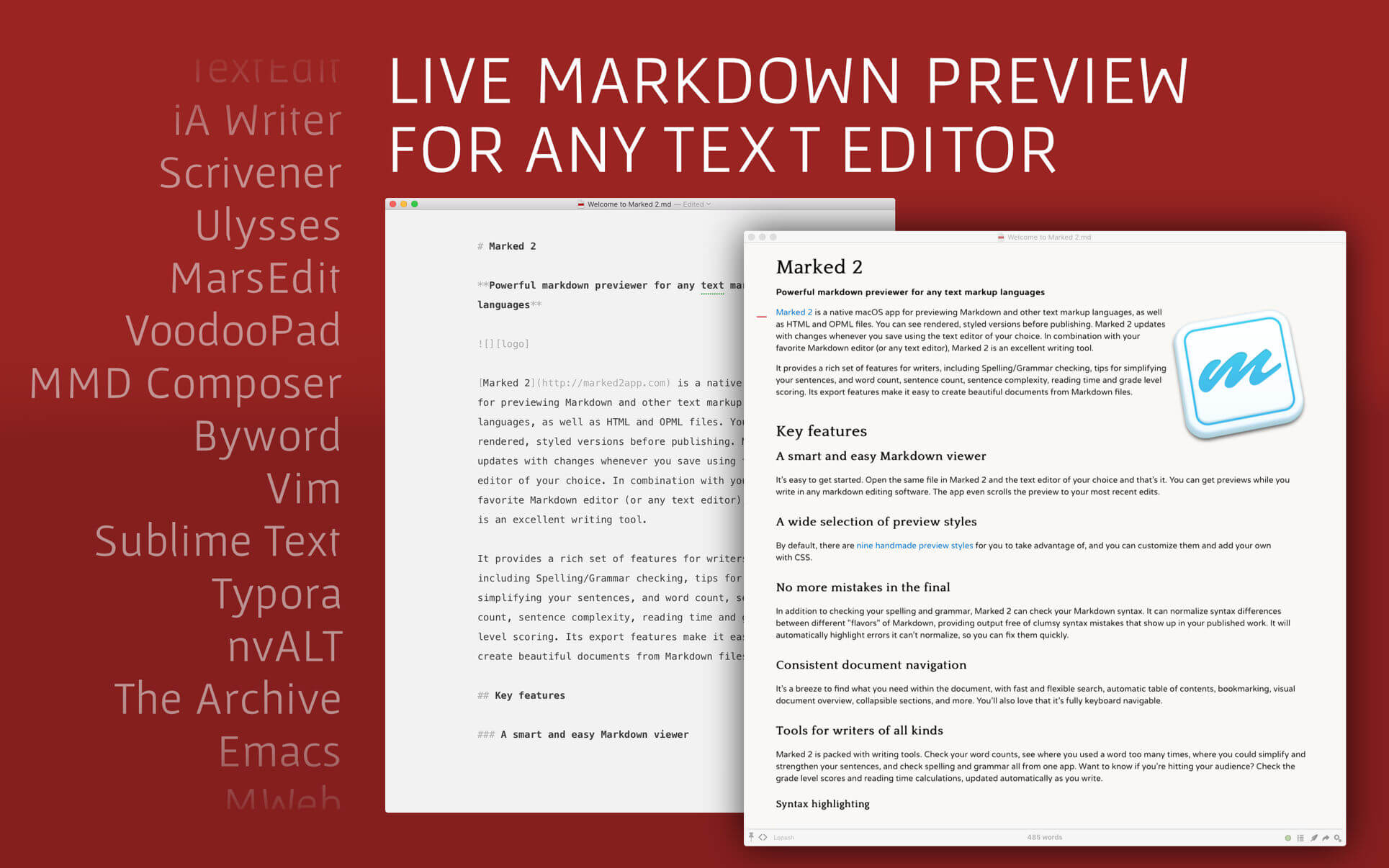
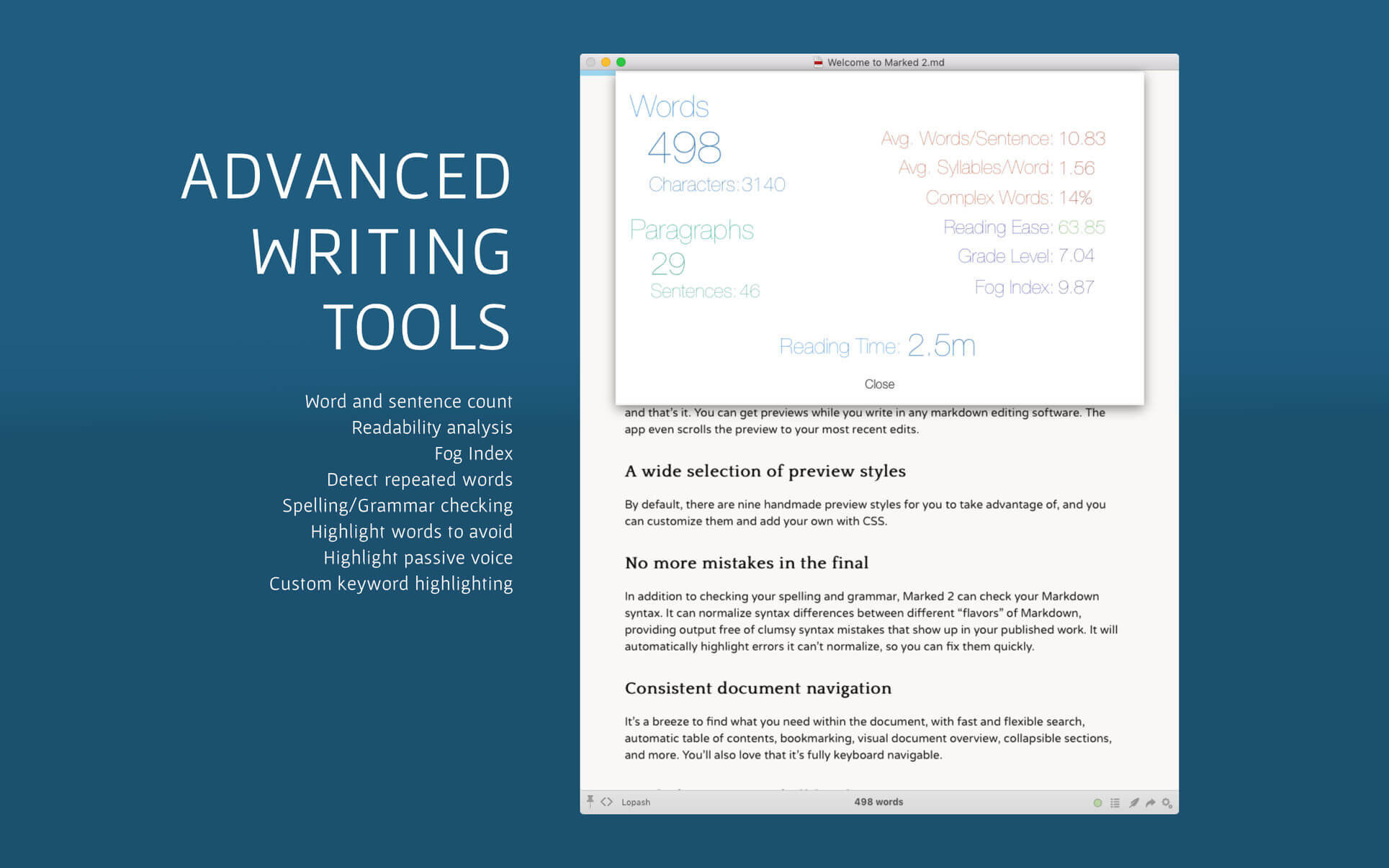

Marked allows you to preview your Markdown (in any flavor) as you write in your favorite text editor. It tracks your file changes and updates the preview as you go, even automatically scrolling to the point in the file where you're currently working.
Marked 2 includes a rewrite of the file-watching system for speed and accuracy. It speeds up just about every part of the app, making it even easier to get your work done without worrying about how it's going to look or waiting for your preview to update.
Version 2.6.45
NEW
- Embed custom jаvascript in every Preview using CDN urls or local scripts
- Add option to force code wrapping regardless of theme settings
- Recognize `==highlight==` syntax
- Recognize `~~delete~~` syntax
- Recognize `~underscore~` syntax
- All new syntaxes can be disabled in preferences
- Option to render `==highlight==` and `~~delete~~` as CriticMarkup
IMPROVED
- Convert CriticMarkup handling from Python to Ruby
- Better status bar updating
- Scrivener rendering speed
- Help updates
- Add local JS picker to Additional Scripts options
- Sidebar and Table Of Contents scrolling in internal help system
- Amblin fonts
- Scrivener compiler Python testing
- Help updates
- Rename Preferences to Settings in Help documentation
FIXED
- Marked.message.clearTip() removes all tips, even timeout=0
- Last edit marker being inserted inside pre tags, breaking mermaid and other processors
- Separate option for underscore syntax as it potentially conflicts with MultiMarkdown subscript syntax
Frequently asked questions
How do I install the app?
Mount the image, drag the app into the "Applications" folder and launch it. If the system blocks the launch, allow it in "System Settings → Privacy & Security".
The app is damaged or won't launch
Reinstalling from a fresh image usually helps. Make sure your macOS version matches the one listed in the compatibility specs.
How do I update?
Download the new version from the site and install it over the current one — your settings will be preserved.
The download link doesn't work
Try a mirror or a download manager. For large files the browser often drops the connection.
How do I completely remove the app?
Use an uninstaller utility — it cleans up the service files that remain after moving the app to the trash.



Choose a download source
Marked 2.6.46 · 24.43 MB
Previous versions
Marked 2.6.46
Previous versions are available to registered users.