iFinance 4.5.23
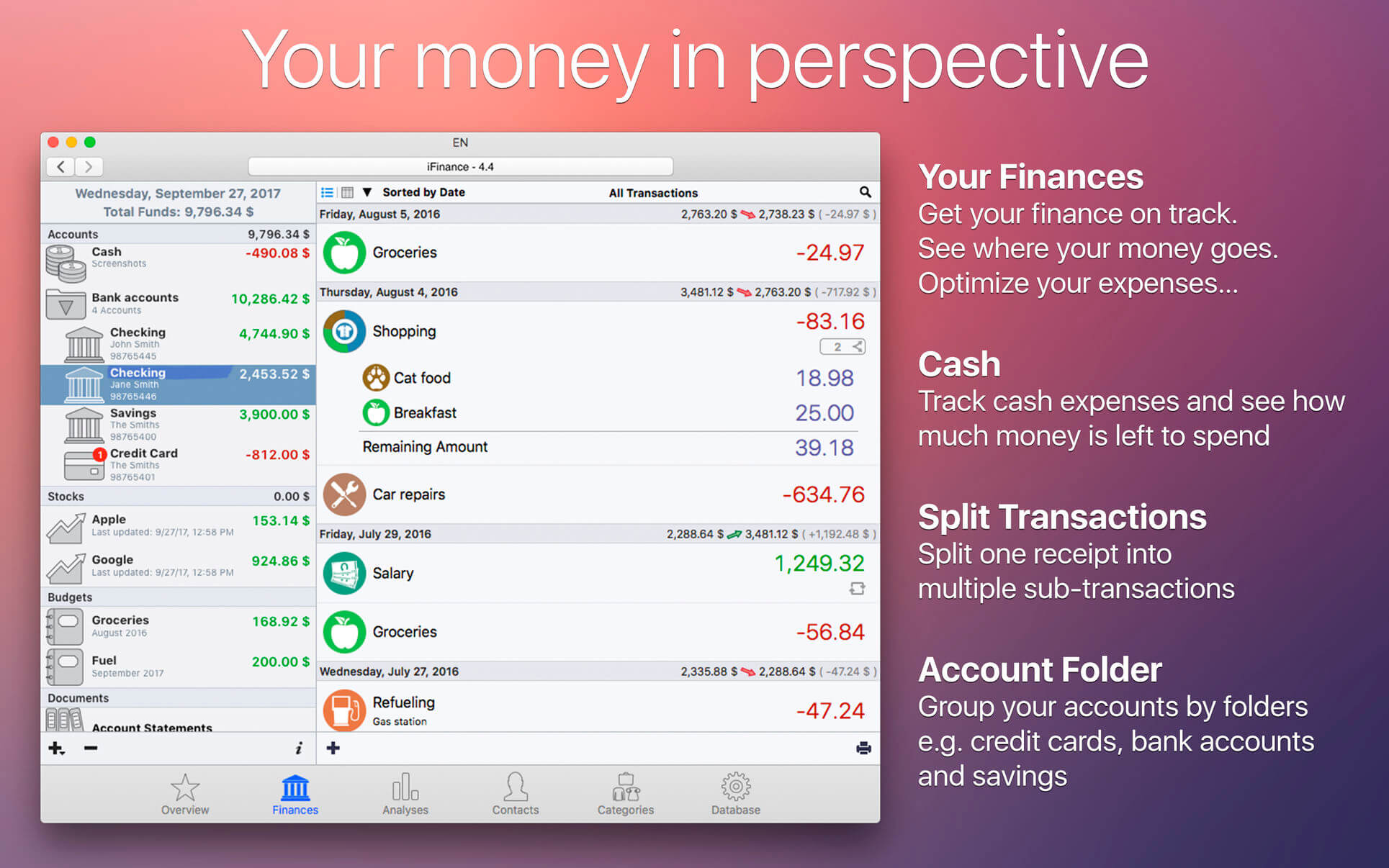
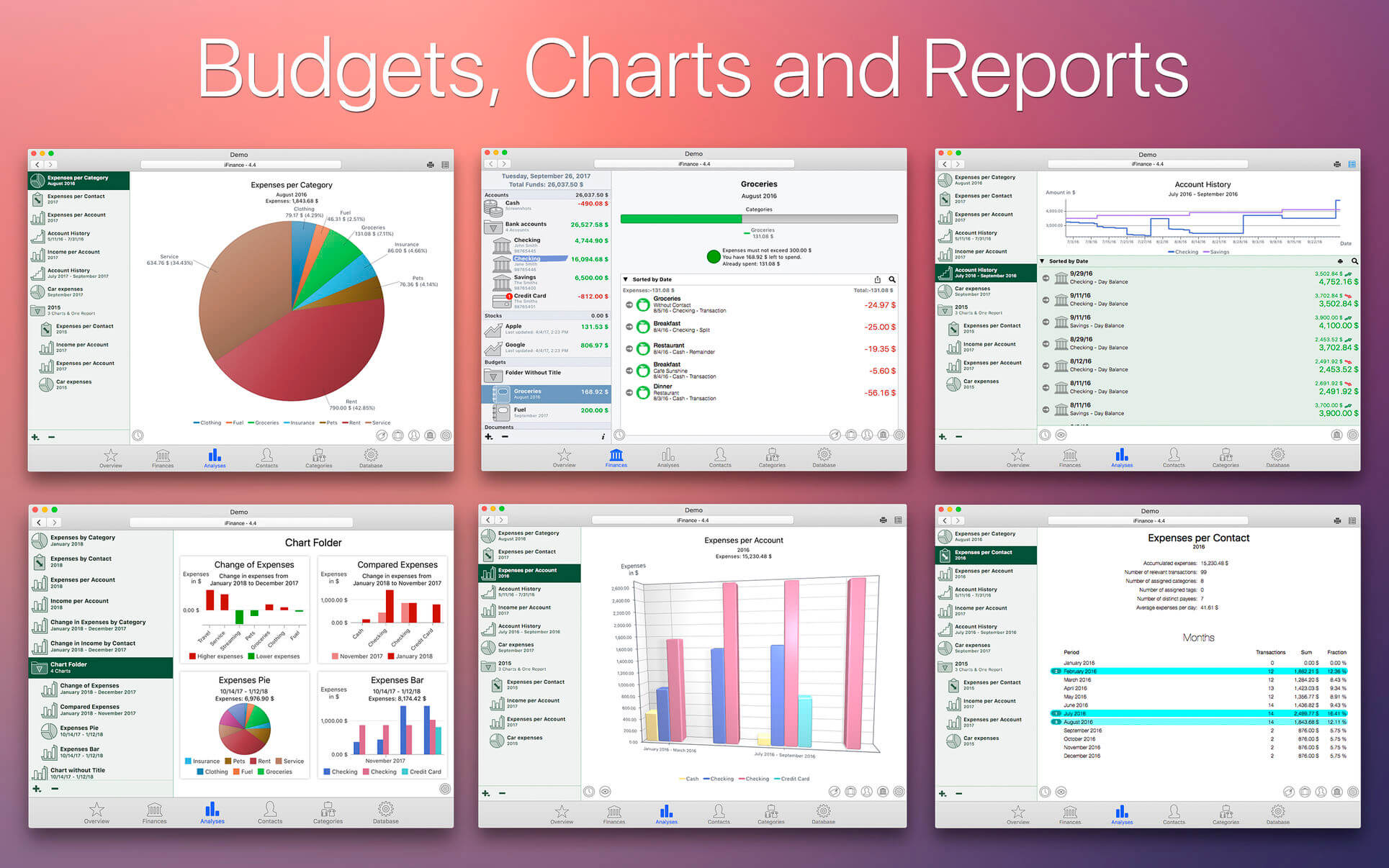
iFinance allows you to keep track of your income and spending -- from your lunchbreak coffee to your new car -- in the most convenient and fastest way. Clearly arranged transaction lists of all your financial resources from your debit account to your credit card and cash show you exactly what you spend your money on - the first and most crucial step in getting your finances on-track. iFinance lets you know how your assets perform. Have it analyze your finances and the available charts and reports will show you instantly what your biggest spending items are and where there's potential for savings. The convenient budget feature helps you review your financial goals. How much money can you spend today if you want to stay within your budget? How much more income is needed to achieve your monthly goal?
It supports several different banking file formats, such as CSV, QIF, OFX, and mt940. Import your data by using one of these formats or retrieve your bank account transactions via OFX direct-connect. Please note that not all banks support OFX direct-connect. Please check out our free demo version if you are unsure about your bank’s online features.
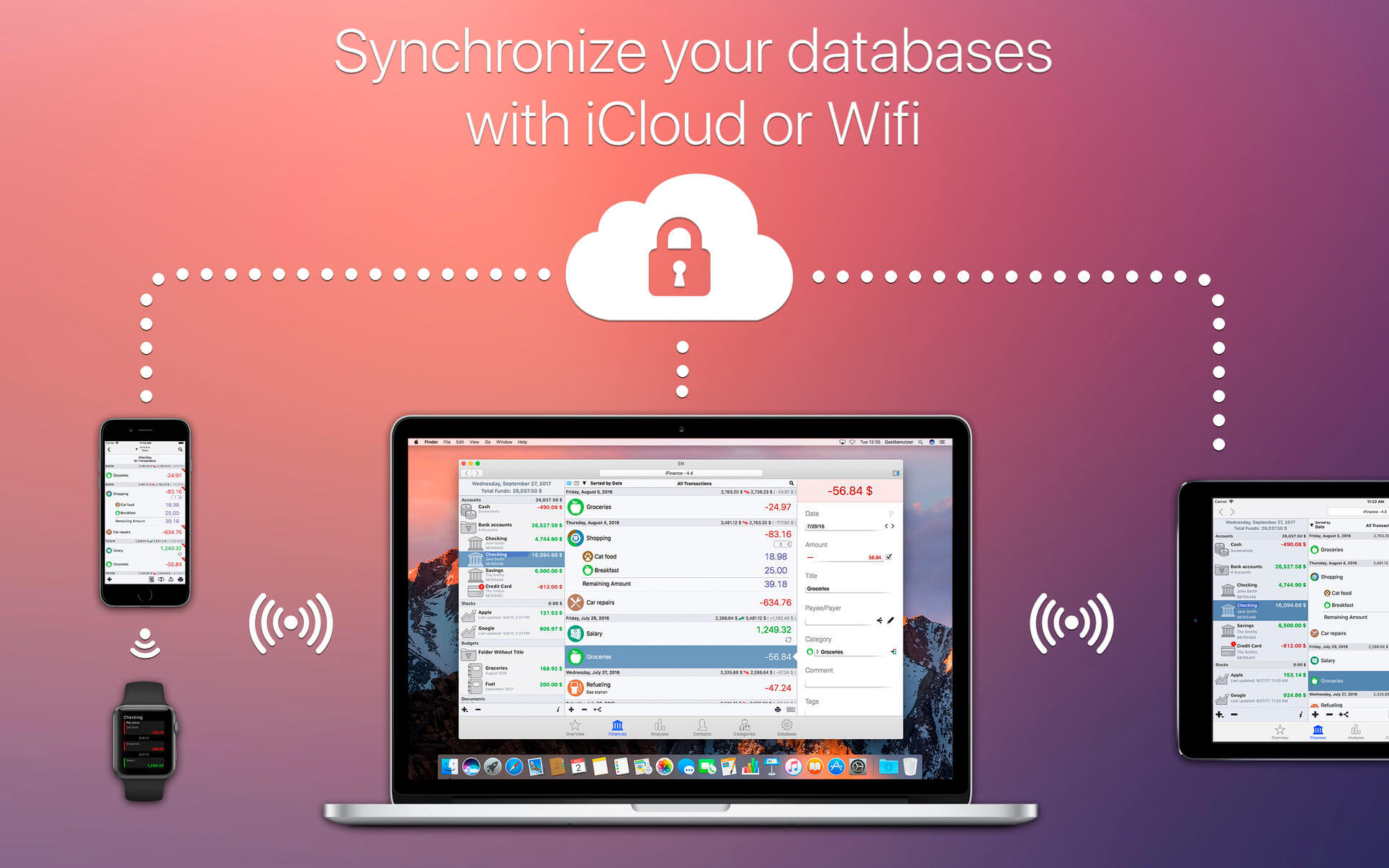
Keep iFinance up-to-date on all your devices using iCloud or the enhanced WiFi-Sync feature. Once you establish a WiFi connection, Sync takes all new entries that you made on your Mac at the office or on your iPhone while you were on-the-go and merges them into a single, up-to-date version. WiFi Sync allows multiple users to manage the same database. This may become useful, for example, if you are in charge of a club's or association's finances, or if you manage a bank account with another person.
Version 4.5.23
- Bug fixes
Frequently asked questions
How do I install the app?
Mount the image, drag the app into the "Applications" folder and launch it. If the system blocks the launch, allow it in "System Settings → Privacy & Security".
The app is damaged or won't launch
Reinstalling from a fresh image usually helps. Make sure your macOS version matches the one listed in the compatibility specs.
How do I update?
Download the new version from the site and install it over the current one — your settings will be preserved.
The download link doesn't work
Try a mirror or a download manager. For large files the browser often drops the connection.
How do I completely remove the app?
Use an uninstaller utility — it cleans up the service files that remain after moving the app to the trash.
VersioniFinance 4.5.23
DeveloperSynium Software GmbH
CompatibilityOS X 10.10 or later, 64-bit processor
LanguageEnglish
IncludesK'ed by TNT



Choose a download source
iFinance 4.5.23 · 34.1 MB
Previous versions
iFinance 4.5.23
Previous versions are available to registered users.
Comments 1