
Paste 2.5.6
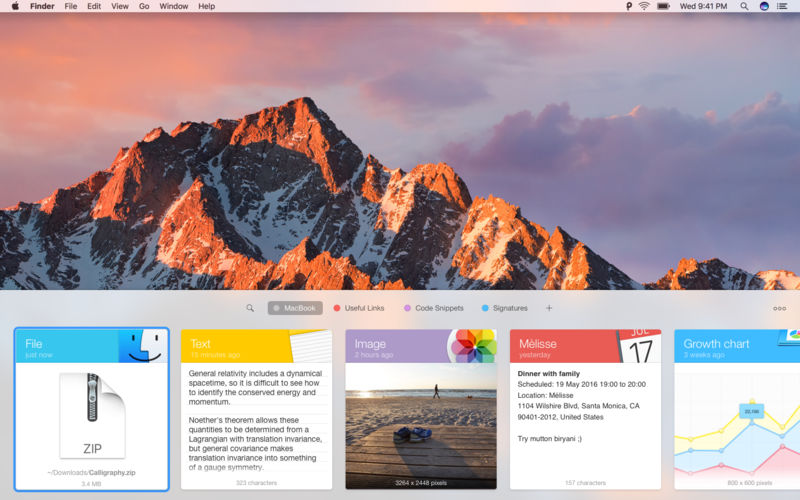
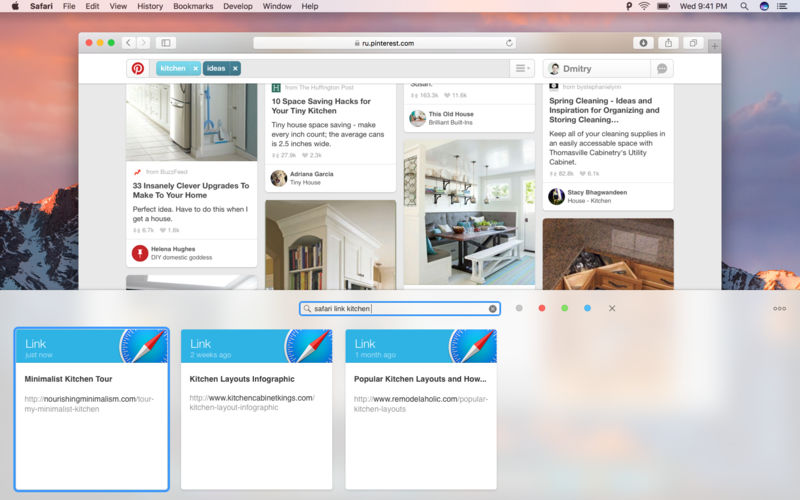

Paste is a new way to copy and paste for your Mac. It keeps everything you've ever copied and lets you use your clipboard history anytime you need it. It recognizes and stores text, images, links, files, and any other type of content, and generates informative previews for easy browsing.
Paste works in the background, and tightly integrates into your system and your workflow. An intuitive user interface and improved user experience allows you to focus on your core tasks and not on the application itself.
Key Features
- Extend your clipboard history capacity up to unlimited
- History management, rules and exceptions
- Intelligent search with flexible filters
- Select and paste multiple items simultaneously
- Drag-and-drop multiple items to any application
- Paste plain or rich text
- Send clipboard history to other devices via AirDrop or share with your friends
Version 2.5.6:
- Release notes were unavailable when this listing was updated.
Frequently asked questions
How do I install the app?
Mount the image, drag the app into the "Applications" folder and launch it. If the system blocks the launch, allow it in "System Settings → Privacy & Security".
The app is damaged or won't launch
Reinstalling from a fresh image usually helps. Make sure your macOS version matches the one listed in the compatibility specs.
How do I update?
Download the new version from the site and install it over the current one — your settings will be preserved.
The download link doesn't work
Try a mirror or a download manager. For large files the browser often drops the connection.
How do I completely remove the app?
Use an uninstaller utility — it cleans up the service files that remain after moving the app to the trash.
VersionPaste 2.5.6
Developer© Dmitry Obukhov
CompatibilitymacOS 10.13 or later 64-bit
LanguageEnglish
IncludesK'ed by TNT





Choose a download source
Paste 2.5.6 · 18.29 MB
Previous versions
Paste 2.5.6
Previous versions are available to registered users.
Comments 5