
Recordee 1.0
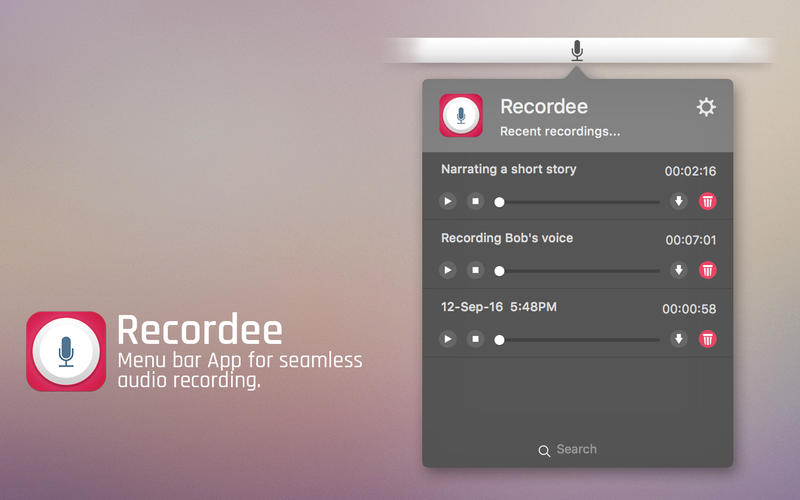
Recordee is a drop-dead easy app to record audio on your Mac. It resides on your Menu bar as a small icon and requires just two clicks to initiate a recording. It is one of the distraction less recording app that leaves no trace of its existence on the desktop. It keeps doing its job in the Menu bar itself. Thus making it fully hidden from your attention which comes useful in recording a story telling.
HOW TO RECORD:
There are three simple ways to record an audio with this app. Each one is easier than the other.
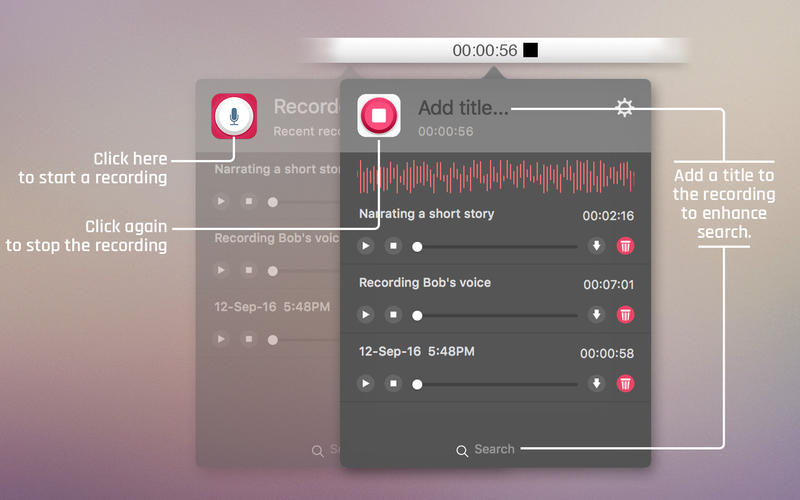
- Users can start a recording with just a click on the app icon on the Dock. To stop the recording click again on the icon on the Dock.
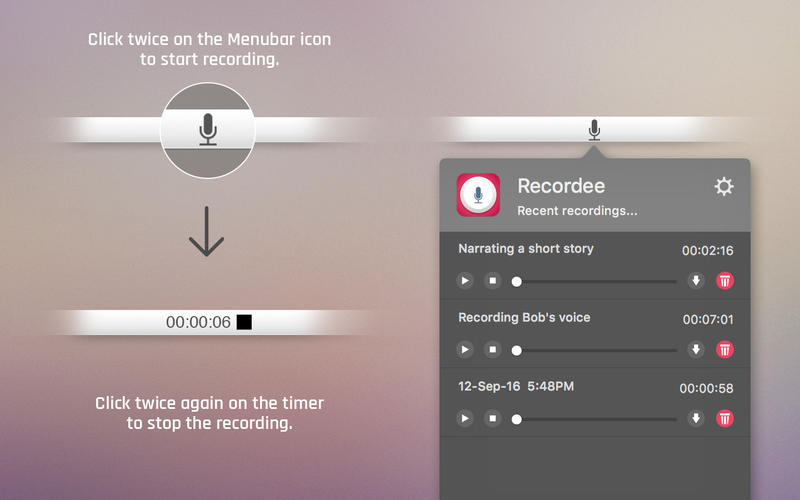
- In case if you have the Dock Icon hidden, you can start the recording from the Menu bar. Just click on the App icon to start the recording and click again to stop recording.
- You can also initiate the recording from the Menu bar options. Click on Recording from the Menu bar and click on Start/Stop. Repeat the same to stop it when you are done with the recording.
From the Menu bar pop window, users can listen to the recorded audio with full play/pause and stop functionality. Users also can save the recording to another location or delete the recorded audio very easily. The search bar at the bottom will help users to get their hands on any recording instantly.
Снимки экрана
Frequently asked questions
How do I install the app?
Mount the image, drag the app into the "Applications" folder and launch it. If the system blocks the launch, allow it in "System Settings → Privacy & Security".
The app is damaged or won't launch
Reinstalling from a fresh image usually helps. Make sure your macOS version matches the one listed in the compatibility specs.
How do I update?
Download the new version from the site and install it over the current one — your settings will be preserved.
The download link doesn't work
Try a mirror or a download manager. For large files the browser often drops the connection.
How do I completely remove the app?
Use an uninstaller utility — it cleans up the service files that remain after moving the app to the trash.
VersionRecordee 1.0
DeveloperINSPIRING-LIFE TECHNOLOGIES PRIVATE LIMITED
CompatibilityOS X 10.10 or later, 64-bit processor
LanguageEnglish
IncludesPre-K'ed




Information
Visitors in the group Guests cannot leave comments on this publication.
Choose a download source
Recordee 1.0 · 8.46 MB