
Apple Keynote 8.0.1
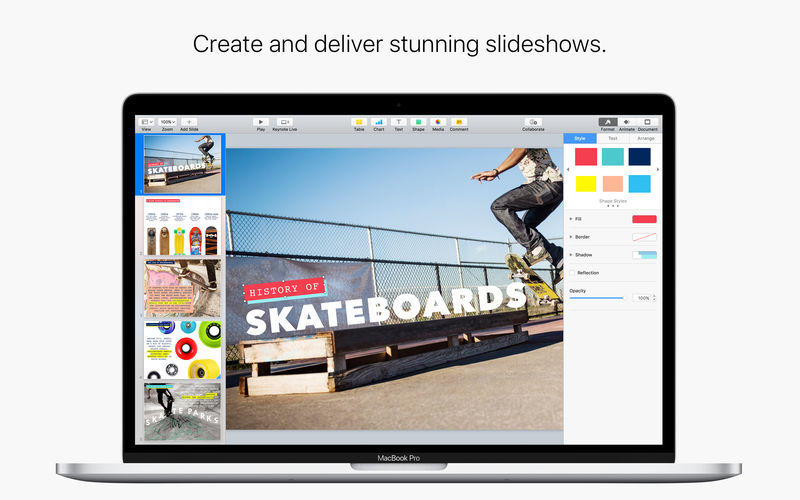

Easily create gorgeous presentations with Keynote, featuring powerful yet easy-to-use tools and dazzling effects that will make you a very hard act to follow.
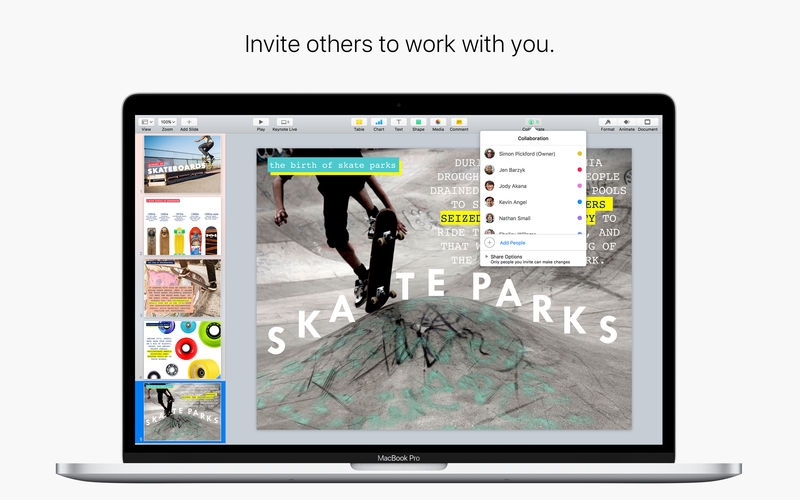
- With real-time collaboration, your whole team can work together on a presentation at the same time
- Collaboration is built right in to Keynote on the Mac, iPad, iPhone and iPod touch
- PC users can collaborate too, using Keynote for iCloud
- Share your document publicly or with specific people
- You can easily see who’s currently in the document with you
- View other people’s cursors to follow their edits
- Choose from 30 Apple-designed themes to give your presentations a beautiful start
- Use the slide navigator to quickly skim through your presentation, add new slides, and reorder slides
- Engage your audience with interactive charts and chart animations
- See live on-canvas previews as you animate your slides
- Use gorgeous preset styles to make your text, tables, shapes, and images look beautiful
- Quickly open password-protected presentations using Touch ID on supported Macs
- Edit down to the pixel with rulers and alignment guides
- Simplified toolbar gives you quick access to shapes, media, tables, charts, and sharing options
- Professional-level graphics tools
- Use Instant Alpha to easily remove image backgrounds
- Free-form curves, shapes, and masks
- Connection lines
- Beautiful cinematic slide transitions for easily creating stunning presentations
- Magic Move effect to easily animate and morph graphics
- Gorgeous slide transitions including Clothesline, Object Cube, Object Flip, and Object Pop
- Impressive text and object animations including Trace, Vanish, Crumble, and Fade and Scale
- Emphasis builds let you add impact with one click
- Customizable presenter display with support for up to six displays
- Recorded narration
- Keynote Live lets you present a slideshow that viewers can follow from their Mac, iPad, iPhone, iPod touch, and from icloud.com
- Create self-running, interactive shows for kiosks and displays
- Control your slideshow from iPhone, iPad, or iPod touch with Keynote for iOS
- Turn on iCloud so you can access and edit your presentations from your Mac, iPad, iPhone, iPod touch, and icloud.com
- Use Keynote for iCloud to access and edit your presentations from a Mac or PC browser
- Keynote automatically saves your presentations as you make changes
- Use AirDrop to send your presentations to anyone nearby
- Share a link to your work via Mail, Messages, Twitter, or Facebook
Version 8.0.1
- This update contains stability and performance improvements.
- Collaborate in real time on presentations stored in Box. Requires macOS High Sierra.
- Use donut charts to visualize data in an engaging new way.
- Add an interactive image gallery to view a collection of photos.
- Enhance presentations with a variety of new editable shapes.
- Additional options for reducing the file size of presentations.
Frequently asked questions
How do I install the app?
Mount the image, drag the app into the "Applications" folder and launch it. If the system blocks the launch, allow it in "System Settings → Privacy & Security".
The app is damaged or won't launch
Reinstalling from a fresh image usually helps. Make sure your macOS version matches the one listed in the compatibility specs.
How do I update?
Download the new version from the site and install it over the current one — your settings will be preserved.
The download link doesn't work
Try a mirror or a download manager. For large files the browser often drops the connection.
How do I completely remove the app?
Use an uninstaller utility — it cleans up the service files that remain after moving the app to the trash.
VersionApple Keynote 8.0.1
DeveloperApple Inc.
CompatibilitymacOS 10.12 or later
LanguageMultilangual
IncludesK'ed by TNT




Information
Visitors in the group Guests cannot leave comments on this publication.
Choose a download source
Apple Keynote 8.0.1 · 508.05 MB