
BlogTouch for Blogger 2.1.0

The #1 Blogger editor for your Mac, iPhone and iPad!
BlogTouch is the most powerful Blogger/Blogspot desktop editor.
It’s equipped with everything you need to manage your blogs: write, publish, update or share posts and moderate comments.
MAIN FEATURES
[list=1]
Pay once, use it for a lifetime
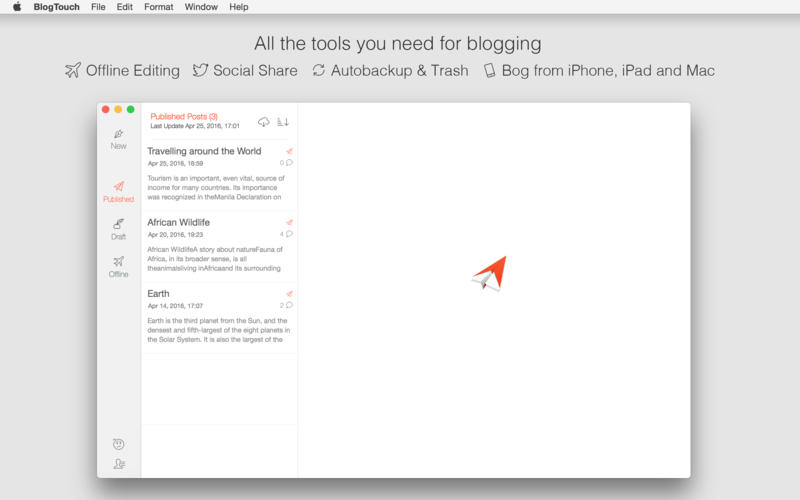
Publish, update and remove posts from Blogger/Blogspot
Check and reply to comments
Work offline and publish articles only when you are ready. With automatic backup and synced copies you will never loose your ideas
Switch between multiple accounts and blogs
Live preview before publishing
Create scheduled posts for later publishing
Safely remove your posts by sending them to the recycle bin (offline storage)
Sort your posts by title, created/updated dates or comments count
Share via Twitter, Facebook, E-mail and many other networks
Now you can work outside clunky web interfaces and avoid browser problems
RICH TEXT EDITOR
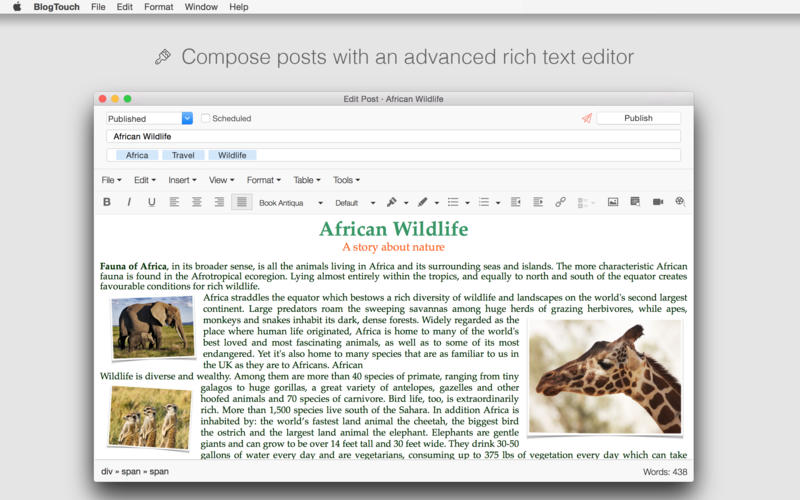
- Format text (bold, italics, underline, strikethrough, super/sub script), change fonts, text color and style or alignment
- Add pictures from the Web or from your Mac
- Control picture size live by click and drag
- Embed video from Youtube or any other platform
- Add tables, lists, links or horizontal lines
- View and edit HTML code
- All objects (including images, links, tables, videos) can be controlled easily (add, edit properties, delete)
Frequently asked questions
How do I install the app?
Mount the image, drag the app into the "Applications" folder and launch it. If the system blocks the launch, allow it in "System Settings → Privacy & Security".
The app is damaged or won't launch
Reinstalling from a fresh image usually helps. Make sure your macOS version matches the one listed in the compatibility specs.
How do I update?
Download the new version from the site and install it over the current one — your settings will be preserved.
The download link doesn't work
Try a mirror or a download manager. For large files the browser often drops the connection.
How do I completely remove the app?
Use an uninstaller utility — it cleans up the service files that remain after moving the app to the trash.
VersionBlogTouch for Blogger 2.1.0
DeveloperDenk Alexandru
CompatibilityOS X 10.9 or later, 64-bit processor
LanguageEnglish
IncludesPre-K'ed




Information
Visitors in the group Guests cannot leave comments on this publication.
Choose a download source
BlogTouch for Blogger 2.1.0 · 5.42 MB