
Purge v1.14.1
Mac cleaner to clear cache and free up disk space
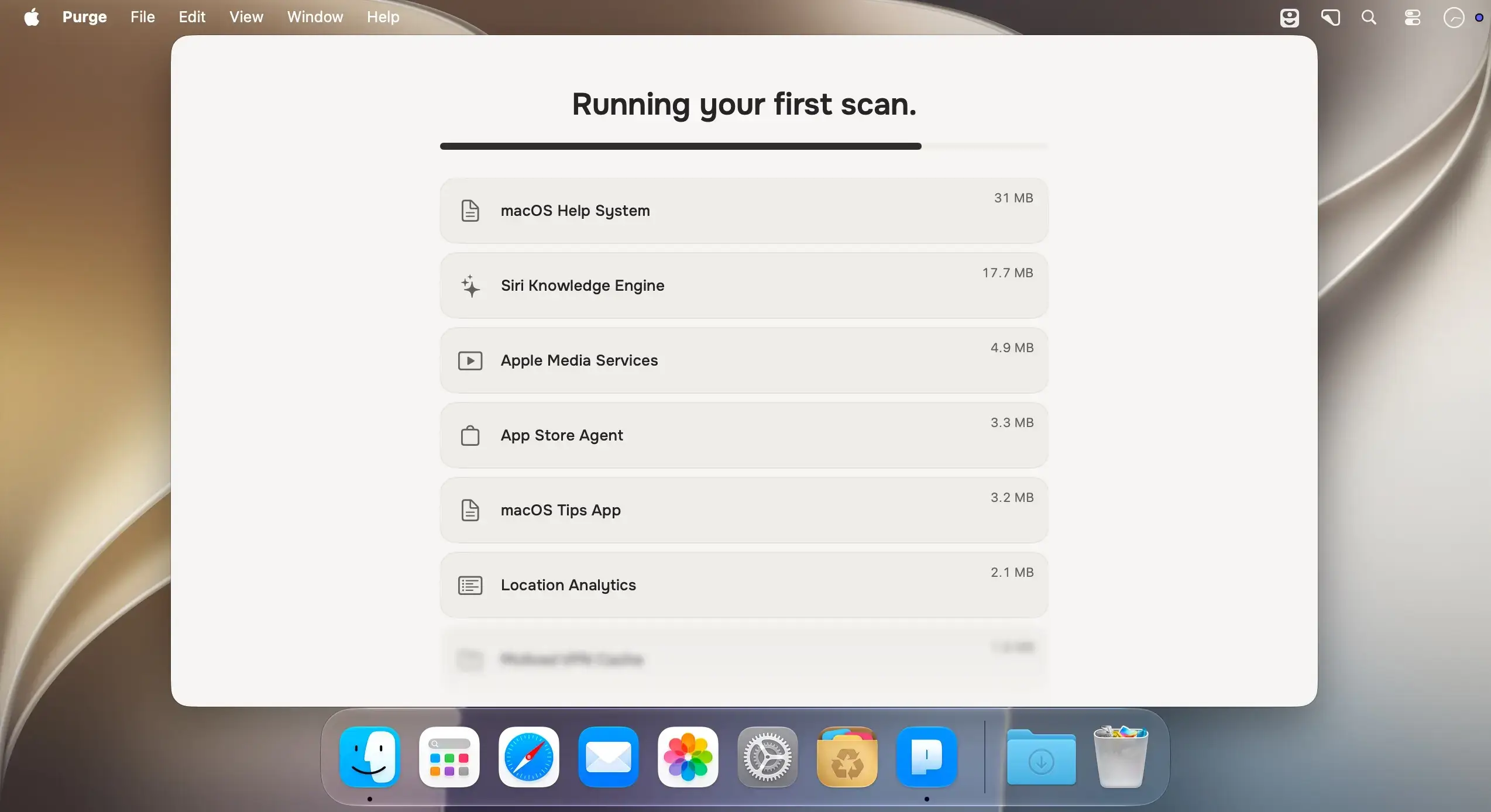
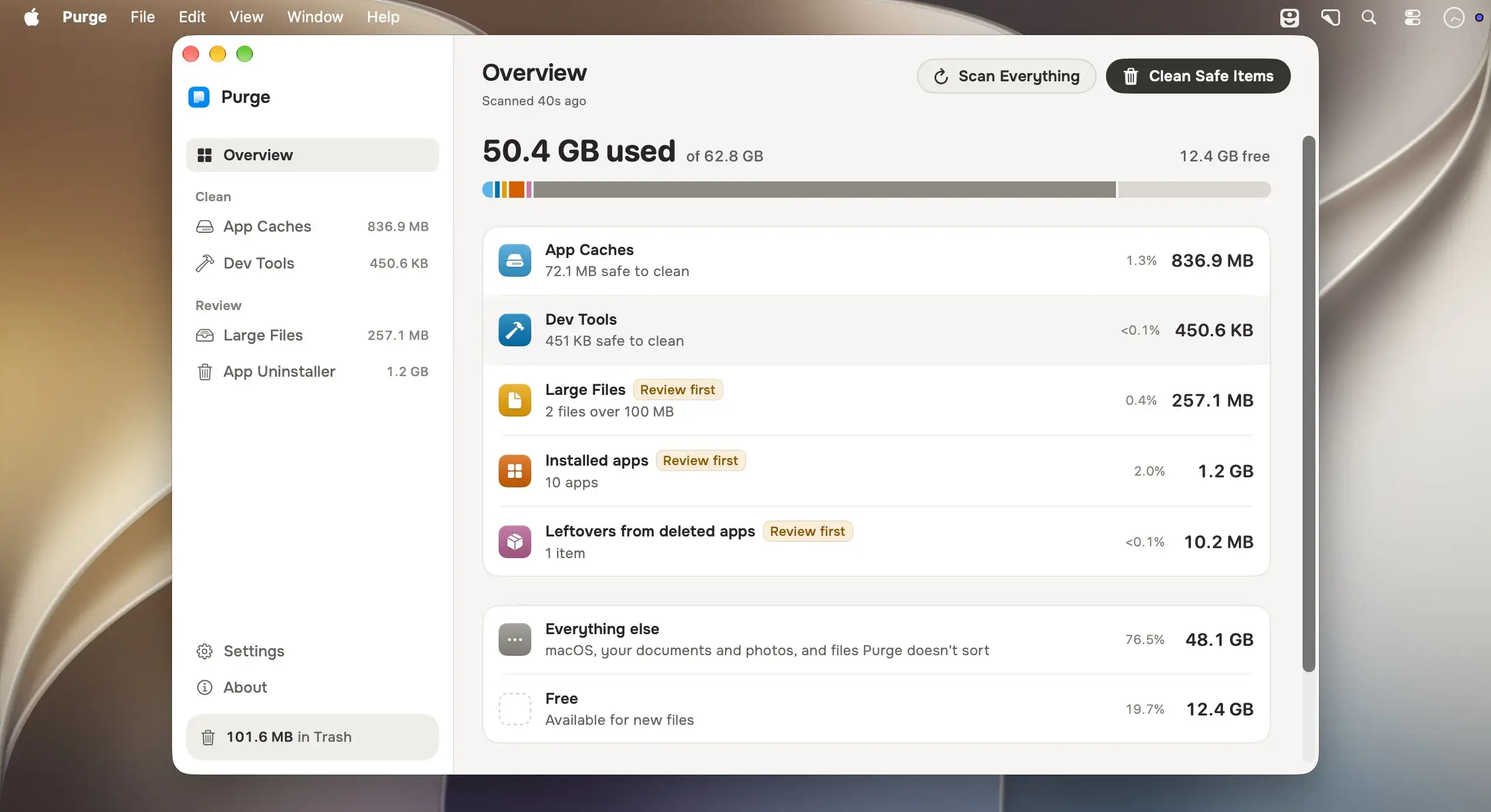
Purge finds the cache and junk that quietly builds up on your Mac, marks what is safe to remove, and clears it in one click. It also helps you track down large files, duplicates, local AI models and the leftovers of deleted apps. You review everything before anything moves.
Overview
- Disk bar: one bar shows used, free and total space straight from the volume, so the numbers match System Settings. App Caches, Dev Tools, Large Files, installed apps and leftovers from deleted apps each get a segment
- Category rows: each row shows its size and share of the disk, and a click opens its tab
- Space map: a read-only page for everything else shows the biggest folders by size and kind, with Show in Finder for each one
- Scan Everything: press ⇧⌘R to scan every category one at a time, so your Mac stays responsive. Purge also does this when you open it
- No double counting: an app's cache folder counts under App Caches, not again under the app
Large Files and the app scans need Full Disk Access. Without it, only App Caches and Dev Tools scan.
App Caches
- Per-app caches: cache folders from ~/Library/Caches and sandbox containers, shown with friendly names, icons and plain-language explanations
- System junk: application logs, crash reports, macOS installers and leftover macOS update files
- Media caches: large caches from creative apps such as Premiere Pro and After Effects
- Merged results: duplicate cache locations for the same app appear as a single row, and results stream in as they are found
Dev Tools
- Global caches: Xcode (Derived Data, Archives, DeviceSupport), Homebrew, npm, pnpm, Yarn, CocoaPods, Gradle, Flutter, Docker Desktop, VS Code, Cursor, JetBrains, Cargo, Terraform and more
- iOS Simulators: unused simulator runtimes are grouped together, and booted simulators are skipped
- Developer projects: node_modules, Python virtual environments, Rust target, Flutter build output, Xcode Pods and Android .gradle are grouped by project
- Stale projects only: choose how old a project must be to appear, from 1 month to 2 years. Projects in use right now never appear
- Orphaned Git worktrees: worktrees made by AI coding tools appear only once their repository no longer lists them
Large Files
- Personal files: scans Documents, Desktop, Downloads, Movies, Music and Pictures, plus virtual machine folders and iCloud Drive's own folder
- Filters and search: search by name, folder or source label, filter by size (5 MB to 1 GB) and last used, or use category chips such as videos, audio, images, PDFs and archives
- Duplicates: a byte-for-byte scan groups identical copies and shows how much you would reclaim. Keep one of each suggests a copy to keep, and you can change it before anything is deleted
- Safe review: sort by size, date or name, use Quick Look and Reveal in Finder, and confirm before deleting. Deletions move files to the Trash
- Keep Only in iCloud: frees the space an iCloud file takes on this Mac while keeping it in iCloud, like Finder's Remove Download
- Helpful labels: restore images, virtual machines and unfinished downloads are labeled so you know what they are
Local AI models
Downloaded models are often the largest files on a Mac. Purge lists them under AI Models, one row per model, with the app or library that downloaded it. It knows the stores of Ollama, LM Studio, the Hugging Face Hub cache, PyTorch Hub, Whisper, GPT4All, Jan, DiffusionBee, Draw Things and more. Sizes count only the bytes that would actually be reclaimed. Models always go to the Trash and are never part of Clean Safe Items or a scheduled clean.
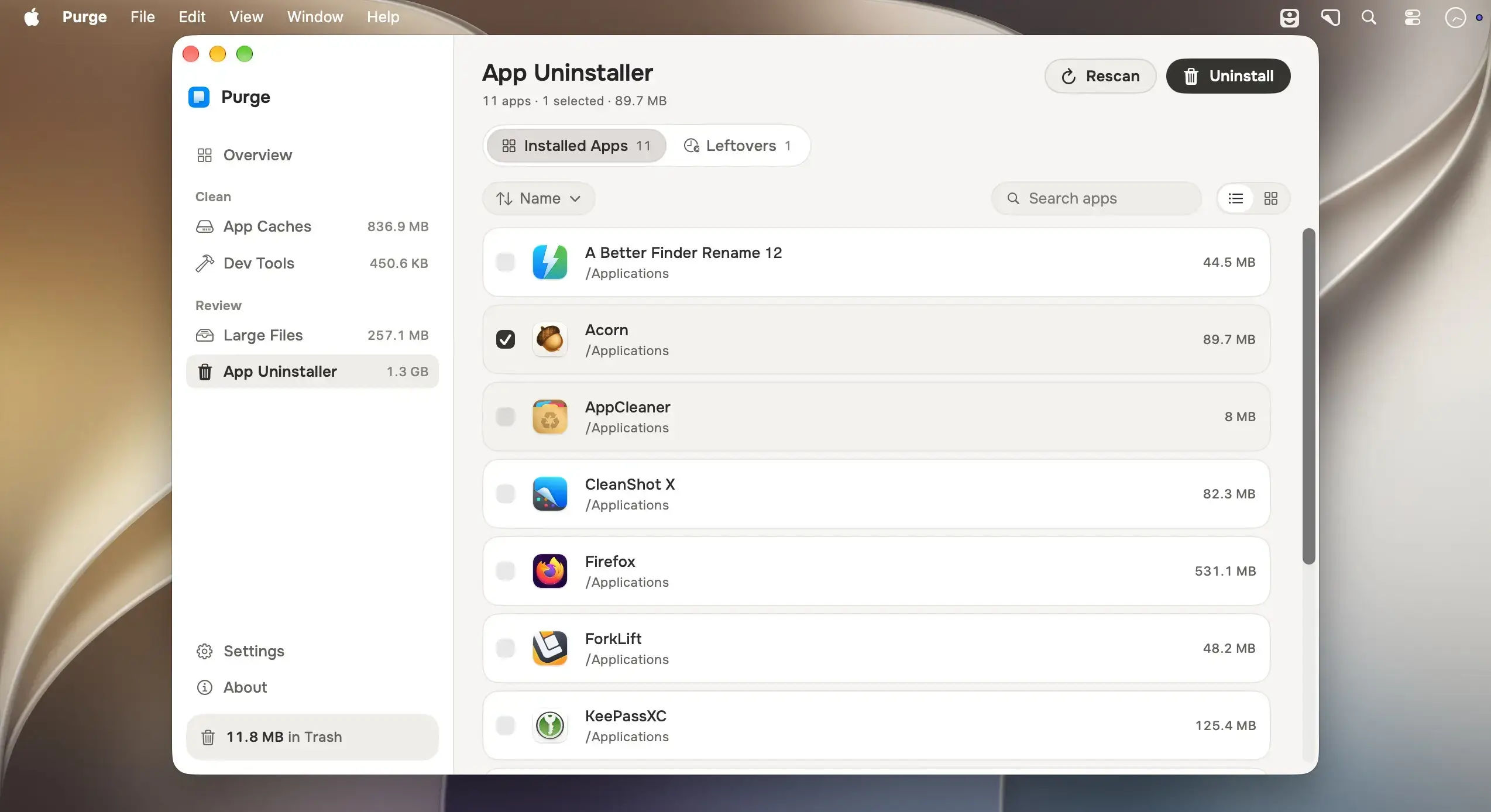
App Uninstaller
- Complete removal: removes an app together with its caches, preferences, containers, saved state, logs and login helpers
- Per-app review: a sheet lists every item with its path, size and safety label. Exact bundle-id and app-group matches arrive checked, and looser name-only matches arrive unchecked
- Safe by design: running apps are asked to quit gracefully, and everything confirmed moves to the Trash so it can come back
- Homebrew casks: apps installed as a cask can be removed with Homebrew or moved to the Trash. The sheet explains that Homebrew deletes them permanently
- Leftover review: optionally, Purge can open with just a deleted app's leftovers for you to confirm or dismiss
Version 1.14.1:
Release highlights
- Uninstall Purge: Settings and the Purge menu can now remove Purge itself. It turns off its background parts first, then moves itself to the Trash, with settings and history too if you choose.
- Suites show as one entry: In the App Uninstaller, apps from one vendor that share a folder, like DaVinci Resolve's four, show as one group you can open, tick as a whole, or pick from one by one.
- Vendor uninstallers come first: When a suite has its own uninstaller, Purge points you to it, and warns before you remove only part of the suite.
What's changed
- feat: add Uninstall Purge
- feat: group a vendor's apps that share a folder in the App Uninstaller
Frequently asked questions
How do I install the app?
Mount the image, drag the app into the "Applications" folder and launch it. If the system blocks the launch, allow it in "System Settings → Privacy & Security".
The app is damaged or won't launch
Reinstalling from a fresh image usually helps. Make sure your macOS version matches the one listed in the compatibility specs.
How do I update?
Download the new version from the site and install it over the current one — your settings will be preserved.
The download link doesn't work
Try a mirror or a download manager. For large files the browser often drops the connection.
How do I completely remove the app?
Use an uninstaller utility — it cleans up the service files that remain after moving the app to the trash.



Choose a download source
Purge v1.14.1 · 11.29 MB