
Scrutiny 12.13.1 – Web optimization tool suite
Run website SEO checks, find broken links, improve site health.

Find what’s holding your website back
Scrutiny brings essential website optimization tools together for macOS. Check links, review SEO, test page-load speed, and keep an eye on your site—all from one toolkit.
One toolkit for website optimization
Run detailed checks, find pages that need attention, and automate routine website tasks.
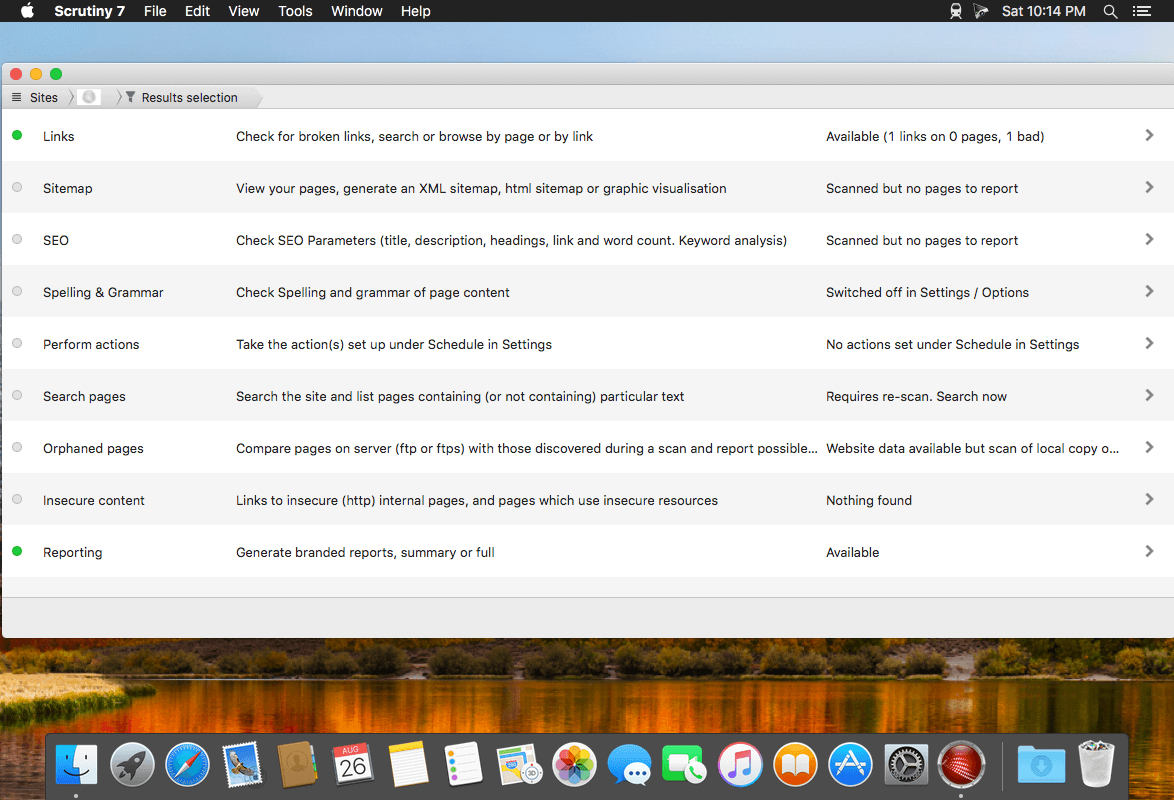
- Link checking: Find broken links across your website.
- SEO analysis: Review key SEO details across your pages.
- XML sitemap generation: Create sitemaps and optionally include images and PDF pages.
- Insecure content reporting: Identify insecure and mixed content.
- Page-load speed test: Check how quickly your pages load.
- Spelling and grammar checking: Scan your website text for spelling and grammar issues.
- Authenticated site scans: Scan websites that require authentication.
- Site search: Search page source or visible text, then find pages that contain—or don’t contain—a search term.
- Website monitoring: Monitor as many URLs as you like, with a choice of alerts and logging.
- Scheduled scans: Set up scheduling in a few clicks.
- Finish actions: Send an email, save a report, open a file or AppleScript, FTP the sitemap XML, and more when a scan finishes.
- Flexible link lists: Open and scan links from HTML, CSV, plain text, or an XML sitemap.
Make website checks part of your workflow on macOS. Get started with Scrutiny.
Version 12.13.1:
- Internally ignores /cdn-cgi/ urls, which look like bad links but are a Cloudflare 'feature' related to hiding email addresses.
- Improves help dialog for cases where the scan stalls early.
Frequently asked questions
How do I install the app?
Mount the image, drag the app into the "Applications" folder and launch it. If the system blocks the launch, allow it in "System Settings → Privacy & Security".
The app is damaged or won't launch
Reinstalling from a fresh image usually helps. Make sure your macOS version matches the one listed in the compatibility specs.
How do I update?
Download the new version from the site and install it over the current one — your settings will be preserved.
The download link doesn't work
Try a mirror or a download manager. For large files the browser often drops the connection.
How do I completely remove the app?
Use an uninstaller utility — it cleans up the service files that remain after moving the app to the trash.





Choose a download source
Scrutiny 12.13.1 – Web optimization tool suite · 6.18 MB
Previous versions
Scrutiny 12.13.1 – Web optimization tool suite
Previous versions are available to registered users.