
ArtOptimizer 3.2
Reduce Illustrator Link Size with Photoshop Automation
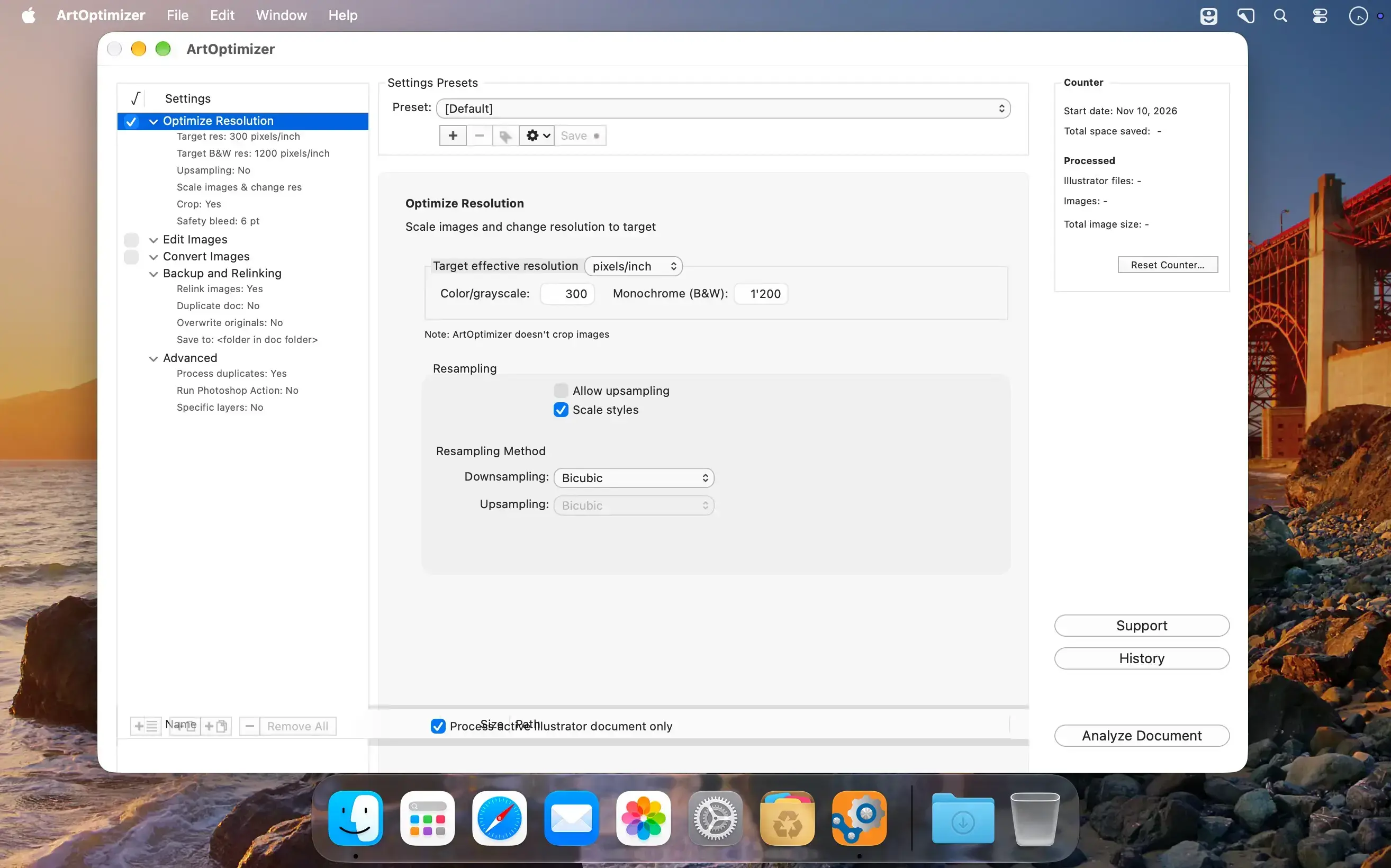
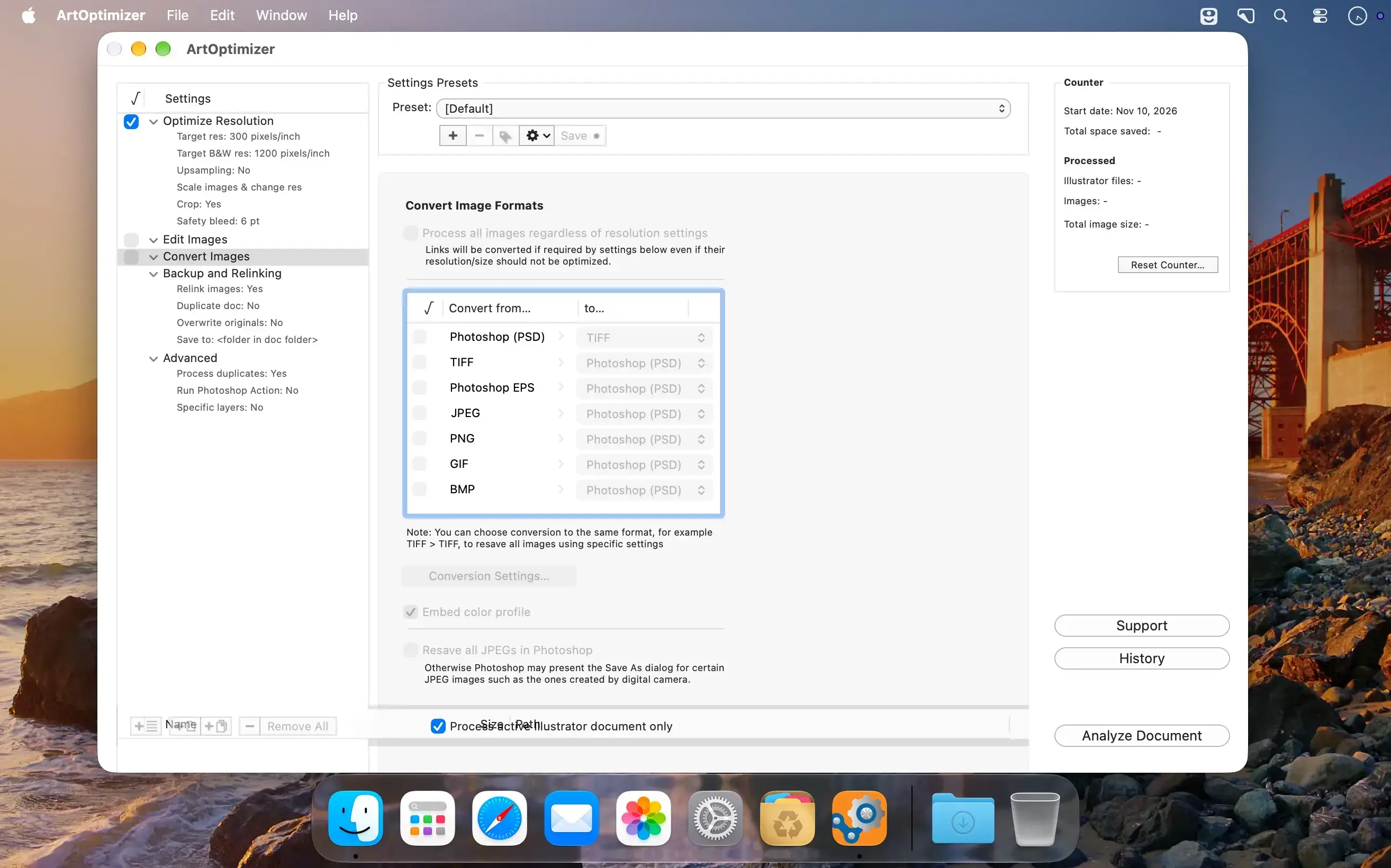
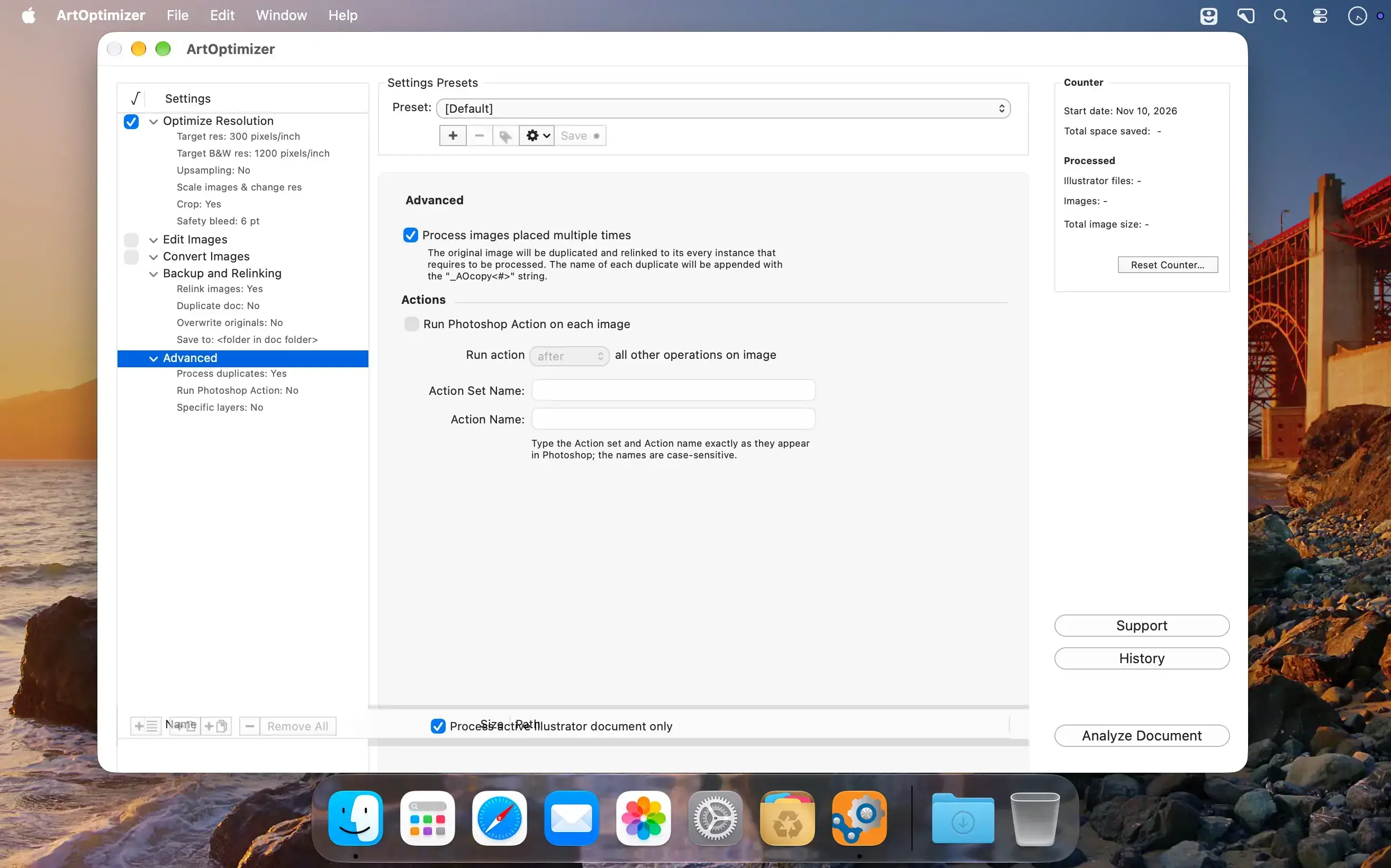
ArtOptimizer is a workflow automation solution for Adobe Illustrator on macOS that works with Photoshop to reduce Illustrator link size, perform essential image adjustments, and convert image formats. It is well suited to print, web design, and publishing on mobile devices.
Reduce link size and optimize resolution
ArtOptimizer automatically reduces image resolution, then scales and crops the images in Photoshop according to their dimensions in the Illustrator document and the target resolution you specify. The optimized images are reimported to Illustrator at 100%.
Essential image adjustments
Prepare your images without leaving your workflow:
- Convert colors: change the color mode of your images
- Sharpening: apply sharpening filters
- Layer cleanup: merge layers and delete hidden ones
Image format conversion
Handle format changes and color profiles automatically:
- Format conversion: convert between JPEG, PSD, TIFF, and other formats automatically
- Color profiles: embed or unembed color profiles
Advanced options
Get more control over how your files are processed:
- Batch processing: process multiple Illustrator files at once
- Photoshop actions: run your own Photoshop actions
- Layer selection: process specific Illustrator layers
- External use: optimize images for web design and other uses without relinking to Illustrator
Version 3.2
- Updated to version 3.2
- Optimized compatibility and stability for macOS Sequoia
- General bug fixes and performance improvements
Frequently asked questions
How do I install the app?
Mount the image, drag the app into the "Applications" folder and launch it. If the system blocks the launch, allow it in "System Settings → Privacy & Security".
The app is damaged or won't launch
Reinstalling from a fresh image usually helps. Make sure your macOS version matches the one listed in the compatibility specs.
How do I update?
Download the new version from the site and install it over the current one — your settings will be preserved.
The download link doesn't work
Try a mirror or a download manager. For large files the browser often drops the connection.
How do I completely remove the app?
Use an uninstaller utility — it cleans up the service files that remain after moving the app to the trash.



Choose a download source
ArtOptimizer 3.2 · 11.25 MB