
CompareMerge 2.13

CompareMerge is a software tool for file comparison and merging text-like files.
It is useful for determining what has changed between versions, and then merging changes between versions.
Functions of the application:
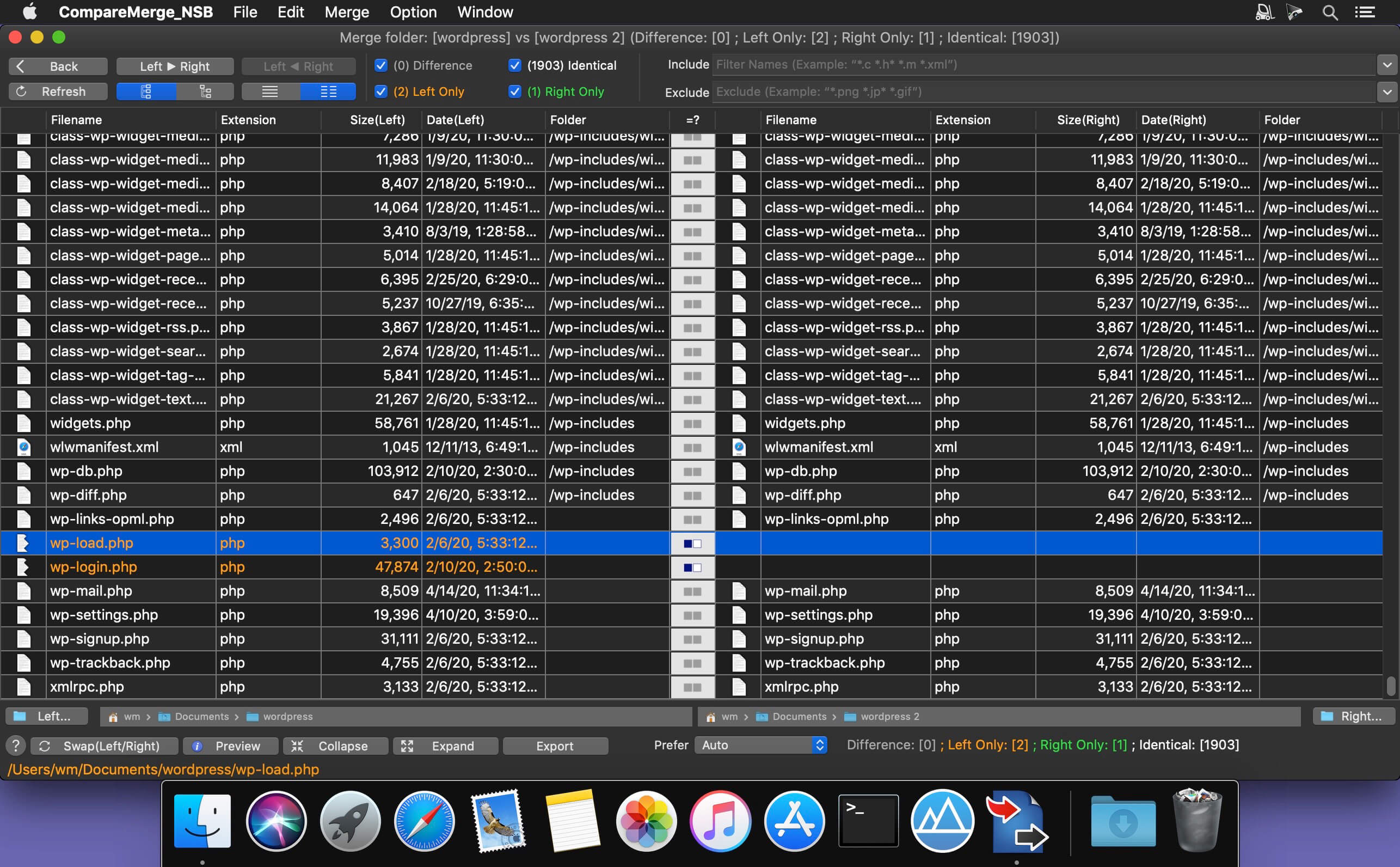
- COMPARE FOLDERS/FILES: can compare both 2 files or 2 folders
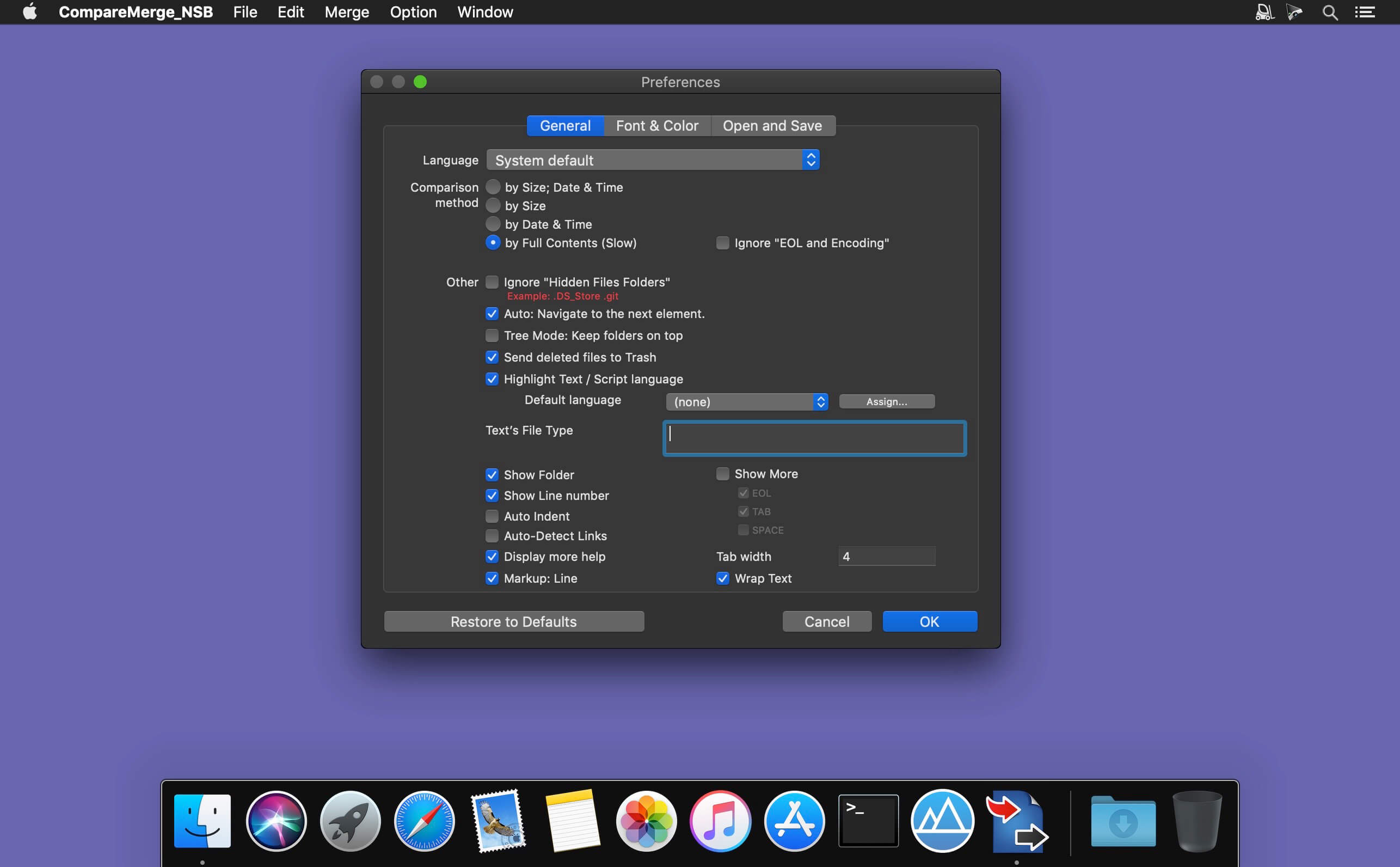
- QUICK COMPARE FOLDERS: allow to quickly compare two folders' files by size or date or both or with full content (slower)
- BLANK COMPARE: Allow to create blank edit window to compare text then save later
- CUSTOM THEME COLOR: User can select predefined theme color or customize edit text color, background color....
- INLINE EDIT (Edit/Merge at the same time) : Compare and Merge 2 text files: allow you to edit/compare/merge 2 text files in the same windows
- LINE NUMBER: When edit file, showing line number will make it easier to know exactly changes positions.
- GENERATE PATCH: the application also contains patch generating capabilities.
- FILE FILTERS: Include or exclude files that match regular expressions. Other than that, after compare 2 folders, you could filter display item base on file name.
- INCLUDE SUBFOLDERS: This option lets you control the depth of a folder comparison. Enabling it compares all folder levels
- COPY TO: after compare 2 folder, you can select left or right files to copy to different location (example: when release change source)
- DELETE Left/Right/Both: after compare 2 folder, you can select left or right files to delete
- IGNORE CASE, SPACE: Allow to ignore Case, Space in Edit/Merge window
- IGNORE End-Line code: Allow to ignore difference in End Line Code (LF for Mac・Unix file, CR-LF for Windows file, or CR for Mac classic file) in Edit mode.
Note:when compare folders, EOL was not ignored.
- EXPORT / CREATE REPORT: Allow to export compare/merge result to clipboard or to files (support formats: CSV, Text, HTML)
- Syntax highlight
- Theme color
- Export to zip file
- User can compare hidden files, folder (example: .git folder)
- Allow to merge binary-plist file
- In edit mode, a small view is show to the exact text difference
English
Deutsch
Français
日本語
한국어
Español
Português
Čeština
Dansk
Suomi
Italiano
Nederlands
Norsk
Polski
Русский
Svenska
ไทย
Türkçe
Tiếng Việt
中文(中国)
中文(台灣)
Version 2.13
- Fix bugs
- Highlight differences in text-comparing-window
- Support filter file names by regular expression (regex)
- Improve UI of Text Merge window
- Highlight differences in text-comparing-window
- Support filter file names by regular expression (regex)
- Improve UI of Text Merge window
- Add support for macOS 10.15
- Add File finding dialog for File List window
- Add spelling setting controls
- Support multi-languages: English, Deutsch, Français, 日本語, 한국어, Español, Português, Čeština, Dansk, Suomi, Italiano, Nederlands, Norsk, Polski, Русский, Svenska, ไทย, Türkçe, Tiếng Việt, 中文(中国), 中文- Add [Two pane views] mode in folders merge window
- Support drag/drop folders to/from Finder
- Improve UI
- Allow to filter out sub folders base on name
- Add Wrap Text function
- Highlight source code in multi-languages
- Support multi-theme color
- Allow quick compare folders base on Size or Date only
- add "Generate patch" function
- Add read/save encoding setting controls to Merge windows
Frequently asked questions
How do I install the app?
Mount the image, drag the app into the "Applications" folder and launch it. If the system blocks the launch, allow it in "System Settings → Privacy & Security".
The app is damaged or won't launch
Reinstalling from a fresh image usually helps. Make sure your macOS version matches the one listed in the compatibility specs.
How do I update?
Download the new version from the site and install it over the current one — your settings will be preserved.
The download link doesn't work
Try a mirror or a download manager. For large files the browser often drops the connection.
How do I completely remove the app?
Use an uninstaller utility — it cleans up the service files that remain after moving the app to the trash.
VersionCompareMerge 2.13
DeveloperTien Thinh Vu
CompatibilityOS X 10.11 or later 64-bit
LanguageMultilingual
IncludesK'ed by HCiSO




Information
Visitors in the group Guests cannot leave comments on this publication.
Choose a download source
CompareMerge 2.13 · 6.26 MB