Native Instruments FM8 1.4.9
FM synthesizer with classic DX7 sounds and new ones
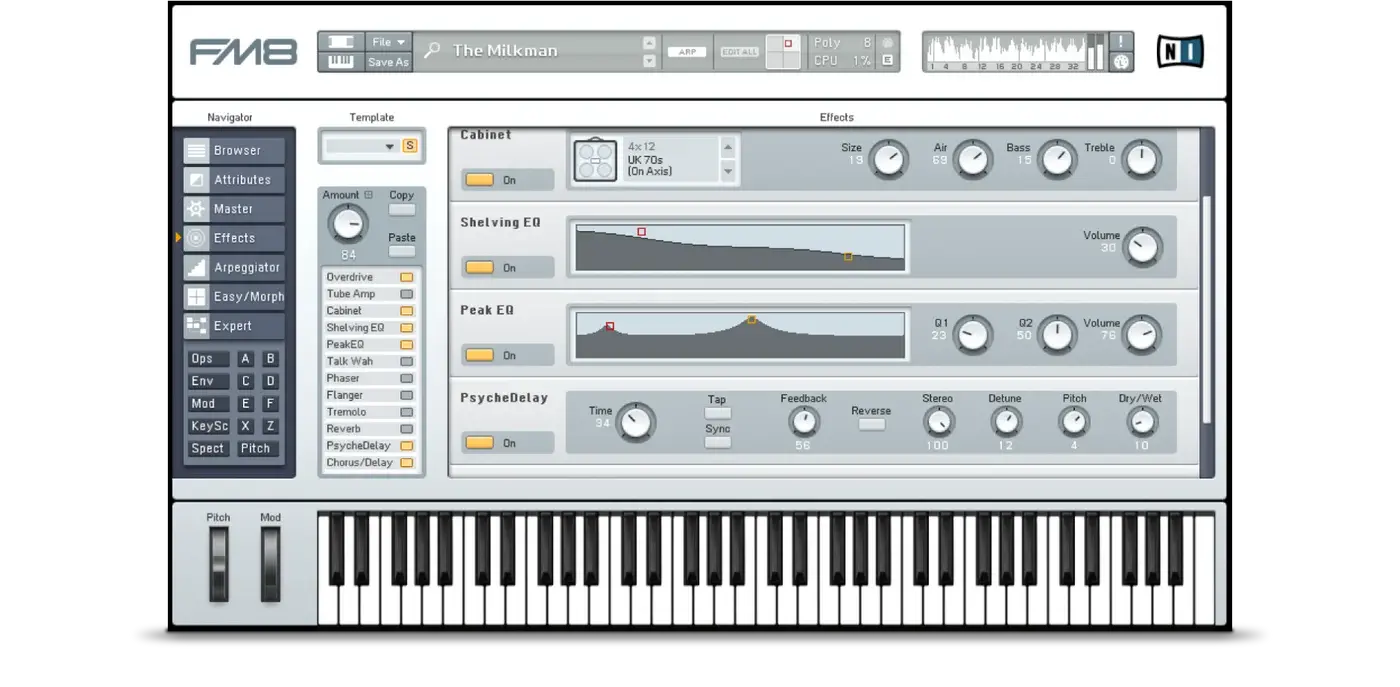
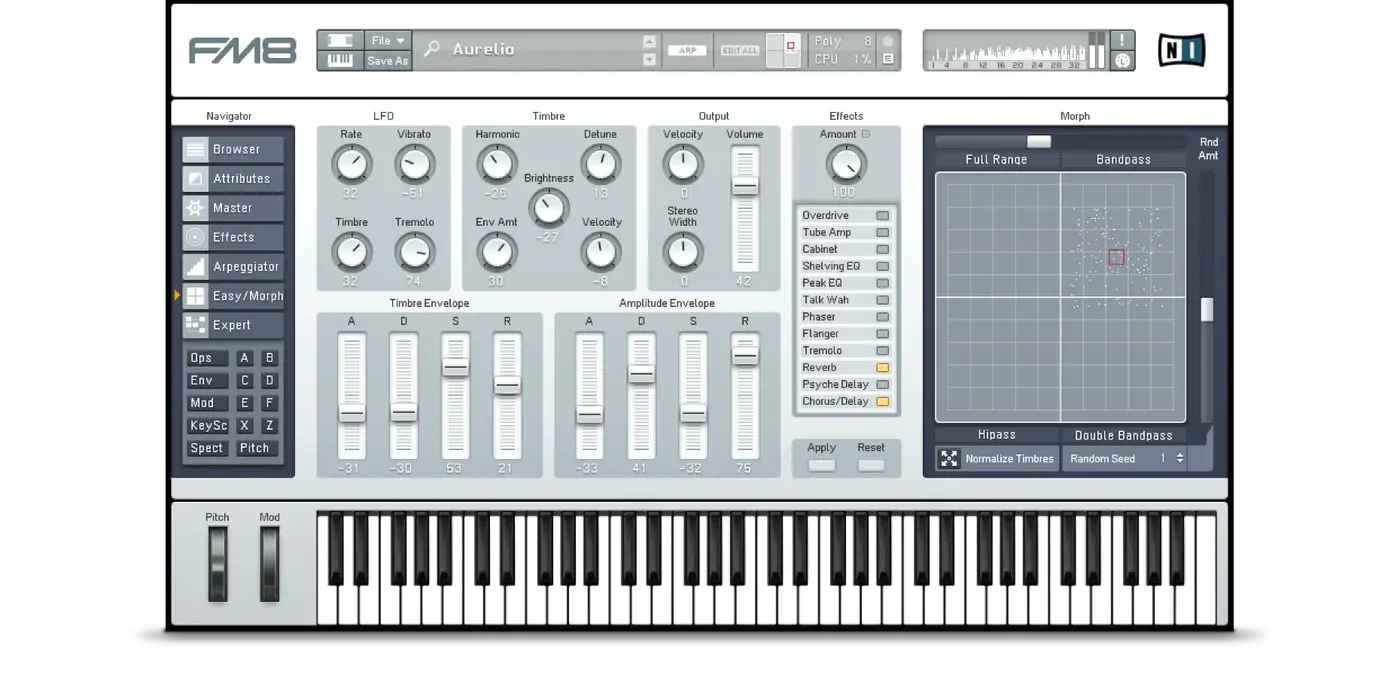
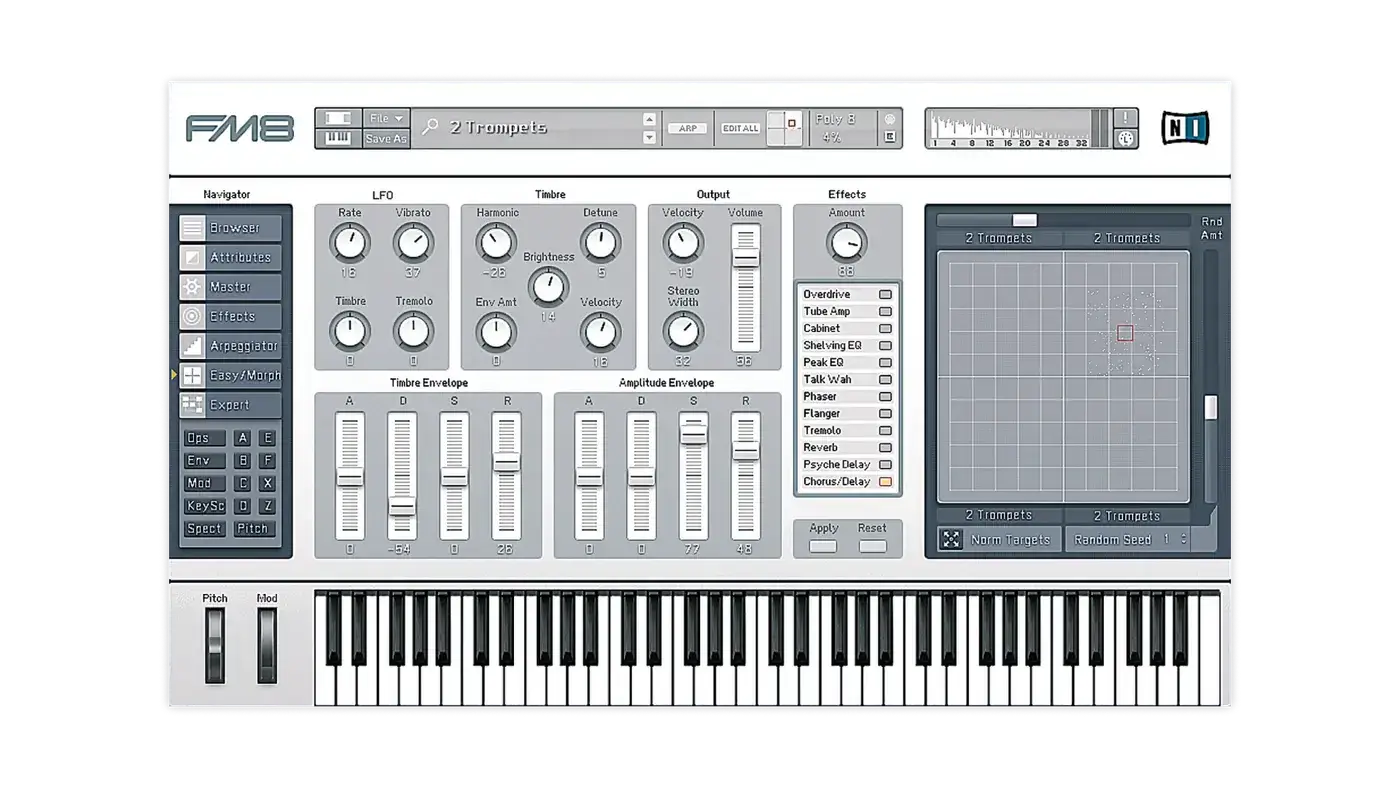
Native Instruments FM8 is an FM synthesizer for macOS that reproduces classic DX7 sounds and also makes possible new sounds that the DX7 and its Yamaha successors could not produce. Its powerful audio engine generates dynamic FM sound in pristine quality, while a sleek interface brings simplicity to the otherwise intricate process of FM synthesis.
Designed to play straight away
The Easy Edit Page offers a clearly designed interface with simple controls that automatically adjust more complex parameters, so you can take a more musical approach to FM synthesis. The detailed editing pages are improved for easier handling and are all accessible with one click.
Key features
- FM matrix: quickly connect any two operators and set the modulation amounts for all connections, with a concise overview of every FM connection in one place.
- Operator editing: choose waveforms, select how each operator's frequency is adjusted, control response to MIDI velocity, and set panning and amplitude.
- Multi-breakpoint envelopes: add and delete breakpoints, set their levels, control transitions, and load a template or create your own shapes.
- Operator Overview Page: see the most important parameters of all operators at once to set up the basic structure of a sound or customize an existing one.
- Envelope Expert Page: view all operator envelopes simultaneously and link them in groups to edit several at once.
- Morph Square: morph between four timbres, automate movements via MIDI or a sequencer, or randomize your sounds for experimental results.
- Arpeggiator: tie and accentuate steps, transpose in semitones or octaves, re-order notes, choose repeat modes, and adjust tempo, shuffle, note length and velocity.
- Twelve effects: switch effects on and off or crossfade between wet and dry sound, including Overdrive, Tube Amp, Cabinet, Talk Wah, Shelving and Peak EQ, Phaser, Flanger and Tremolo.
- Patch loading: load patches from classic FM hardware units.
Arpeggiator and keyboard split
Split your keyboard to trigger arpeggiator patterns with one part while playing chords or bass lines with the other. Use one of 48 templates to set up new sequences quickly, or create and save your own.
A library of expert presets
The FM8 library contains over 1200 expertly designed presets, from dynamic digital pianos to bright, bold brass. It also includes effect rack, sound morphing and arpeggio presets, and you can search to find the sound you need.
Frequently asked questions
How do I install the app?
Mount the image, drag the app into the "Applications" folder and launch it. If the system blocks the launch, allow it in "System Settings → Privacy & Security".
The app is damaged or won't launch
Reinstalling from a fresh image usually helps. Make sure your macOS version matches the one listed in the compatibility specs.
How do I update?
Download the new version from the site and install it over the current one — your settings will be preserved.
The download link doesn't work
Try a mirror or a download manager. For large files the browser often drops the connection.
How do I completely remove the app?
Use an uninstaller utility — it cleans up the service files that remain after moving the app to the trash.



Choose a download source
Native Instruments FM8 1.4.9 · 143.46 MB