NoteBurner iTunes DRM Audio Converter 3.5.3
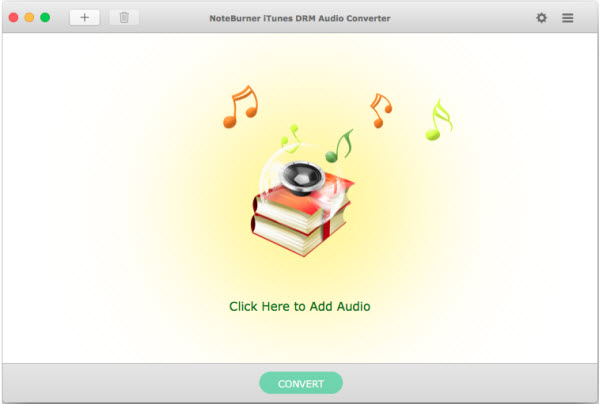
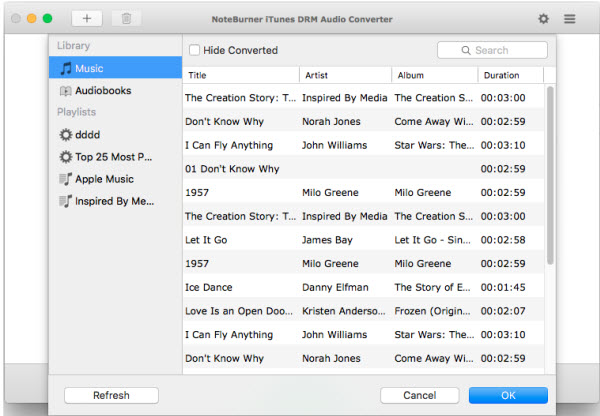
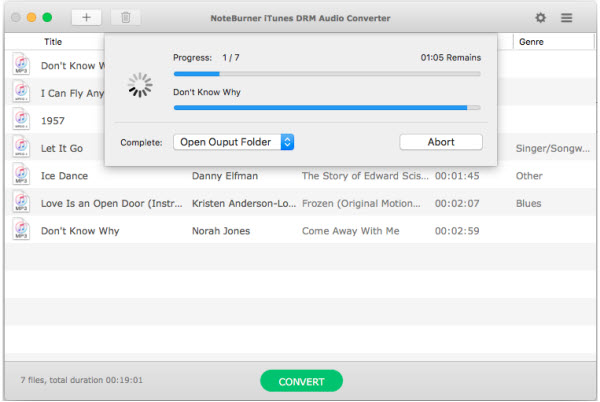
Apple Music Converter + Audiobook Converter + M4P to MP3 Converter. NoteBurner iTunes DRM Audio Converter is an efficient app that offers a quick method of saving iTunes songs on your Mac. It is very novice-friendly and can convert files to MP3 or AAC.
Convert any Apple Music files to MP3/AAC/WAV
- Convert any iTunes M4P audio to MP3/AAC/WAV
- Remove DRM protection from iTunes & Audible audiobooks
- Convert at 20X faster speed with lossless quality
All-in-one Apple Music, Audiobook and M4P Converter
- iTunes DRM Audio Converter for Mac is specially designed for Mac users to convert any audio which can be played in iTunes, such as Apple Music files, audiobooks, iTunes music or other downloaded music, to MP3, AAC or WAV format.
- Convert DRM-ed Apple Music files to MP3/AAC/WAV formats;
- Convert iTunes M4A, M4B & Audible AA, AAX audiobooks to MP3/AAC/WAV;
- Convert iTunes music to MP3, AAC and WAV.
Legally Remove DRM from Apple Music, Audiobooks & M4P Music
- Remove DRM from Apple Music files to help you listen them on your iPhone SE, iPhone 6S/6S Plus, iPad Pro, iPod, Zune, PSP, MP3 player offline.
- Legally remove DRM from iTunes M4P, M4A, M4B & Audible AA audiobooks and convert the audiobooks to DRM-free MP3, AAC or WAV.
- Easily remove DRM protections from iTunes M4P music and convert them to the plain formats you like.
Silently Convert Any Audio at 20X Faster Speed with Lossless Quality
- Convert all audio files at unbeatable fast speed and support batch conversion.
- Support high quality output audio. The quality of the output audio can be as excellent as CD Quality.
- iTunes DRM Audio Converter will mute iTunes while converting to play the DRM-ed music tracks silently in the background and record audio files at 20X faster speed.
Keep ID Tags Information & Ease-to-use
- The ID Tags will be preserved in output MP3 or AAC files while converting. Information including Artwork, Metadata (artist,album, year, track number, genre) can be kept after conversion.
- It is very easy to use, just with the intuitive interface, you can convert iTunes audio quickly with a few clicks.
- No extra hardware or virtual drive needed. The program will encode the iTunes audio to MP3, AAC or WAV while recording.
Version 3.1.1:
- Release notes were unavailable when this listing was updated.
Frequently asked questions
How do I install the app?
Mount the image, drag the app into the "Applications" folder and launch it. If the system blocks the launch, allow it in "System Settings → Privacy & Security".
The app is damaged or won't launch
Reinstalling from a fresh image usually helps. Make sure your macOS version matches the one listed in the compatibility specs.
How do I update?
Download the new version from the site and install it over the current one — your settings will be preserved.
The download link doesn't work
Try a mirror or a download manager. For large files the browser often drops the connection.
How do I completely remove the app?
Use an uninstaller utility — it cleans up the service files that remain after moving the app to the trash.
Related posts


Choose a download source
NoteBurner iTunes DRM Audio Converter 3.5.3 · 132.64 MB
Previous versions
NoteBurner iTunes DRM Audio Converter 3.5.3
Previous versions are available to registered users.
Comments 5