
iTranslate 1.5.2

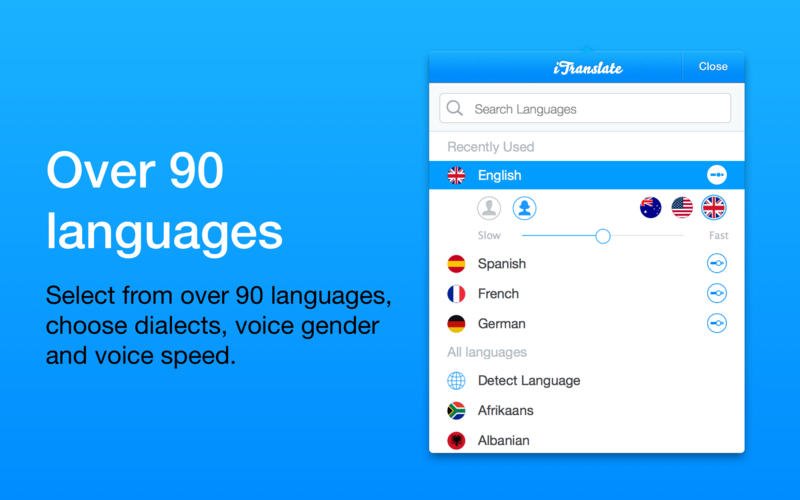

iTranslate, the most popular translator tool on the App Store, now can also be on your Mac, putting 90+ languages at your fingertips. It is designed as a status bar app that is always just one click or keystroke away to help you solve any translation problem.
Features:
- 90+ languages - With iTranslate you can translate words, phrases, and text in over 90 languages.
- Voice output - Ever wanted to know what an Australian English female sounds like? With iTranslate you can select between lots of different dialects, choose a male or female voice, and even control the speech rate.
- Dictionaries - Most translator apps give you only 1 result per translation. However, if you are translating words and phrases there are often different meanings, depending on the context. iTranslate gives you dictionaries for many languages so you can find the exact solution to your problem.
- Romanization - Romanization lets you turn transforms non-Latin languages into Latin characters. Available for many languages including Chinese, Japanese, Korean, Greek, Hindi, Russian, and Thai.
- Type faster - iTranslate is optimized for fast text input. Open the App with a customizable keystroke, get suggestions while you’re typing and quickly switch between languages.
Version 1.5.0
- To improve our App for you, we regularly bring updates to the App Store with improvements for both speed and reliability. If you enjoy iTranslate, would you mind taking a moment to write a review on the App Store? We’d greatly appreciate it. #HappyTranslating
Frequently asked questions
How do I install the app?
Mount the image, drag the app into the "Applications" folder and launch it. If the system blocks the launch, allow it in "System Settings → Privacy & Security".
The app is damaged or won't launch
Reinstalling from a fresh image usually helps. Make sure your macOS version matches the one listed in the compatibility specs.
How do I update?
Download the new version from the site and install it over the current one — your settings will be preserved.
The download link doesn't work
Try a mirror or a download manager. For large files the browser often drops the connection.
How do I completely remove the app?
Use an uninstaller utility — it cleans up the service files that remain after moving the app to the trash.





Choose a download source
iTranslate 1.5.2 · 18 MB