Noise Reducer Pro 2.1
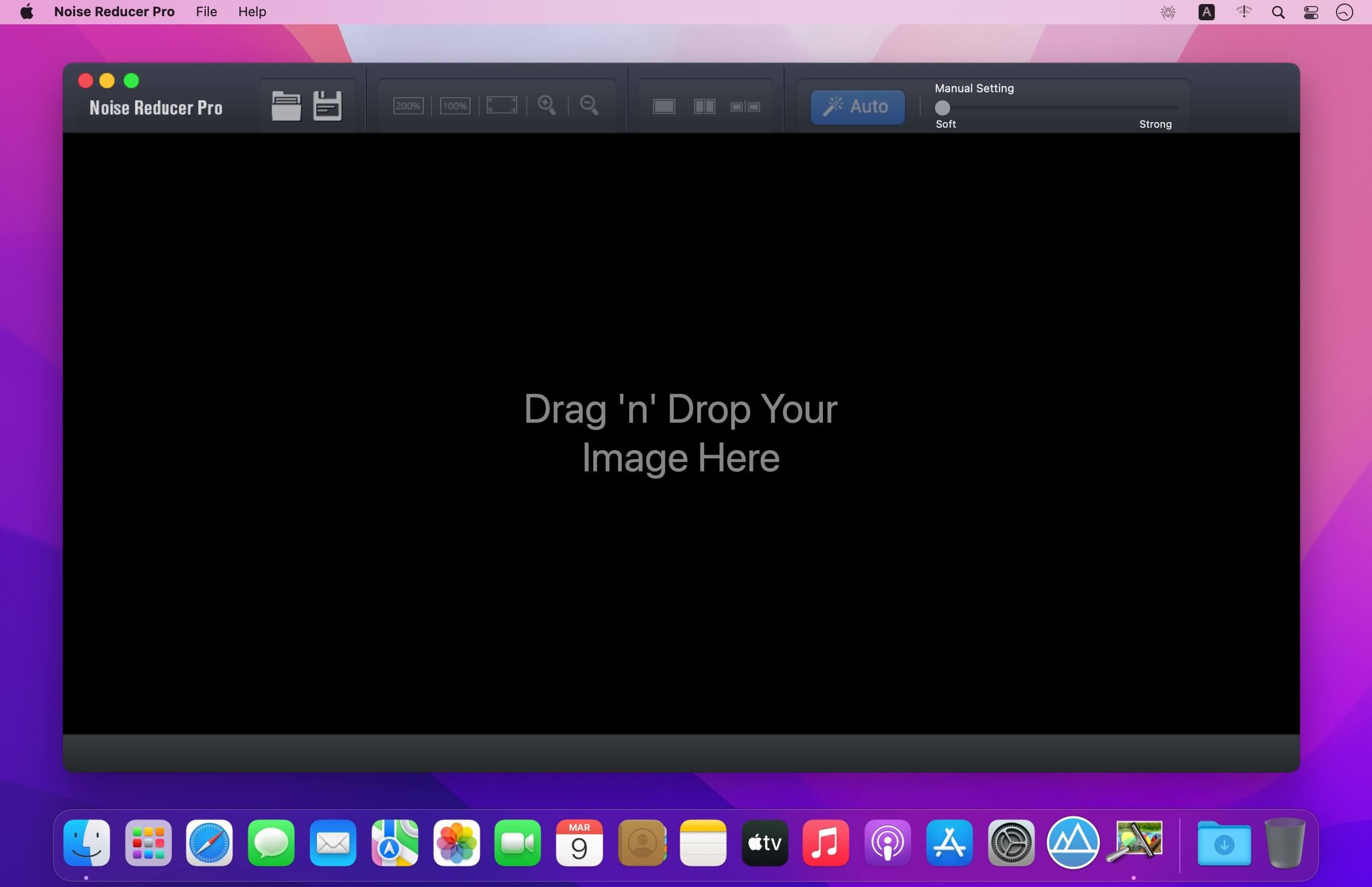
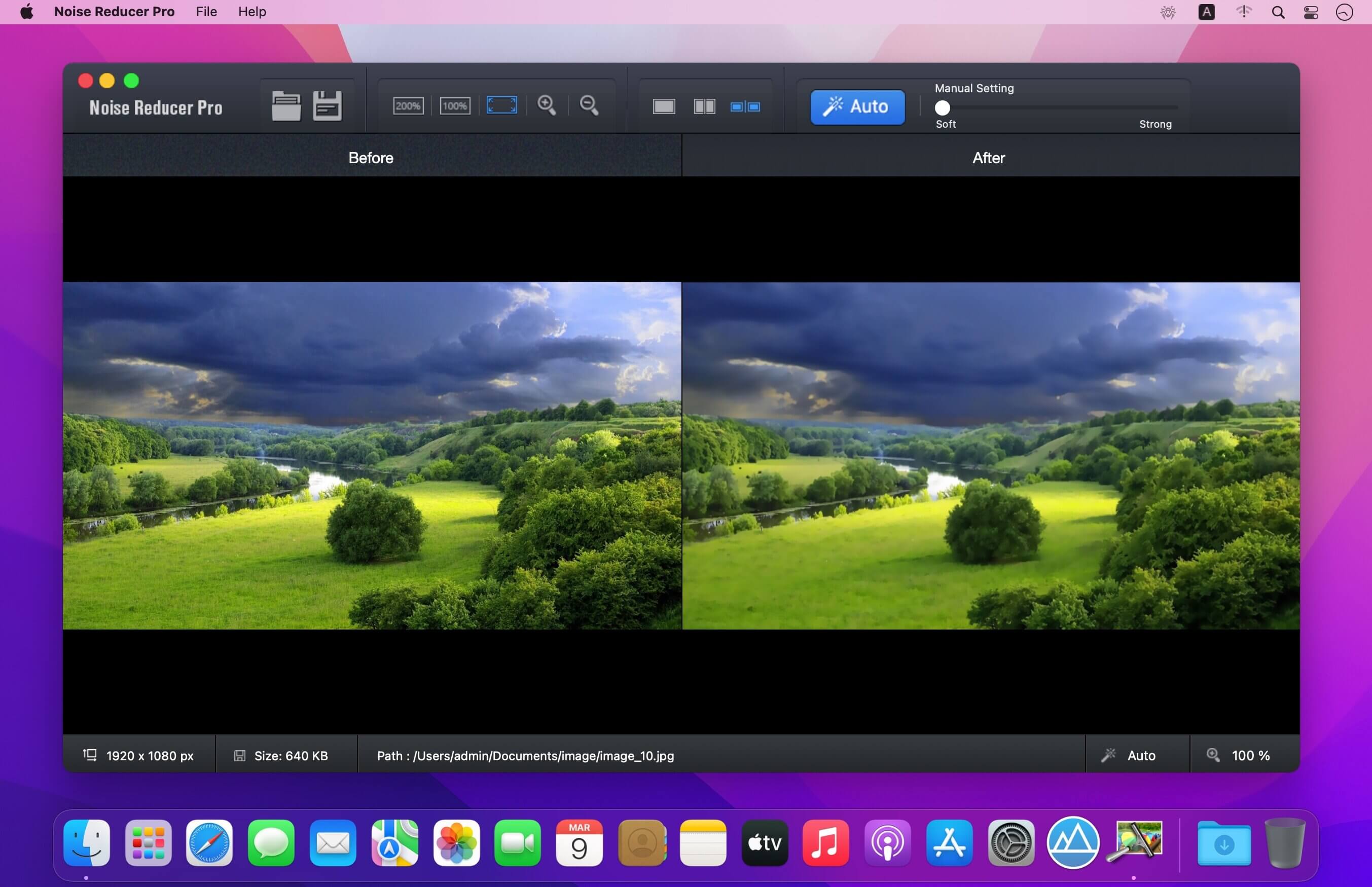
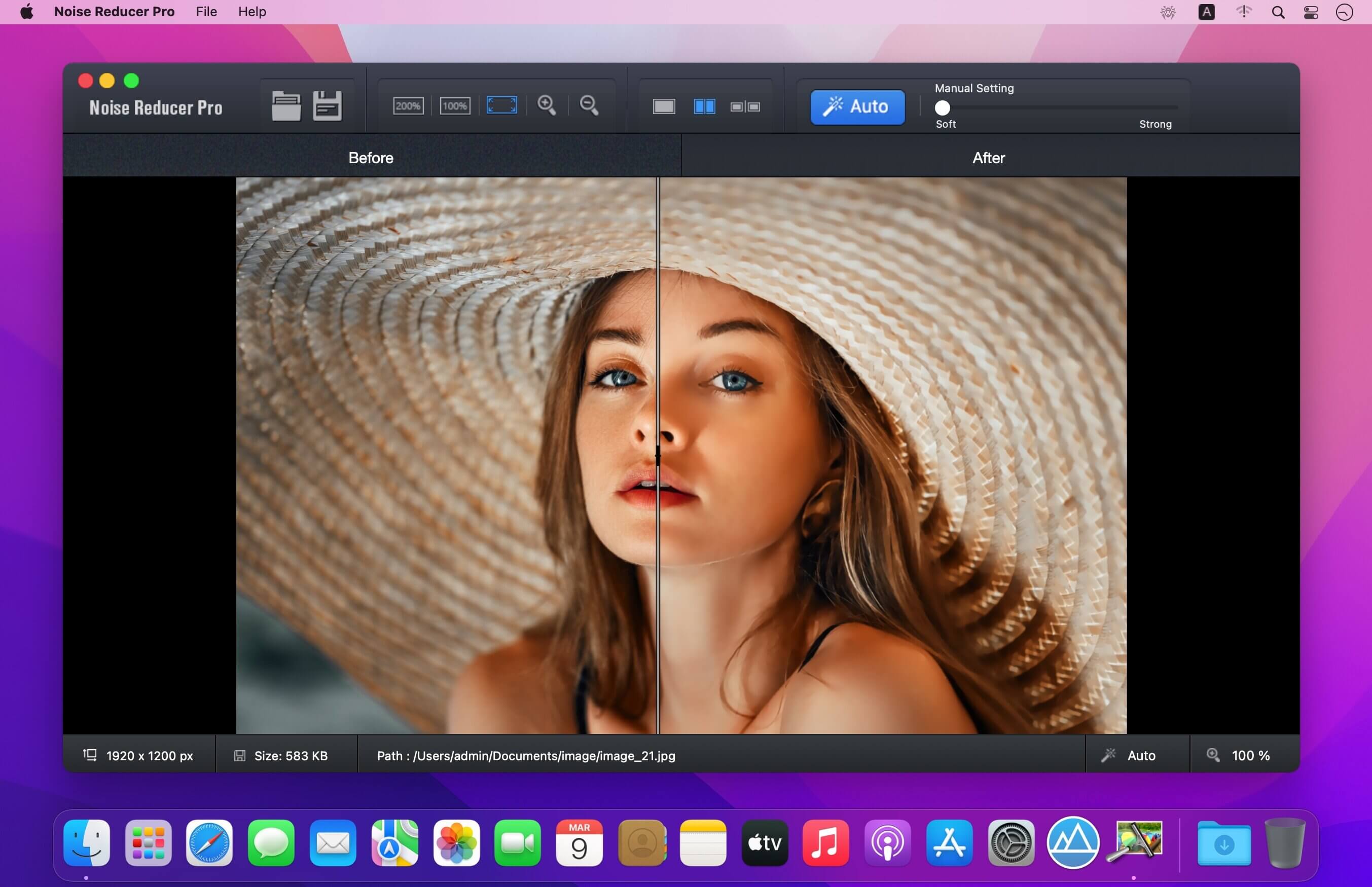
Designed and developed by Systweak Software, Noise Reducer Pro is a phenomenal editing software for Mac. It easily eliminates the grainy effect from your images and makes them look more flawless & beautiful than ever before. The application utilizes the state-of-art denoising technology to reduce low light and high ISO noise from snaps, captured via Digital Cameras, Smartphones or Tablets. Not only this, using the professional noise reduction program, you can easily enlarge the photos and remove the blur, tinted pixels and illuminated spots that appear during night mode camera shots.
App Highlights: Noise Reducer Pro By Systweak Software
Here’s what makes Noise Reducer Pro the best noise reduction software for Mac users.
- Modern & Stylish Dashboard
- Has an easy-to-use UI, with clearly labelled buttons to navigate through.
- Easily import photos you wish to denoise with Drag & Drop functionality.
- Advanced Techniques To Make Your Snaps 'Picture Perfect'
- Equipped with one of the fastest engines to detect flaws in your pictures.
- Instantly remove digital noise & make them spotless without sacrificing details.
- Real-Time Comparison Panel
- Easily compare the original and altered image at the same time, side-by-side.
- Gives you the opportunity to check the image clarity using Zoom in & Zoom out.
- Manual & Auto Noise Remover
- Allows users to adjust the level of denoising using the slider.
- Comes with an Auto mode which instantly removes the digital noise in a click.
- Image Management
- Displays the image size, dimensions & location of the photo stored on your Mac.
- Allows users to save the new image with reduced noise to any desired place.
- High Compatibility & Lightweight
- Requires macOS 10.8 or later to work seamlessly.
- Needs only 2.3 MB of space on your Mac.
Version 2.1
- minor bug fixes and improvements
Frequently asked questions
How do I install the app?
Mount the image, drag the app into the "Applications" folder and launch it. If the system blocks the launch, allow it in "System Settings → Privacy & Security".
The app is damaged or won't launch
Reinstalling from a fresh image usually helps. Make sure your macOS version matches the one listed in the compatibility specs.
How do I update?
Download the new version from the site and install it over the current one — your settings will be preserved.
The download link doesn't work
Try a mirror or a download manager. For large files the browser often drops the connection.
How do I completely remove the app?
Use an uninstaller utility — it cleans up the service files that remain after moving the app to the trash.


Choose a download source
Noise Reducer Pro 2.1 · 3.85 MB