
Donemax Data Recovery 1.0
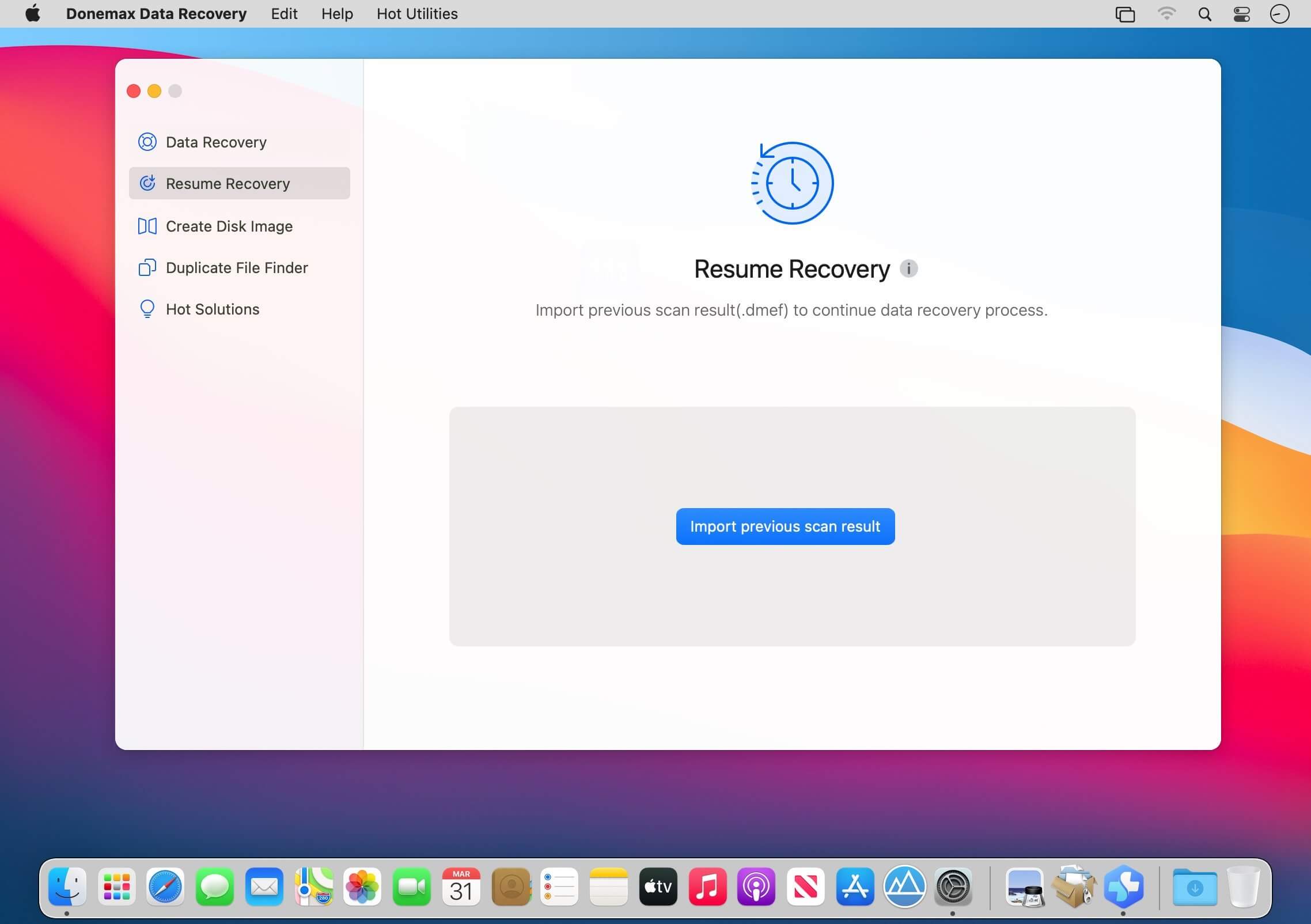
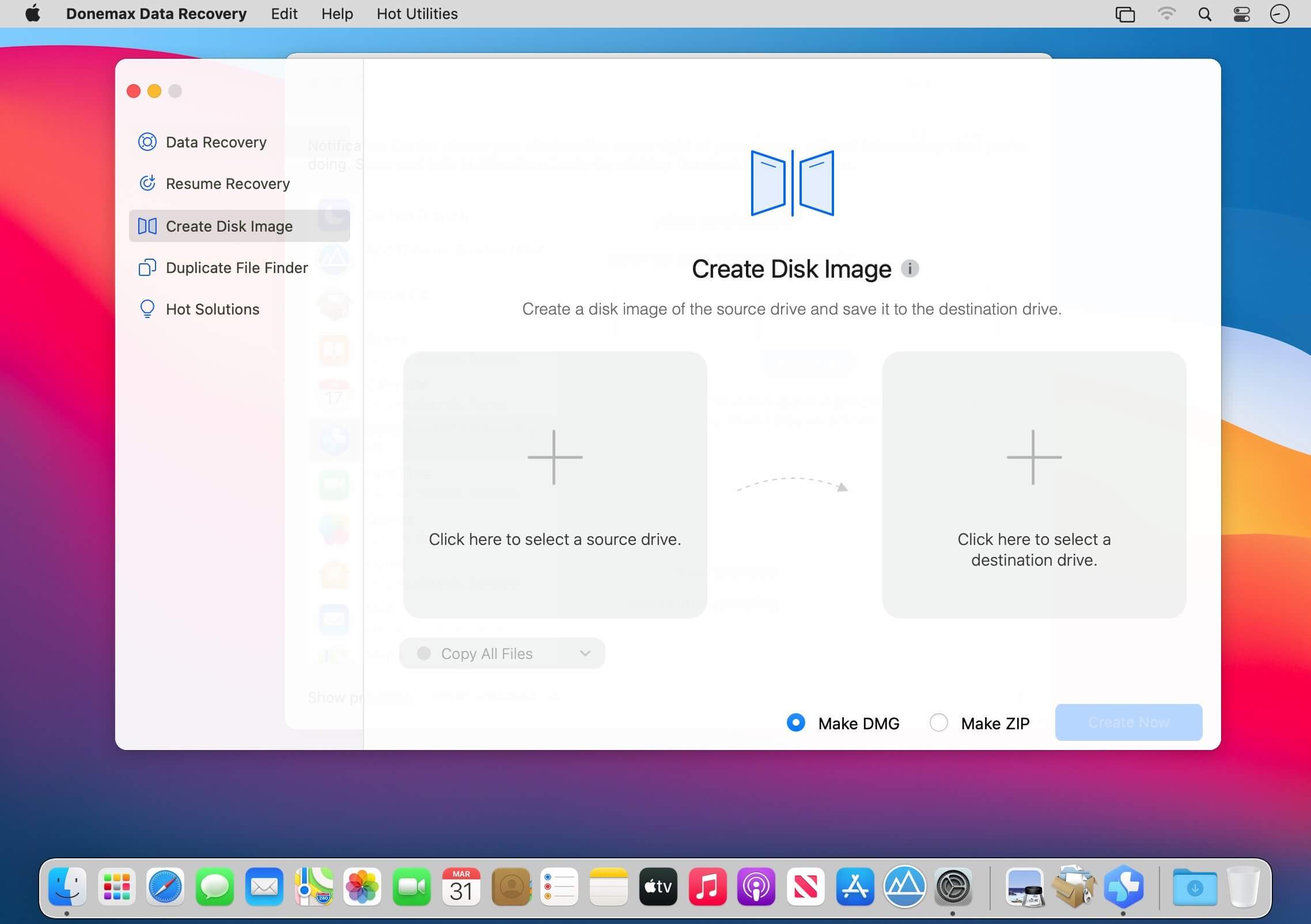
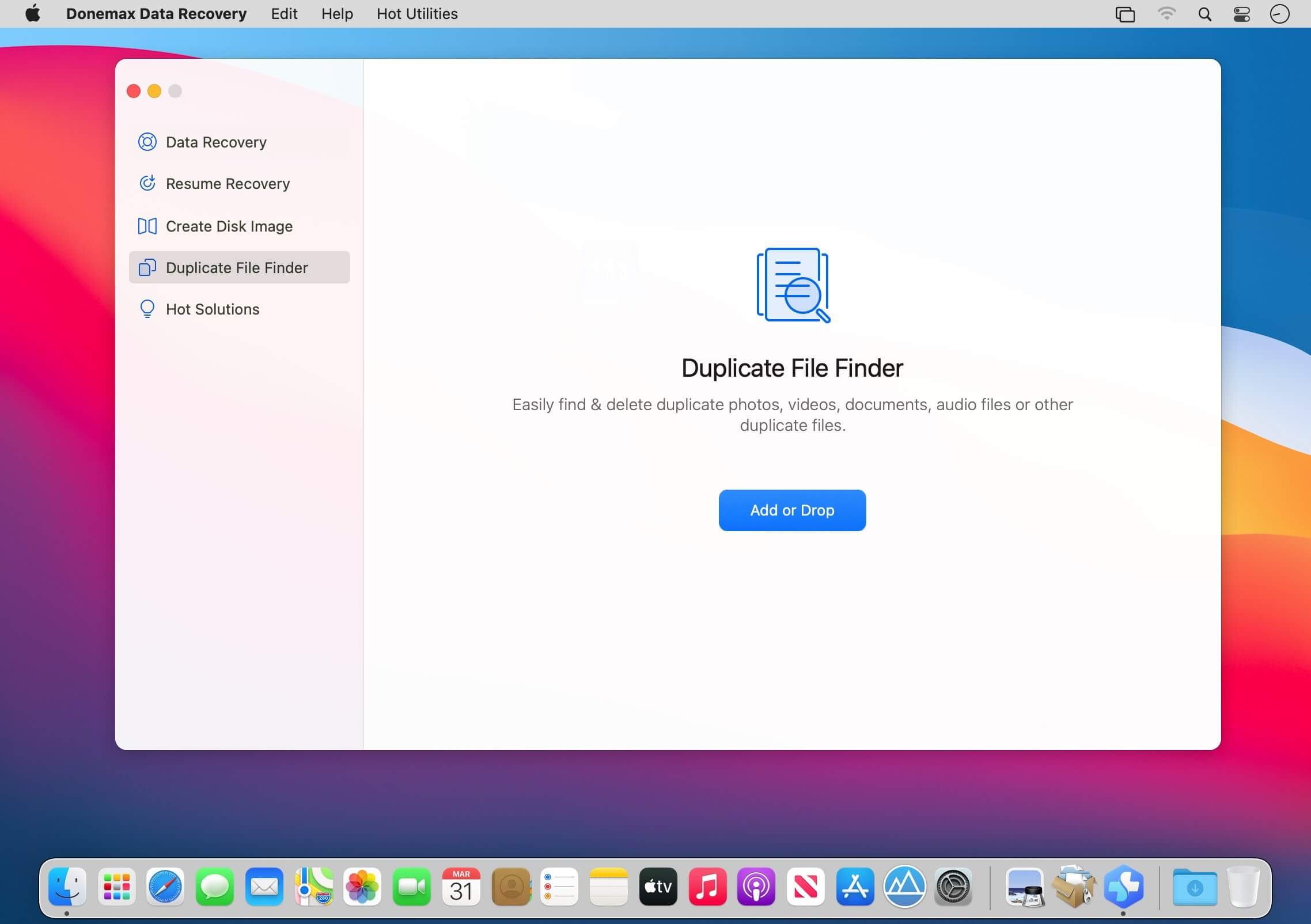
Donemax Data Recovery for Mac provides an easy way to recover data on Mac. The interface is very simple for users and you can recovered data within only 3 steps with the software. The software can quickly and effective recover lost data on Mac, ranges from OS X 10.9 to macOS 11 Big Sur.
Mac users my lose files due to different reasons, like delete files, format/erase drive in Disk Utility, hard drive becomes inaccessible, volume gets lost, system crash, and so on. No matter how you lose data on Mac, you can feel free to have a try and recover data with Donemax Data Recovery for Mac. Donemax Data Recovery for Mac can recover all types of lost data. You can use it to recover lost pictures, videos, documents, audio files, and others. It’s able to recover the lost files from Mac internal drive, external HDD/SSD, memory card, jump drive, RAID, Mac server, and so on.
The software offers another 2 options for you to make the recovery easy in some cases. Resume Recovery can help you save the scan session and try to recover data later without rescanning.
Create disk image feature can help you recover data from disk image instead of the original drive. It’s very useful if you need to use the original drive where you lost data.
Also, if the drive is damaging, you can create disk image for recover to avoid further damage to the drive.
There is another useful feature available in the software. You can use it to find and remove duplicate files on Mac. It can help you remove some duplicate copies of some files to free more space on your drive and computer. Donemax Data Recovery for Mac will deeply scan your drive directly to search for lost data effectively. It can help you find every recoverable files on your drive. It’s simple but very professional. You can download and use it to recover lost data in any data loss cases.
Version 1.0:
- Initial release
Frequently asked questions
How do I install the app?
Mount the image, drag the app into the "Applications" folder and launch it. If the system blocks the launch, allow it in "System Settings → Privacy & Security".
The app is damaged or won't launch
Reinstalling from a fresh image usually helps. Make sure your macOS version matches the one listed in the compatibility specs.
How do I update?
Download the new version from the site and install it over the current one — your settings will be preserved.
The download link doesn't work
Try a mirror or a download manager. For large files the browser often drops the connection.
How do I completely remove the app?
Use an uninstaller utility — it cleans up the service files that remain after moving the app to the trash.
VersionDonemax Data Recovery 1.0
DeveloperDonemax.
CompatibilitymacOS 10.10 or later
LanguageEnglish
IncludesK'ed by TNT




Information
Visitors in the group Guests cannot leave comments on this publication.
Choose a download source
Donemax Data Recovery 1.0 · 28.49 MB