
CrystalMaker X 10.6.4
Screenshots
Click to enlarge
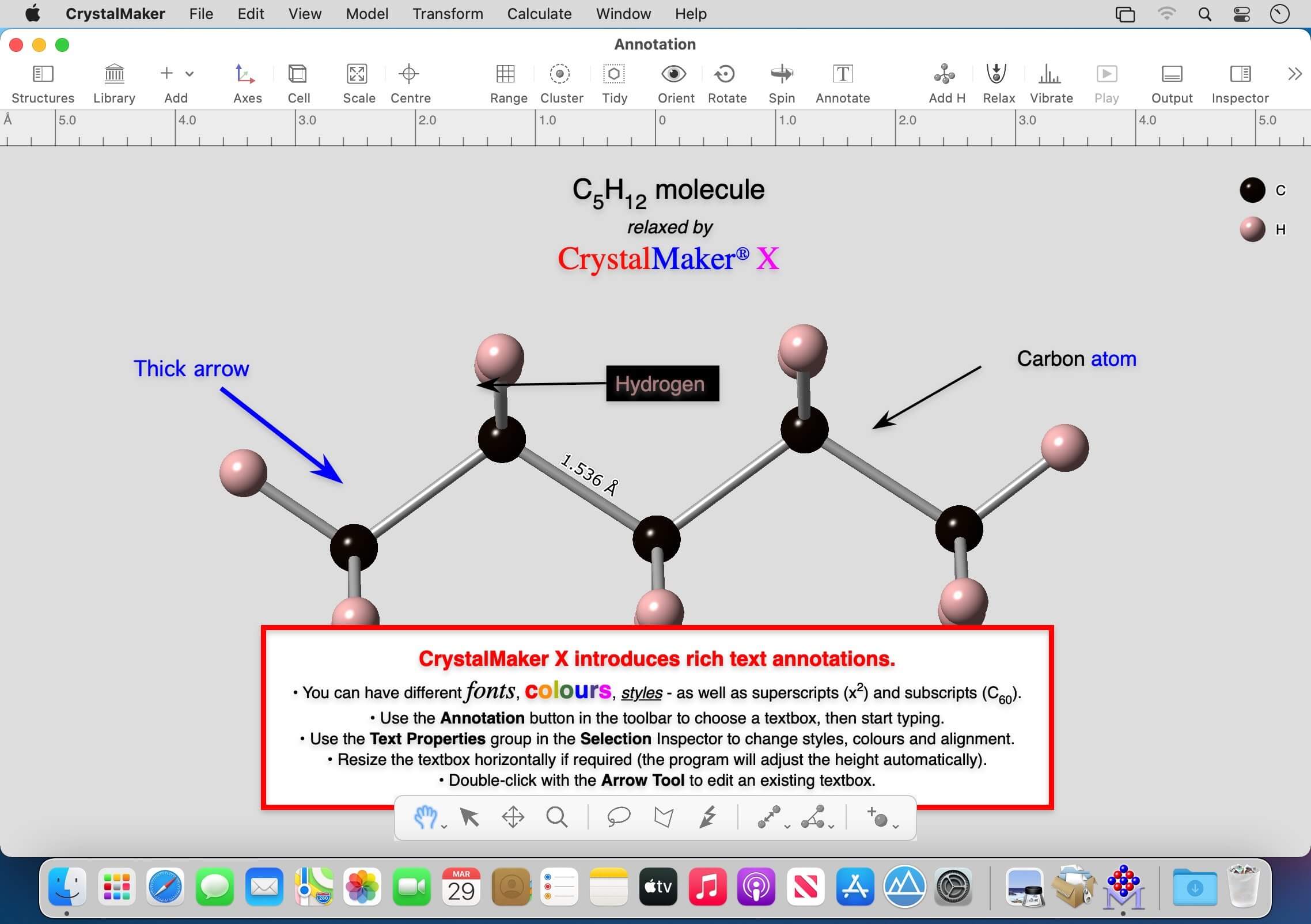

CrystalMaker X is the most-efficient way to visualize crystal and molecular structures. Its interactive design lets you "see the wood for the trees" and build your own visual understanding of complex materials. CrystalMaker transcends traditional crystallography software, letting you create dynamical visualizations with rotatable animations. Energy-modelling tools let you design and relax new structures, predict their vibrational properties, and explore how they interface with other materials.
CrystalMaker provides a streamlined workflow that majors on productivity: just drag-and-drop your data files into the program for instant display in spectacular photo-realistic colour. Manipulate structures in real time, with the mouse. Multiple View "bookmarks" and undo levels encourage exploration and discovery - ideal for teaching and research.
Integrated Structures Library - Now Add Your Own
CrystalMaker X includes an integrated structures library with some 1200 structures: annotated, indexed and with previews - ready for immediate display. The library includes over 400 minerals (all the the major rock-forming minerals plus many more), as well as important inorganic and organic crystals and molecules: from buckyballs to zeolites, and from dental ceramics to high-Tc superconductors. Also included is a teaching library of crystal-chemical type structures, plus thematic libraries covering topics as diverse as chemical warfare, medicinal chemistry, food flavourings and more.
Not Just Another Library…
These aren't your typical crude CIF text files! All files are saved using CrystalMaker's rich naixava document format (CMDX or CMDF) which lets you instantly load a fully-completed model with bonding, polyhedra, detailed notes (with publication data in most cases) and full metadata for powerful searching.
Each structure has been carefully constructed, with the optimum view direction and model settings to convey the best-possible visual understanding - and thereby saving you valuable time.
Many crystal files include multiple structure views, to showcase different aspects of the structure (e.g., a complex framework broken down into its consistuent building blocks, such as (Al,Si)O4 tetrahedra, rings of tetrahedra, cages, channels and building up a full network. You can use these files as teaching resources: just open the file, hit the Play button, and discover a whole new world of nano-scale beauty.
You can add an of these structures to an existing document window, for you to edit or share with colleagues and students.
You can browse structures in the Library's Browser view: grouping by folder, or flat view or simply exploring rotating structures and their notes in the Library's integrated "CrystalViewer". This isn't just a static library: you can add your own content, grouping structures into folders and taking advantage of CrystalMaker's powerful search capabilities: search by filename, notes or chemical formula.
Comprehensive Data Import & Export
Whilst the built-in libraries are great for teaching, researchers will want to visualize their own data - and they can! CrystalMaker X lets you import data from over 40 different formats: with instant display and powerful customization. CrystalMaker can handle including multi-structure files such as DL_POLY HISTORY - use CrystalMaker's synchronization and animation capabilities to rapidly understand structural behaviour, lattice dynamics, or visualize the trajectory of a simulation. CrystalMaker X can also handle truly massive structures. Take advantage of our unique "Depth Profiling" tool, to rapidly scan ares of interest in massive structures - ideal for characterizing the results from computer models.
Version 10.6.4:
- Release notes were unavailable when this listing was updated.
Comments
No comments yet. Be the first.