Artlantis Studio 6.5.2.11
Artlantis Studio is a unique and ideal tool for performing very high resolution rendering easily and in real time. The new FastRadiosity engine now lets you compute images in radiosity-even in preview. Another innovative feature of Artlantis is that 3D objects and vegetation can be used directly in the preview window by simply dragging and dropping them. This enables users to work on different scenarios quickly and to simulate true virtual scenes in a real environment.
WHAT’S NEW
What’s new in Artlantis 6.5?
Render Manager
Artlantis 6.5 optimizes rendering calculation times with the new Render Manager. Similar to the earlier Artlantis “batch rendering” feature, Render Manager allows users to launch the calculation of images, panoramas and animations on their own computers. Thanks to an application installed on the other Mac or PC computers connected to their local network, the Render Manager scatters the renderings among all the network computers, dramatically reducing the rendering calculation time as a result. This time-saving feature is available in Artlantis 6.5 for an unlimited number of nodes, free of charge.
Preview now available in ‘draft’ mode
Artlantis has long been recognized as a leader in real-time preview window technology. Regardless of the change in the scene settings (materials, lighting, environment), the preview is updated instantly. Users can control their work, confirm changes, and run the calculation of the final image in high definition without wasting precious time.
For even greater productivity, Artlantis 6.5 now offers a choice between preview window display speed or high definition accuracy with its new “draft” mode, a particularly valuable preview option when working on a project. Users can switch back to normal mode at any time to display their scenes more accurately and photo-realistically.
Twinmotion Export
Users can now export their Artlantis 6.5 projects in .tma format to communicate directly with Abvent’s award-winning 3D immersion tool, Twinmotion 2016. With unmatched speed for modeling sites and reliefs, trees and plants, the flow of vehicles and people, Twinmotion is the perfect interactive tool to explore, explain and share in real-time the 3D environment of a project.
Physical sky
Artlantis 6.5 improves the photo-realistic quality of architectural renderings — new, realistic clouds are integrated in the physical sky, while the “God rays” effect is now visible behind glass surfaces.
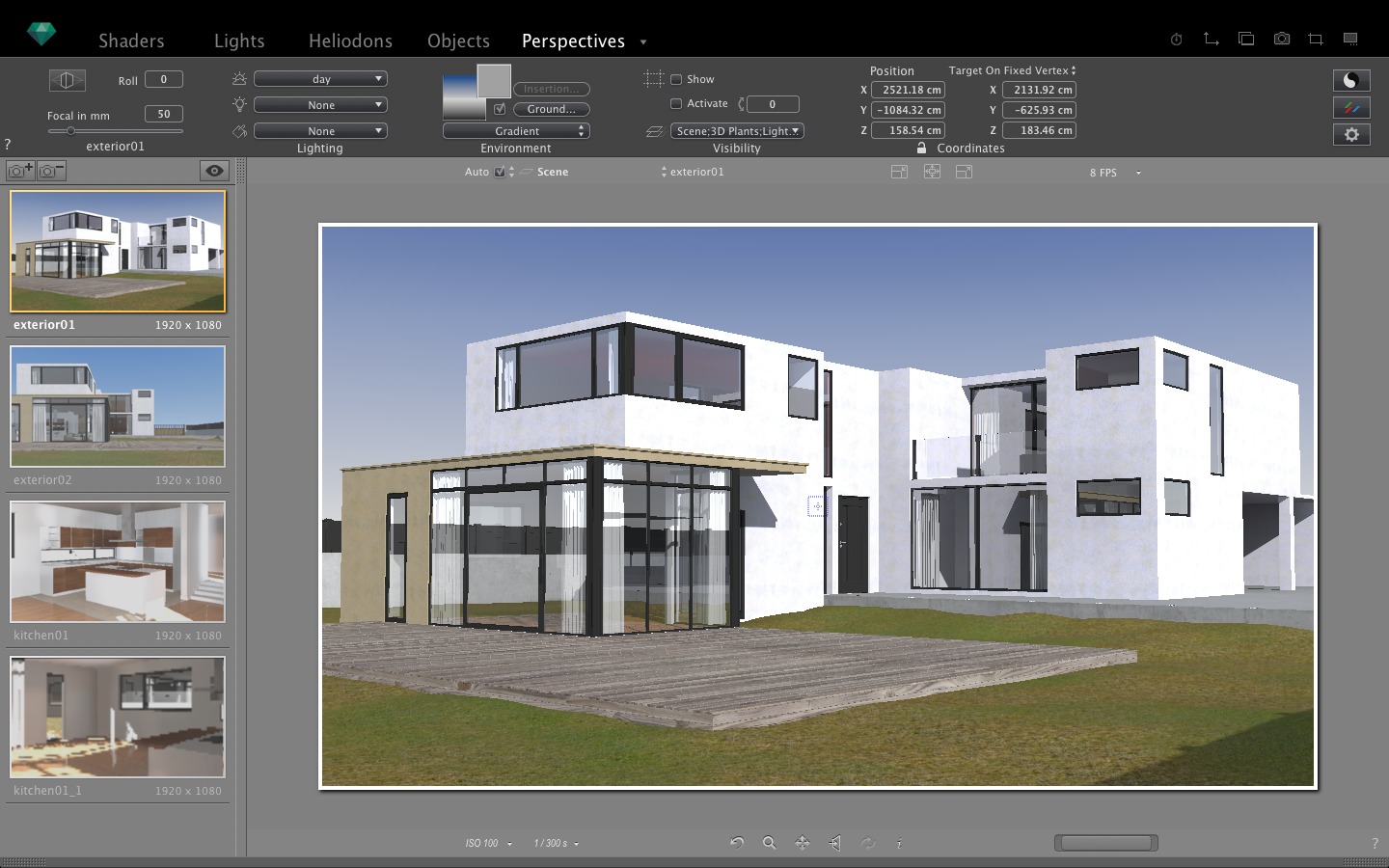
SCREENSHOTS
Frequently asked questions
How do I install the app?
Mount the image, drag the app into the "Applications" folder and launch it. If the system blocks the launch, allow it in "System Settings → Privacy & Security".
The app is damaged or won't launch
Reinstalling from a fresh image usually helps. Make sure your macOS version matches the one listed in the compatibility specs.
How do I update?
Download the new version from the site and install it over the current one — your settings will be preserved.
The download link doesn't work
Try a mirror or a download manager. For large files the browser often drops the connection.
How do I completely remove the app?
Use an uninstaller utility — it cleans up the service files that remain after moving the app to the trash.
VersionArtlantis Studio 6.5.2.11
DeveloperAbvent
CompatibilityOS X 10.8.5 or later, 64-bit processor
LanguageEnglish, Danish, French, German, Italian, Spanish.
IncludesK




Information
Visitors in the group Guests cannot leave comments on this publication.
Choose a download source
Artlantis Studio 6.5.2.11 · 688.05 MB