Timeline 3D 5.4.0

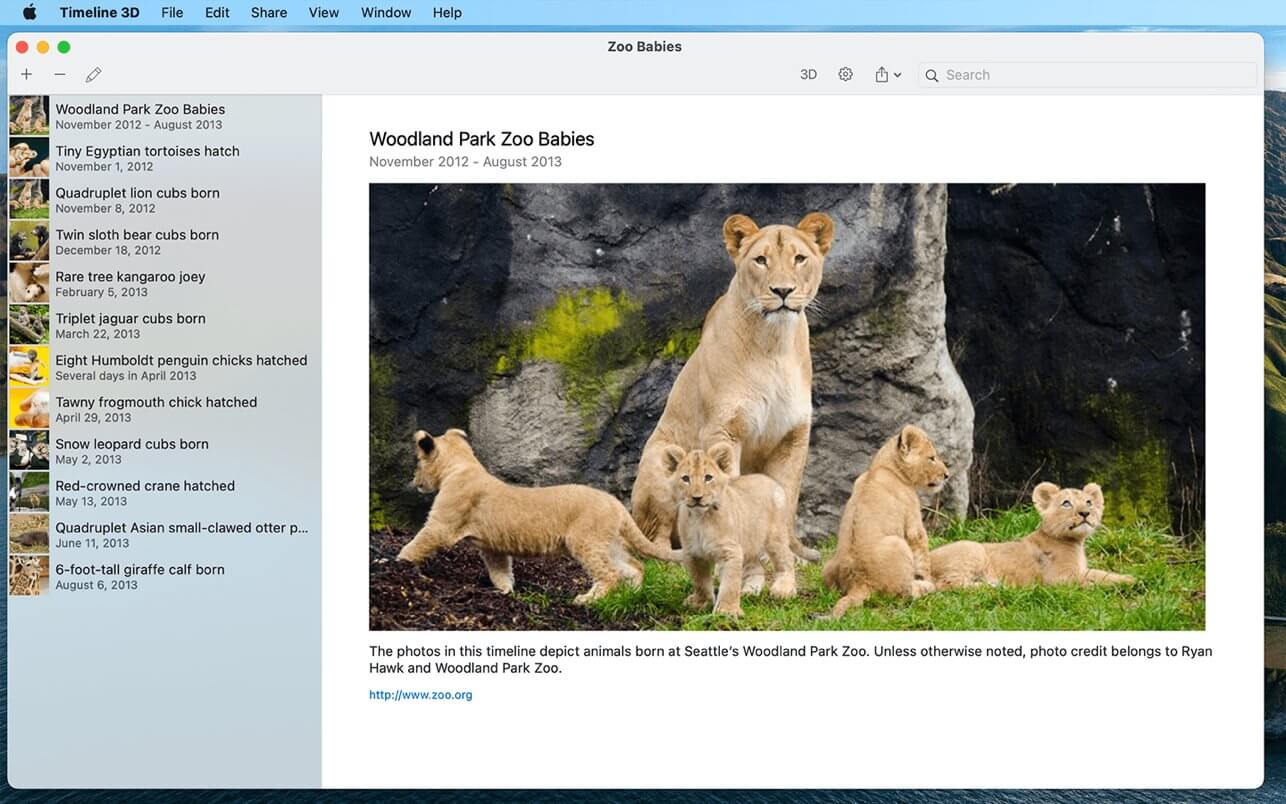

Timeline 3D is the simplest way to create beautiful multimedia timelines.
Present historical events with Timeline 3D to reveal connections and clarify relationships. Make timeline charts of world history, family trees, fictional stories or business deadlines. Timelines help you understand and present history with new perspective!
INCLUDED FEATURES
- Present your timelines full screen and with 3D perspective
- Add images, movies, or PDFs to events
- Quickly enter events with dates and times in any global format
- Include optional information such as notes, web links, and tags
- Choose from different background themes
- Import your timelines from previous versions of Timeline 3D and Easy Timeline.
FEATURES WITH IN-APP PURCHASE
- Print your timelines on a single page, formatted for your paper size
- Export PDFs to share your timeline with anyone
- Export movies of your animated timeline at sizes up to 4K
- Export slideshows to PowerPoint and Keynote
- Export a WebGL website to add interactive 3D timelines to your website
- These features can be purchased individually or as a complete package.
TIPS & TRICKS
- Enable AirPlay Mirroring to view your events on your device while presenting your timeline
- On capable devices, use voice dictation to enter text and dates
- Use arrow keys to fly over events in a 3D presentation
- Use spacebar to zoom in on media files in your presentation
- Entering the date also sets the date format (for example, January 20, 2015 or 1/20/2015)
- Use iCloud or Dropbox to share timelines and media files between devices and your Mac
Version 5.4.0
- FIX: Improved parsing of dates that include times.
Frequently asked questions
How do I install the app?
Mount the image, drag the app into the "Applications" folder and launch it. If the system blocks the launch, allow it in "System Settings → Privacy & Security".
The app is damaged or won't launch
Reinstalling from a fresh image usually helps. Make sure your macOS version matches the one listed in the compatibility specs.
How do I update?
Download the new version from the site and install it over the current one — your settings will be preserved.
The download link doesn't work
Try a mirror or a download manager. For large files the browser often drops the connection.
How do I completely remove the app?
Use an uninstaller utility — it cleans up the service files that remain after moving the app to the trash.





Choose a download source
Timeline 3D 5.4.0 · 17.53 MB