Aiseesoft MXF Converter 9.1.8
The best solution to play MXF files on Mac and import MXF/P2 MXF recordings shot by camcorders to optimal profiles for editing in Final Cut Pro, iMovie, Final Cut Express, Adobe Premiere, and Avid Media Composer etc.
Convert MXF video
Convert MXF file to popular high-definition/standard-definition video losslessly.
Add 3D effects to MXF file
The program enables you to add 3D effect to your 2D MXF with optional 3D mode and settings.
Great video editing features
With great editing feature, you are able to crop or add personal watermark on MXF video.
Convert the recorded MXF video to editable video
It is the best way to resolve the problem of editing MXF files recorded by your camcorder. It can transcode MXF files into editable footage in iMovie, Avid Studio, Adobe Premiere, Final Cut Pro, Final Cut Express, and Avid Media Composer. It supports optimal profiles for certain editing software, like Apple ProRes, DVCPRO, HDV, Avid DNxHD, XDCAM, and Apple InterMediate Codec (AIC).
Make the MXF video playable and compatible
The MXF Converter has numerous output profiles, covering all popular video formats, including MP4, MOV, MKV, AVI, WMV, FLV, SWF, M4V and popular HD video formats like H.264/MPEG-4 AVC, HD MP4, HD MOV, HD AVI etc. It supports all popular devices, including the latest iPhone 7, iPhone 7 Plus, iPhone 6s Plus, iPhone 6s, iPad Pro/Air/mini 2, Samsung Galaxy S7 edge/S7, etc. After converting, the recorded MXF file can be playable on your computer directly or on any other portable player.
Powerful editing functions make your MXF video distinctive
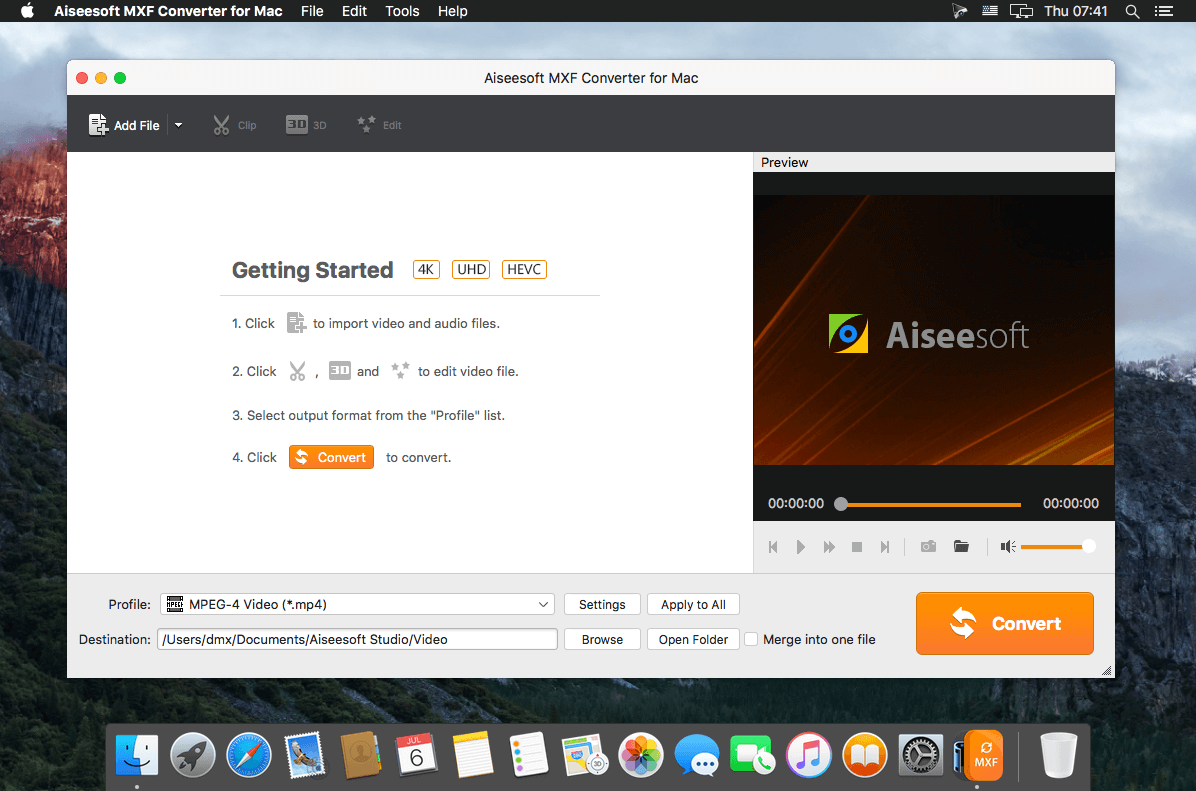
Under Edit column, you are enabled to adjust the video effect like brightness, contrast, saturation, hue and volume. Crop function allows you to remove the black bars from MXF videos and change the aspect ratio to get a full-screen video. Add watermark with text/picture and define the text color/font/transparency/position as you like. What's more, you can turn the 2D video into 3D with optional 3D modes and settings.
SCREENSHOTS
Frequently asked questions
How do I install the app?
Mount the image, drag the app into the "Applications" folder and launch it. If the system blocks the launch, allow it in "System Settings → Privacy & Security".
The app is damaged or won't launch
Reinstalling from a fresh image usually helps. Make sure your macOS version matches the one listed in the compatibility specs.
How do I update?
Download the new version from the site and install it over the current one — your settings will be preserved.
The download link doesn't work
Try a mirror or a download manager. For large files the browser often drops the connection.
How do I completely remove the app?
Use an uninstaller utility — it cleans up the service files that remain after moving the app to the trash.
VersionMXF Converter 9.1.8
DeveloperAiseesoft Studio
CompatibilitymacOS 10.7 or later, 64-bit processor
LanguageEnglish
IncludesK'ed by TNT


Information
Visitors in the group Guests cannot leave comments on this publication.
Choose a download source
Aiseesoft MXF Converter 9.1.8 · 49.04 MB