Books Expert - Templates for iBooks Author 3.0
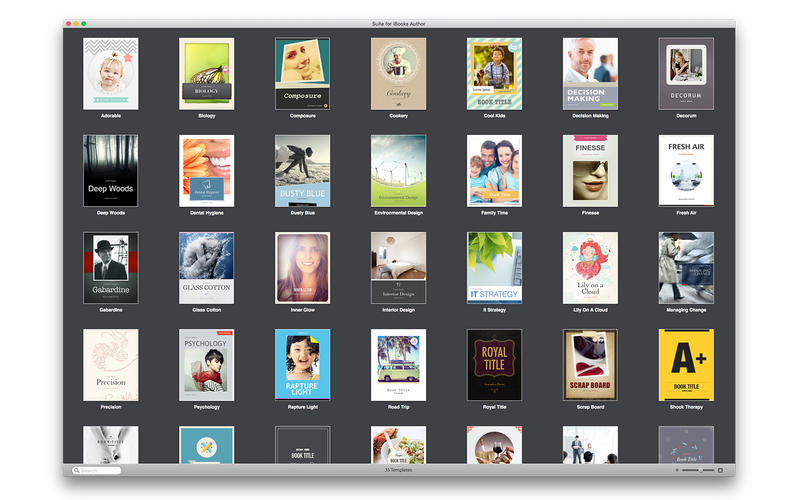
With the new, revolutionary iBooks Author app, anyone can create and publish great Multi-Touch books for iPad, including you. Alungu swiftly offers you an enhanced experience in book creation with 35 beautiful templates for iBooks Author.
Features:
Wide choice
Assortment of stylish and modern page layouts.
Create your own style
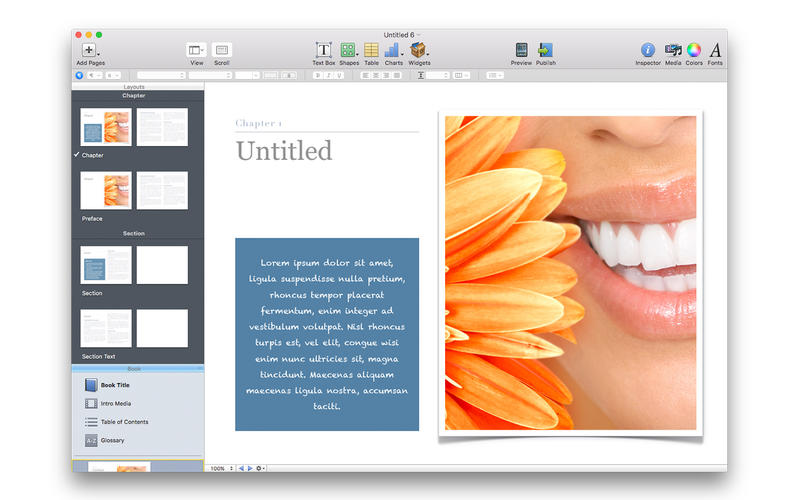
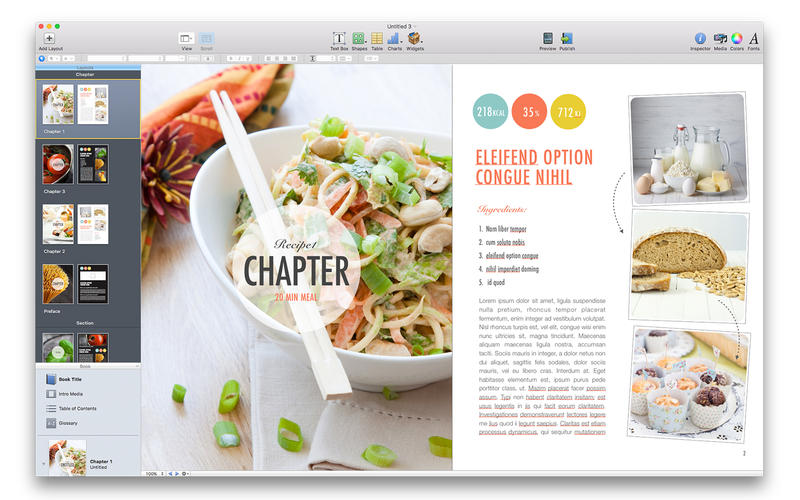
You can use templates as a starting point and go from there by typing or pasting your own text, adding or removing text boxes, dropping images or other media.
Premium quality
Themes are designed by professional designers. The standard designs included in Suite for iBooks Author are very polished, you are not expected to settle for default.
Easy to use
Most objects in the templates can be easily reshaped, moved, or removed, colors can be changed as well.
Your choice
Use a variety of pre-designed text styles or opt for fonts of your choice to format your text for the best effect.
Save your time and create marvellous looking Multi-touch book just in a minute!
WHAT’S NEW
Version 3.0
- Bug Fixes.
SCREENSHOTS
Frequently asked questions
How do I install the app?
Mount the image, drag the app into the "Applications" folder and launch it. If the system blocks the launch, allow it in "System Settings → Privacy & Security".
The app is damaged or won't launch
Reinstalling from a fresh image usually helps. Make sure your macOS version matches the one listed in the compatibility specs.
How do I update?
Download the new version from the site and install it over the current one — your settings will be preserved.
The download link doesn't work
Try a mirror or a download manager. For large files the browser often drops the connection.
How do I completely remove the app?
Use an uninstaller utility — it cleans up the service files that remain after moving the app to the trash.
VersionBooks Expert - Templates for iBooks Author 3.0
DeveloperAlungu UAB
CompatibilityOS X 10.8 or later, 64-bit processor
LanguageEnglish
IncludesK'ed by TNT
Related posts



Information
Visitors in the group Guests cannot leave comments on this publication.
Choose a download source
Books Expert - Templates for iBooks Author 3.0 · 118.67 MB