
Timerik 1.3
Timirik is a beautiful, handy and easy to use tool that allows to set a timer for some action.
Features:
- Small and huge at the same time
- Quick set up: save a default action and use the +/- 30 min. buttons for time adjusting
- Automatic installation of the default actions: Shutdown, Restart, Sleep, Log out and Stop music
- You can set any applescript that you want
- Multiple windows: setting an additional notifications
- Status bar assistants: information about which counter and when will be run
WHAT’S NEW
Version 1.3
- Fixed an issue when the app freezed while being in the background;
- Improved the multiple windows mode;
- Added the Clear button to reset a timer.
Screenshots
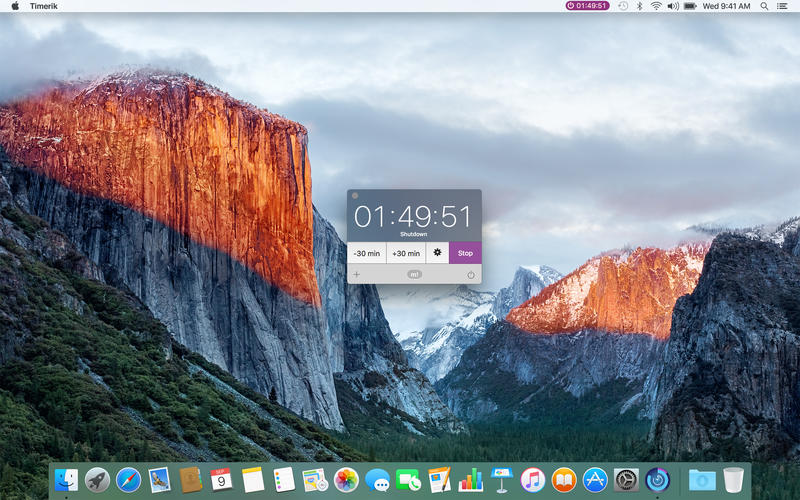
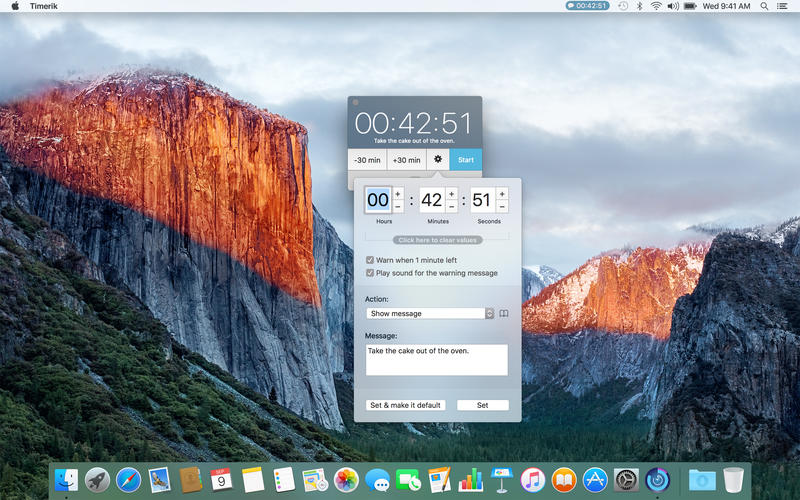
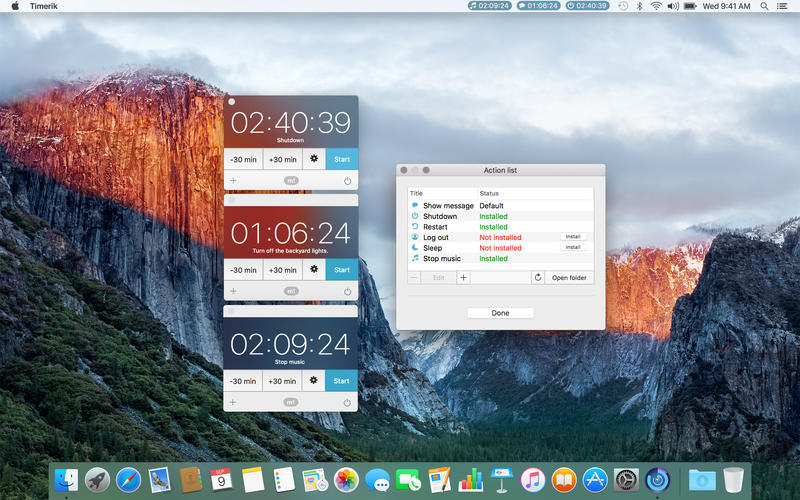
Frequently asked questions
How do I install the app?
Mount the image, drag the app into the "Applications" folder and launch it. If the system blocks the launch, allow it in "System Settings → Privacy & Security".
The app is damaged or won't launch
Reinstalling from a fresh image usually helps. Make sure your macOS version matches the one listed in the compatibility specs.
How do I update?
Download the new version from the site and install it over the current one — your settings will be preserved.
The download link doesn't work
Try a mirror or a download manager. For large files the browser often drops the connection.
How do I completely remove the app?
Use an uninstaller utility — it cleans up the service files that remain after moving the app to the trash.
VersionTimerik 1.3
DeveloperMAKSIM VECHESLAVOV
CompatibilityOS X 10.10 or later, 64-bit processor
LanguageEnglish, Russian
IncludesPre-K'ed




Information
Visitors in the group Guests cannot leave comments on this publication.
Choose a download source
Timerik 1.3 · 4.5 MB