

iFoto HDR 2.6
Screenshots
Click to enlarge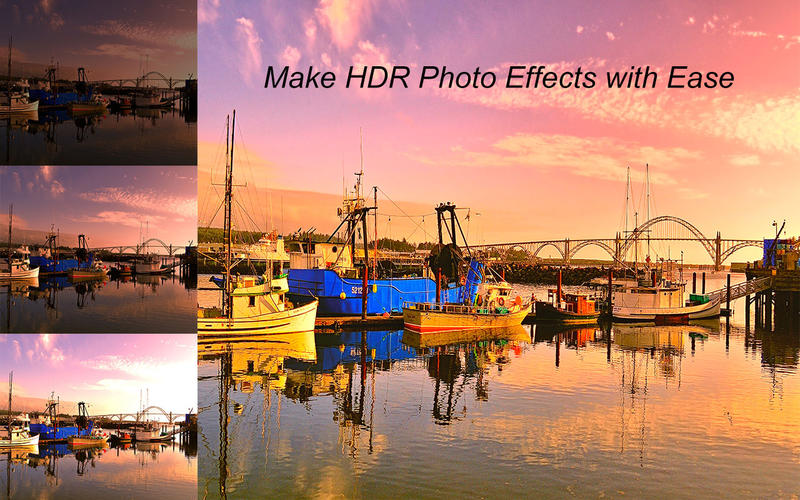


HDR should be a tricky subject to master for photographers. When you merge the images with different exposure to HDR photographs, how to ensure a creative and natural look? iFoto HDR should be the best answer for you to merge HDR photos. It is a super easy HDR program to make awesome results.
When you load a series of three images with different exposures to merge HDR photos, iFoto HDR use the advanced tone-mapping algorithms to create awesome high dynamic range images automatically. If you are not satisfied with the default result, you can use the selected presets of HDR filters to present another results. You can adjust the tone length, tone saturation and ghost suppression manually to generate an HDR image. And apply a different brightness, saturation or contrast for the stunning HDR photo.
The HDR software can accept formats of all popular HDR cameras, including Nikon, Canon, Sony and other devices. The automatic HDR sequences to align photos, both taken by handhold or tripod. The Ghost suppression features make a fine result with moving stuff or people. Even the newbie of HDR photographer can master the HDR skill with the super easy user interface of iFoto HDR.
There are multiple methods to save or share the HDR files. Once you get a satisfied HDR photo, you can save the file to computer directly or share to Facebook, Twitter and other social network. You can share the awesome HDR image with your friends or family within one click.
Features:
- Combine a series of three images with different exposures to HDR photograph.
- Multiple presets of HDR filters to present different HDR images with breath-taking outputs.
- Adjust the tone length and tone saturation parameters to create high dynamic range images.
- Ghost suppression to ensure a final result of HDR merging with moving device and people.
- Color management of the HDR photos by adjusting the brightness, saturation and contrast to get a satisfied result.
- Easy to compare the original images with HDR result photos by the user interface.
- Advanced tone-mapping algorithms of HDR software to get awesome results.
- Automatic HDR sequences to align photos, both taken by HDR cameras handhold and tripod.
- Multiple shortcuts to enjoy a nice experience for HDR processing, like zoom-in to check the detail about HDR image.
- It is a HDR program supports multiple of photo formats of different HDR cameras.
- Share stunning HDR photos to Facebook, Twitter, Flickr and other social network sites.
- Save the HDR images to Mac computer in different photo formats.
Version 2.6.1124
- Update HDR algorithm
Comments
No comments yet. Be the first.
Information
Visitors in the group Guests cannot leave comments on this publication.