After Focus 1.5.5
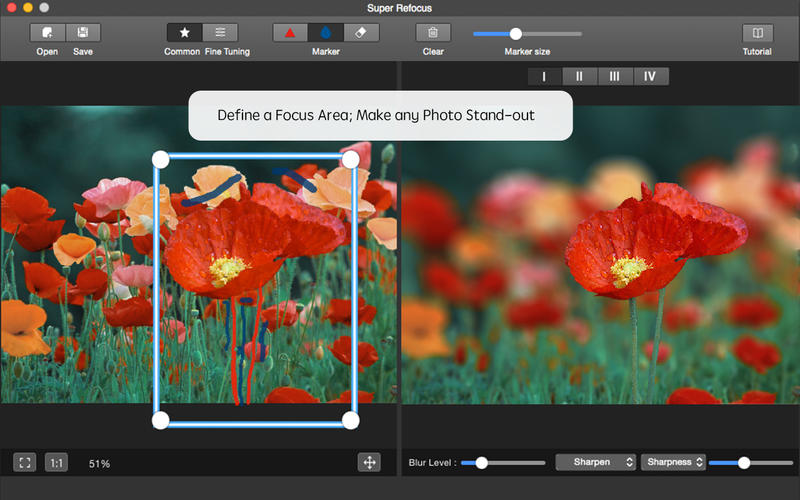
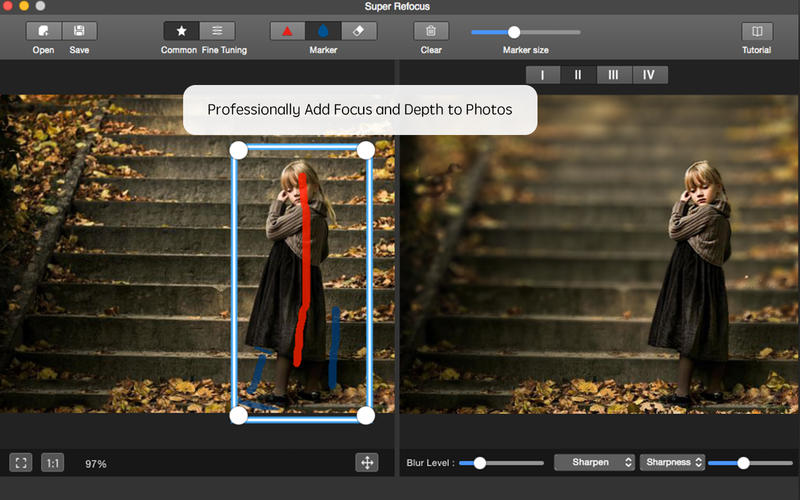
After Focus professionally adds focus and depth to your photos without expensive camera lenses. It easily defines a focus area and achieves lens blur, motion blur effects. After Focus extends filter and lens functionality beyond your camera and allows you to adjustable controls to add custom focus options to make any photo stand-out.
Main Features:
- Automatically determine the target prospects based on the target box with state-of-the-art image segmentation algorithm.
- Two processing modes: Regular mode and Customized mode. It offers simple tools to quickly start and sophisticated tools to further retouch photographic effects;
- Adjust the scope of the focus area and the background with drawing stroke.
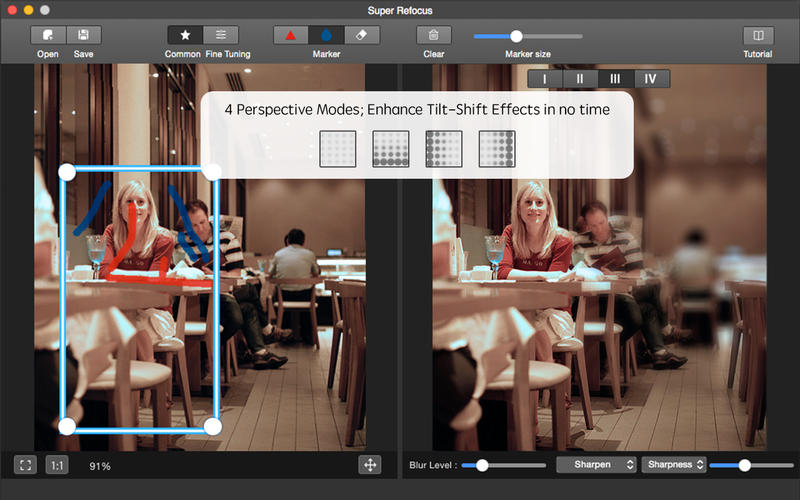
- Four Perspective Modes offer different types of natural blurring effect for the background.
- Determine the blur gradient for any area with customized mode.
- Сomplete professional image editing with the advanced focus algorithm.
- Intuitively control 5 blur levels and precise adjust blur strength.
- Сlear the target prospects with an advanced sharpen algorithm to achieve professional refocusing effect.
- Live previews and real-time editing.
- Undo, redo history can be saved so you can always undo, redo your changes with unlimited times.
WHAT’S NEW
Version 1.5.5
- Some bugs were fixed
SCREENSHOTS
Frequently asked questions
How do I install the app?
Mount the image, drag the app into the "Applications" folder and launch it. If the system blocks the launch, allow it in "System Settings → Privacy & Security".
The app is damaged or won't launch
Reinstalling from a fresh image usually helps. Make sure your macOS version matches the one listed in the compatibility specs.
How do I update?
Download the new version from the site and install it over the current one — your settings will be preserved.
The download link doesn't work
Try a mirror or a download manager. For large files the browser often drops the connection.
How do I completely remove the app?
Use an uninstaller utility — it cleans up the service files that remain after moving the app to the trash.
VersionAfter Focus 1.5.5
DeveloperXiuXia Yang © Photo-in-Art Studio
CompatibilityOS X 10.7 or later, 64-bit processor
LanguageEnglish
IncludesPre-K'ed




Information
Visitors in the group Guests cannot leave comments on this publication.
Choose a download source
After Focus 1.5.5 · 15.66 MB